
 WhatsApp: +86 16626708626
 Email:
  Phone: +86 16626708626
Description
3. Key Technical Specifications
| Parameter | Value |
|---|---|
| Total Ports | 8 |
| Copper Ports | 6 × 10/100BASE-TX RJ45 |
| Fiber Uplink Ports | 2 × 100BASE-FX Single-mode SC |
| Fiber Distance | 0–32.5 km (9/125 µm SM, 16 dB link budget @ 1300 nm) |
| Switching | Store-and-forward, fanless |
| Power Supply | 12/24/48 V DC (9.6–60 V) and 24 V AC (18–30 V), redundant inputs |
| Power Consumption | Approx. 7.7 W typical |
| Operating Temperature | 0 °C to +60 °C (standard) |
| Storage Temperature | –40 °C to +70 °C |
| Relative Humidity | 10 % to 95 % (non-condensing) |
| Protection Class | IP20 |
| Mounting | DIN rail |
| Dimensions (W × H × D) | 74 × 131 × 111 mm |
| Weight | Approx. 410 g |
| Signaling Contact | 1 × plug-in terminal block (fault relay) |
4. Product Introduction
The Hirschmann RS20-0800S2S2SDAUHC is a compact DIN-rail Fast Ethernet switch from the OpenRail RS20 series. It provides six copper 10/100BASE-TX ports and two single-mode 100BASE-FX SC fiber uplinks capable of distances up to 32.5 km.
Plant engineers select this model when a space-saving, fanless switch with redundant power inputs and reliable fiber connectivity is required for control cabinets. The unit supports store-and-forward switching and includes a fault signaling contact. As a discontinued configuration, remaining New Surplus stock continues to serve existing installations that depend on the exact port mix and mechanical footprint.
5. Installation & Configuration Guide
Stage 1: Pre-Installation Preparation (≈5–10 min)
⚠️ Safety First: De-energize the cabinet. Lock out/tag out the power sources feeding the switch. Verify residual voltage is zero.
Tools Required: ESD wrist strap, flat-blade screwdriver for terminal blocks, fiber cleaning kit and inspection scope, multimeter, labels, smartphone for photos of existing cabling and power wiring.
Data Backup: Record current IP settings (if managed variant), VLAN or redundancy configuration, and note fiber connector polarity and copper port assignments.
Stage 2: Removing the Old Switch (≈5–10 min)
- Power down both redundant supplies.
- Label and disconnect all RJ45 copper cables and the two SC fiber jumpers. Cap the fiber ends immediately.
- Disconnect the power and fault-contact wiring from the 6-pin terminal block.
- Release the DIN-rail latch and remove the unit straight off the rail.
⚠️ Inspect the rail and adjacent devices for damage. Keep the old unit until the replacement is fully verified.
Stage 3: Installing the New Switch (≈10–15 min)
- Confirm the exact model marking RS20-0800S2S2SDAUHC.
- Snap the unit onto the DIN rail until the latch clicks.
- Connect the redundant 24 V (or specified) power supplies to the terminal block, observing polarity. Wire the fault contact if used.
- Clean and inspect both SC fiber connectors, then insert them into the uplink ports. Connect the six RJ45 copper cables to the host ports.
Self-Checklist: [ ] Model number verified [ ] Power polarity correct [ ] Fibers cleaned and seated [ ] DIN-rail latch locked.
Stage 4: Power-On & Testing (≈10–15 min)
Pre-Power Check: Verify no short on the power terminals.
- Apply power. Observe the power LED(s) and link/activity LEDs on all active ports.
- Confirm both fiber uplinks establish link (LS/DA LEDs).
- Test basic connectivity from a copper port to a known device.
- If the unit is a managed variant, access the web interface or CLI via the V.24/USB port or a copper port and verify configuration.
- Trigger the fault contact (remove one power input or break a monitored link) and confirm the signaling relay operates.
⚠️ Troubleshooting Note: No fiber link usually indicates dirty connectors, excessive attenuation, or incorrect single-mode fiber type. Copper ports that stay dark may have speed/duplex mismatch or cable faults. Always verify the power supply voltage is within the 9.6–60 V DC range.
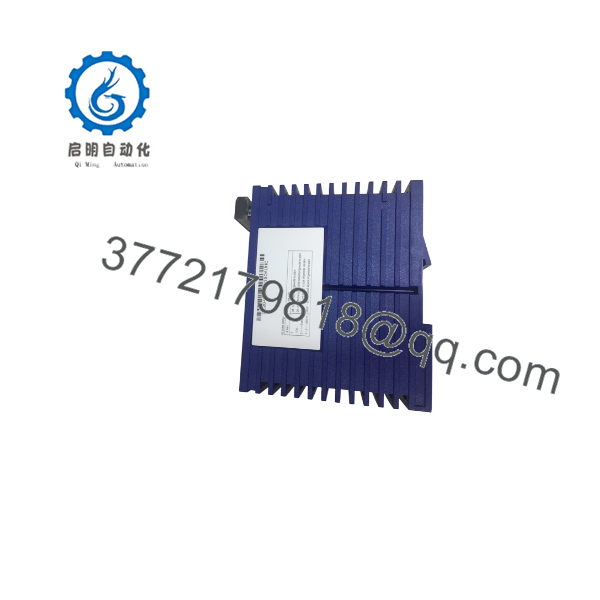
RS20-0800S2S2SDAUHC
6. Frequently Asked Questions (FAQ)
Q: Can the RS20-0800S2S2SDAUHC be hot-swapped under power?
No. Always remove both power inputs before disconnecting or connecting cables. Hot-swapping can damage the electronics or create unsafe conditions in the cabinet.
Q: Is this model obsolete, and is the stock genuinely new?
Yes, this specific RS20 configuration is discontinued by Hirschmann/Belden. Available units are New Original (new surplus) stock that has been functionally verified. Quantities are limited.
Q: What is the direct replacement if this exact model is unavailable?
Later RS20 or RSP/RSPL series switches with equivalent port counts (6 × TX + 2 × SM SC) can serve as functional replacements. Confirm fiber distance, software feature set (Layer 2 Enhanced vs. Professional), and mechanical dimensions before substitution.
Q: Will I lose network configuration when I replace the switch?
If the unit is unmanaged, there is no configuration to lose. If it is a managed variant, configuration is stored in the device or on an optional ACA21-USB auto-configuration adapter. Always back up settings before removal.
Q: Why is the price lower than current Hirschmann list price?
These are New Surplus units from secondary-market inventory. They provide the same form, fit, and function as original production switches and are fully tested, but they are no longer active catalog items.
Q: What fiber type and distance does this switch support?
Single-mode 9/125 µm fiber with SC connectors. Maximum distance is 32.5 km with a 16 dB link budget at 1300 nm (0.4 dB/km attenuation assumed plus 3 dB reserve).
Q: Does it support redundant power and fault signaling?
Yes. Dual power inputs are supported. The fault relay can be configured to signal loss of one power supply or loss of selected link(s).



