
 WhatsApp: +86 16626708626
 Email:
  Phone: +86 16626708626
Description
3. Key Technical Specifications
- Manufacturer: Hitachi
- Part Number: 9289398 MC2-C1
- Application: Hitachi EX8000-6 hydraulic mining excavator control system
- Module Type: Controller Module
- System Category: Industrial machine control electronics
- Compatible Equipment: Hitachi EX8000-6
- Shipping Weight: Approx. 7.65 lb
- Shipping Dimensions: Approx. 19 x 17 x 6 in
- Condition Reference: New without factory packaging listings available
- Installation Environment: Industrial control cabinet / equipment electronics compartment
- Verification Requirement: Confirm OEM documentation and installed module revision before replacement
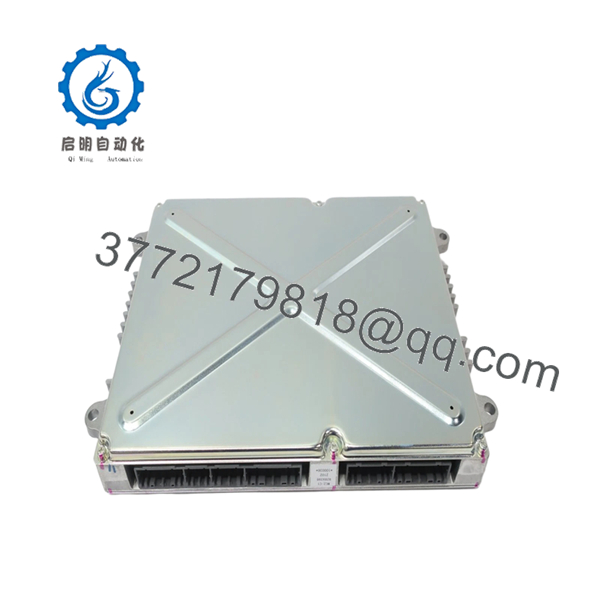
The 9289398 MC2-C1 is identified as a Hitachi EX8000-6 controller module spare part. Market listings identify it as an EX8000-6 Controller Module with manufacturer part number 9289398 MC2-C1.
4. Product Introduction
The Hitachi 9289398 MC2-C1 is a controller module used in the EX8000-6 mining excavator control system. It is installed within the machine control architecture to handle electronic control functions between field devices and the excavator control network.
This module is selected mainly for maintaining existing Hitachi EX8000-6 equipment without redesigning the control system. Before installation, verify part number, connector configuration, and firmware compatibility against the removed unit.

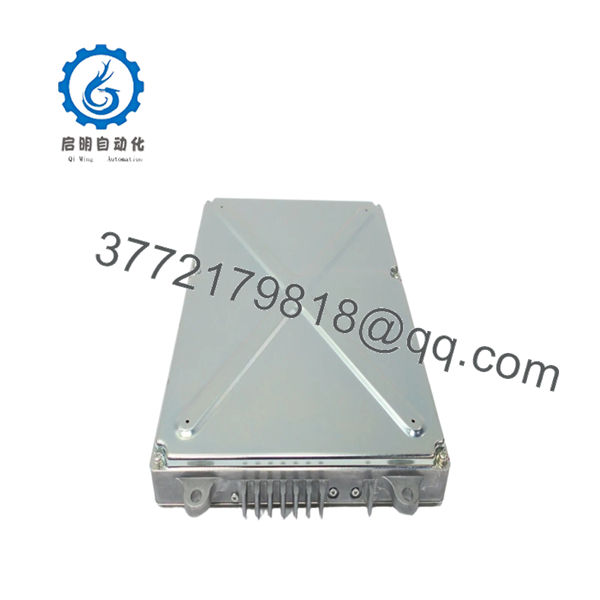
- 9289398 MC2-C1 EX8000-6
- 9289398 MC2-C1 EX8000-6
5. Installation & Configuration Guide
Stage 1: Pre-Installation Preparation (Approx. 10 minutes)
⚠️ Safety First
- Notify operations personnel of planned downtime.
- Verify the excavator is in a safe maintenance condition.
- Apply lockout/tagout procedures before opening the control compartment.
- Wait at least 5 minutes after power isolation for capacitor discharge.
Tools Required
- ESD wrist strap
- PH1 screwdriver
- Digital multimeter
- Wire labels
- Smartphone/camera for reference photos
Data Backup
- Record existing controller identification labels.
- Photograph connector positions and wiring layout.
- Document module status LEDs.
- Record any available diagnostic parameters before removal.
Stage 2: Removing the Old Module (Approx. 10 minutes)
- Remove the controller compartment cover or protective bezel.
- Label all connectors before disconnecting.
- Disconnect wiring carefully without pulling on cables.
- Release mounting locks or retaining clips.
- Pull the module straight out to avoid connector damage.
- Inspect the mounting interface for:
- Bent pins
- Dust contamination
- Corrosion marks
⚠️ Keep the removed module until the replacement unit completes testing.
Stage 3: Installing the New Module (Approx. 10 minutes)
- Wear ESD protection before handling the replacement module.
- Verify the label matches:
- Hitachi
- 9289398 MC2-C1
- EX8000-6 application
Configuration Clone (Critical)
- Compare connector arrangement with the original module.
- Replicate any hardware settings if present.
- Confirm communication parameters from existing documentation.
- Insert the module into the mounting position.
- Confirm the module is fully seated.
- Reconnect wiring using proper mechanical alignment.
Self-Checklist
[ ] Correct model number verified
[ ] Connectors fully seated
[ ] Wiring secured
[ ] Mounting locks engaged
Stage 4: Power-On & Testing (Approx. 10 minutes)
Pre-Power Check
- Measure supply voltage.
- Check for unexpected shorts.
- Verify connector seating.
Power-On Steps
- Energize the control system.
- Observe module indicators.
- Check controller communication status.
- Run system diagnostics.
- Test machine functions under controlled conditions.
⚠️ Troubleshooting Note
- No communication: check connector seating, network wiring, and controller addressing.
- Fault indication after replacement: verify module compatibility and stored configuration.
- Unexpected alarms: compare diagnostic codes with the previous module records.
6. Frequently Asked Questions (FAQ)
Q1: Is the Hitachi 9289398 MC2-C1 hot-swappable?
No. Treat this module as a powered control component. Shut down the system before removal. Disconnecting control electronics under power can damage connectors or create communication faults.
Q2: Is this a new OEM part or refurbished unit?
Condition must be confirmed per inventory source. Some listings identify 9289398 MC2-C1 units as “New without Factory Packaging.” Always request photos, serial information, and inspection records before purchase.
Q3: Will my machine program be lost when replacing this module?
The answer depends on the role of the MC2-C1 within the EX8000-6 control architecture. Do not assume the replacement contains identical configuration data. Record existing settings and diagnostics before removal.
Q4: What should I verify before ordering?
Confirm:
- Exact part number: 9289398 MC2-C1
- Equipment model: Hitachi EX8000-6
- Connector layout
- Installed module revision
- Supplier condition report
Q5: Why is surplus pricing different from OEM pricing?
Industrial spare modules from discontinued or limited-production equipment often trade differently from current catalog parts. Lower pricing may reflect surplus inventory status, packaging condition, or remaining stock availability.
Q6: What inspection should be performed before installation?
A proper incoming inspection should include:
- Serial number verification
- Visual inspection
- Connector condition check
- Power-up test when possible
- Functional verification against a compatible test environment
Q7: Can I use another EX8000 controller module as a replacement?
Not automatically. Similar-looking modules may have different hardware revisions or firmware compatibility. Match the exact part number before installation.



