
 WhatsApp: +86 16626708626
 Email:
  Phone: +86 16626708626
Description
3. Key Technical Specifications
- Manufacturer: Hitachi
- Part Number: LUD700A
- Product Type: Industrial control module
- Module Classification: Analog I/O Module / Control System Module
- Application: Industrial automation and equipment control systems
- Input Voltage Reference: 220 V (supplier-listed specification)
- Operating Frequency Reference: 30 kHz–50 kHz (supplier-listed data varies)
- Weight Reference: Approx. 1 kg–13.6 lb depending on packaging/source listing
- Installation Type: Industrial control cabinet mounting
- Communication/Interface: Verify against installed system documentation
- Condition Options: Factory sealed / New Original listings available
- Compatibility Check: Confirm exact system series, firmware, and connector layout before replacement
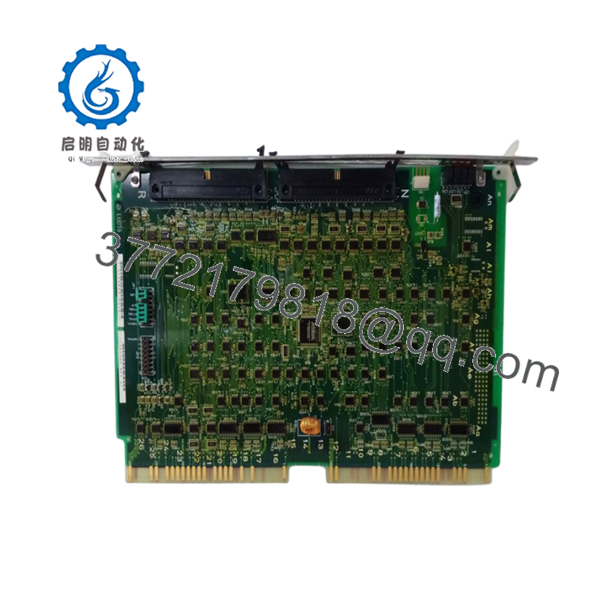
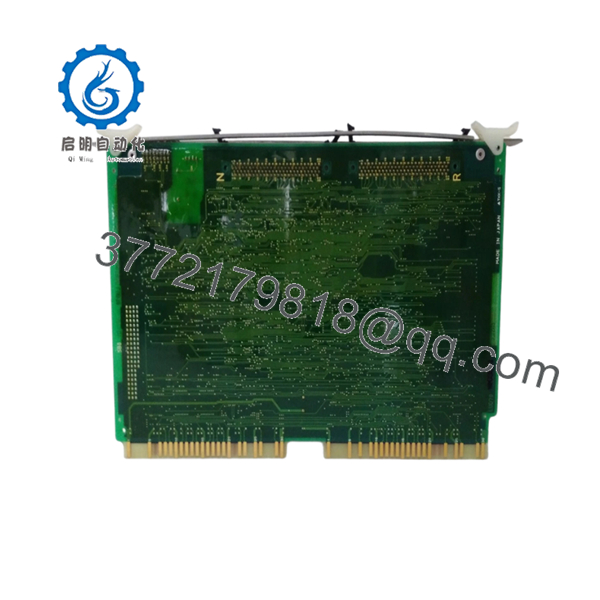
Public listings identify the Hitachi LUD700A as an industrial module. Descriptions vary by supplier, including analog I/O module, communication board, and processing/control module classifications, so the installed application should be verified from the equipment documentation before replacement.
4. Product Introduction
The Hitachi LUD700A is an industrial electronic module used in Hitachi control system applications. It is listed by suppliers as an analog/control interface module for industrial equipment, with applications involving signal handling and machine control electronics.
This module is typically sourced as a maintenance spare for existing installations where the original control hardware remains in operation. Before installation, verify the exact module function, connector configuration, and system compatibility.

- LUD700A
- LUD700A
5. Installation & Configuration Guide
Stage 1: Pre-Installation Preparation (Approx. 10 minutes)
⚠️ Safety First
- Inform the operations team before maintenance.
- Confirm equipment shutdown conditions.
- Apply lockout/tagout procedures.
- Isolate control power.
- Wait at least 5 minutes for stored energy discharge.
Tools Required
- ESD wrist strap
- PH1 screwdriver
- Digital multimeter
- Wire labels
- Smartphone/camera
Data Backup
- Photograph the existing LUD700A installation.
- Record terminal wiring and connector positions.
- Document LED status and alarms.
- Record controller settings before removal.
Stage 2: Removing the Old Module (Approx. 10 minutes)
- Open the control cabinet or electronics compartment.
- Label all cables before disconnecting.
- Remove connectors carefully.
- Release mounting hardware.
- Pull the module straight out.
⚠️ Inspect the removed unit:
- Connector condition
- PCB damage
- Dust contamination
- Corrosion marks
- Burned components
Keep the old module until the replacement completes commissioning.
Stage 3: Installing the New Module (Approx. 10 minutes)
- Wear ESD protection before handling the replacement.
- Confirm the identification label:
- Hitachi
- LUD700A
Configuration Clone (Critical)
- Compare the new module with the removed unit.
- Match connector positions.
- Transfer any hardware settings if present.
- Verify wiring against drawings.
- Install the module.
- Secure mounting hardware.
- Reconnect all wiring.
Self-Checklist
[ ] Correct model verified
[ ] Connectors locked
[ ] Wiring matches original
[ ] Mounting secured
Stage 4: Power-On & Testing (Approx. 10 minutes)
Pre-Power Check
- Measure supply voltage.
- Check for shorts.
- Verify connector seating.
Power-On Steps
- Power the control system.
- Observe module indicators.
- Check communication status.
- Verify analog/input signal response.
- Run controlled equipment testing.
⚠️ Troubleshooting Note
- No communication: inspect wiring and system configuration.
- Incorrect signals: verify channel mapping and module compatibility.
- Fault after replacement: compare module revision and original configuration.
6. Frequently Asked Questions (FAQ)
Q1: What is the Hitachi LUD700A used for?
The LUD700A is an industrial Hitachi module commonly listed as an analog I/O or control-related module used in industrial automation equipment.
Q2: Is the LUD700A still manufactured?
Availability is generally handled through industrial spare-part suppliers and surplus channels. Current stock depends on supplier inventory.
Q3: Is this a new original unit or refurbished?
Confirm the exact condition before purchasing. Some listings specify factory sealed/new original condition, while industrial surplus markets may include different conditions.
Q4: Can I install the LUD700A without checking the old module?
No. Industrial modules with similar appearance can have different functions. Verify:
- Part number
- Connector layout
- System application
- Wiring diagram
Q5: Will replacing the module erase my machine settings?
It depends on where the system configuration is stored. Always document settings and parameters before removing the old module.
Q6: What checks should be completed before installation?
Recommended inspection:
- Label verification
- Visual PCB inspection
- Connector inspection
- Electrical checks
- Functional testing
Q7: Why is this module usually purchased from surplus suppliers?
Older industrial control hardware is often maintained through spare inventory networks because replacement cycles can outlast normal production availability. Confirm testing records and warranty terms before purchase.



