
 WhatsApp: +86 16626708626
 Email:
  Phone: +86 16626708626
Description
3. Key Technical Specifications
- Manufacturer: Hitachi
- Part Number: LYD000A
- Product Type: Digital Input Module / PLC Module
- Signal Type: Digital input
- Input Voltage: 24 V DC
- Input Channels: 8 or 16 digital inputs (verify installed revision)
- Application: Industrial automation control systems
- Mounting Type: PLC rack/module installation
- Communication Interface: Verify PLC backplane/system interface
- Weight Reference: Approx. 0.9–1 kg depending on packaging/source listing
- Condition: New Original / Factory Sealed listings available
- Compatibility Check: Confirm PLC CPU series, I/O configuration, and module revision before installation
4. Product Introduction
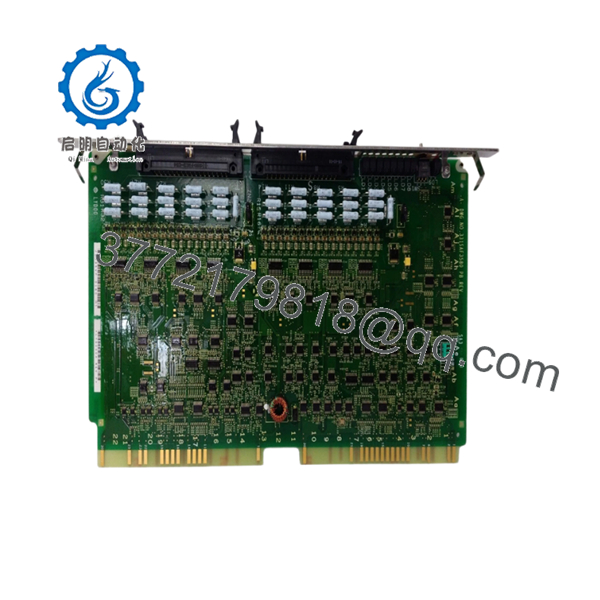
The Hitachi LYD000A is a PLC digital input module used in Hitachi industrial automation systems. It collects external digital signals from field devices and transfers input status information into the PLC control architecture. Supplier listings identify the unit as a Hitachi digital input module with 24 V DC input capability.
This module is commonly sourced as a maintenance spare for existing Hitachi PLC installations. Before replacement, verify the exact I/O configuration, terminal assignment, and PLC program mapping to avoid commissioning delays.

- LYD000A
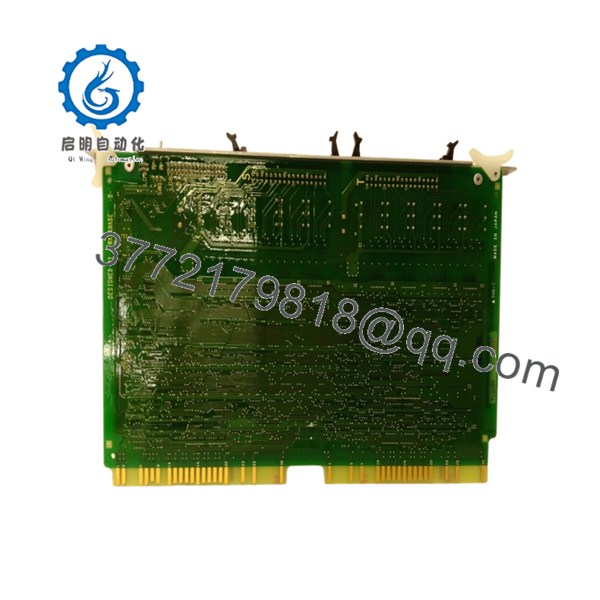
- LYD000A
5. Installation & Configuration Guide
Stage 1: Pre-Installation Preparation (Approx. 10 minutes)
⚠️ Safety First
- Notify operations of planned downtime.
- Place the machine/process into a safe condition.
- Apply lockout/tagout procedures.
- Isolate PLC/control power.
- Wait at least 5 minutes before handling the module.
Tools Required
- ESD wrist strap
- PH1 screwdriver
- Digital multimeter
- Wire labels
- Smartphone/camera
Data Backup
- Save the PLC project if available.
- Record I/O addressing.
- Photograph terminal wiring.
- Document module position in the rack.
Stage 2: Removing the Old Module (Approx. 10 minutes)
- Remove the PLC cabinet cover or protective panel.
- Label all field wiring.
- Disconnect terminal wiring carefully.
- Release module locking tabs.
- Pull the module straight out from the rack.
⚠️ Inspect:
- Backplane contacts
- Terminal condition
- Dust contamination
- Corrosion
- Damaged connectors
Keep the original module until the replacement is verified.
Stage 3: Installing the New Module (Approx. 10 minutes)
- Wear ESD protection.
- Confirm the replacement label:
- Hitachi
- LYD000A
Configuration Clone (Critical)
- Compare old and new module specifications.
- Confirm input channel arrangement.
- Match terminal wiring exactly.
- Verify rack position.
- Insert the module fully.
- Lock the retaining mechanism.
- Reconnect field wiring.
Self-Checklist
[ ] Correct model verified
[ ] Rack position confirmed
[ ] Wiring secured
[ ] Module locked in place
Stage 4: Power-On & Testing (Approx. 10 minutes)
Pre-Power Check
- Verify 24 V DC supply.
- Check wiring polarity.
- Confirm no short circuits.
Power-On Steps
- Power the PLC rack.
- Check module status indicators.
- Connect programming software.
- Monitor input status.
- Test each field input device.
⚠️ Troubleshooting Note
- No input signal: check sensor wiring and terminal voltage.
- Module fault: verify PLC compatibility and rack configuration.
- Wrong input status: check address mapping and wiring sequence.
6. Frequently Asked Questions (FAQ)
Q1: What is the Hitachi LYD000A used for?
The LYD000A is a Hitachi PLC digital input module used for receiving external ON/OFF signals from field devices such as switches, sensors, and interlocks.
Q2: Is the LYD000A still available from Hitachi?
Availability depends on remaining industrial spare inventory. These modules are commonly supplied through automation spare-part channels rather than current production catalogs.
Q3: Is this a new original module or refurbished?
Confirm the actual inventory condition before purchase. Some suppliers list LYD000A units as factory sealed/new original stock.
Q4: Can I replace the LYD000A while the PLC is powered?
No. Unless the specific Hitachi PLC platform documentation confirms hot-swap capability, remove power before replacing the module. Pulling I/O modules under power can damage hardware or create unexpected PLC faults.
Q5: Will I lose my PLC program after replacing this module?
Normally, the PLC program is stored in the CPU, not the I/O module. However, always save the project and verify I/O addressing before replacement.
Q6: What should I check before ordering an LYD000A?
Verify:
- Exact model number: LYD000A
- PLC CPU series
- Number of input channels
- 24 V DC wiring
- Terminal layout
- Module revision
Q7: Why is the price different from a new OEM catalog part?
Older automation modules often trade through surplus inventory markets. Price depends on condition, testing level, packaging, and remaining availability.



