
 WhatsApp: +86 16626708626
 Email:
  Phone: +86 16626708626
Description
3. Key Technical Specifications
The Honeywell 05701-A-0325 Engineering Card serves as the central user interface and communication master module for the System 57 gas detection control rack.
| Parameter | Value |
| Part Number | 05701-A-0325 |
| Manufacturer | Honeywell Analytics (Zellweger Analytics) |
| System Architecture | System 57 16-Channel / 8-Channel 19-Inch Racks |
| User Interface | Front-panel LCD display with membrane push-button keys |
| Serial Communications | RS-485 / RS-232 Modbus RTU interface |
| Alarm Relays | Master Fault and Common Alarm output contact pairs |
| Power Input | 18 to 32 VDC (supplied via System 57 rack backplane) |
| Operating Temperature | -10°C to +55°C |
| Enclosure Rating | Eurocard format for standard System 57 rack slots |
| Status LEDs | System Power, Master Fault, Inhibit, and Comms Active |
4. Product Introduction & Supply Chain Strategy
The Honeywell 05701-A-0325 Engineering Card is the central control module for Honeywell System 57 gas monitoring racks. It allows maintenance personnel to calibrate individual channel cards, set alarm thresholds, mute horns, and output aggregated rack status data via Modbus to central DCS or SCADA systems.
Carrying an uninstalled 05701-A-0325 card in your spare parts inventory as New Surplus is a vital facility maintenance strategy. If the central engineering card fails, plant technicians lose the ability to calibrate individual gas sensors or clear latched alarm states across the entire 16-channel rack. Procuring a genuine New Surplus unit ensures instant restoration of system configuration access, bypassing long factory lead times and avoiding degraded membrane keypads or corrupted EEPROM chips common to second-hand refurbished cards.
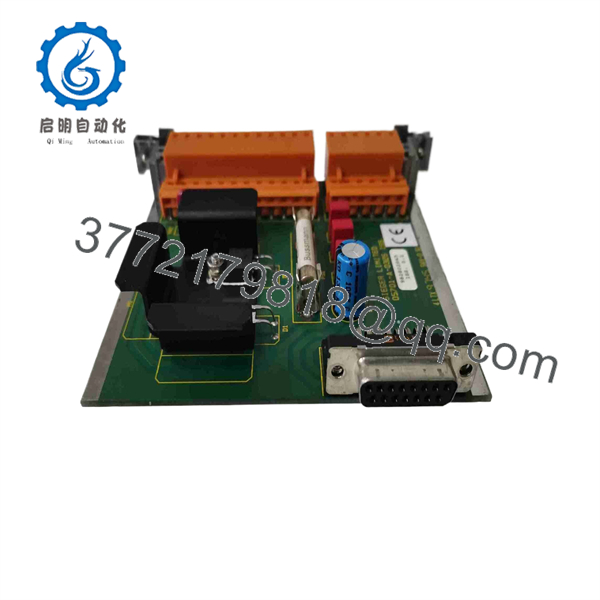
05701-A-0325
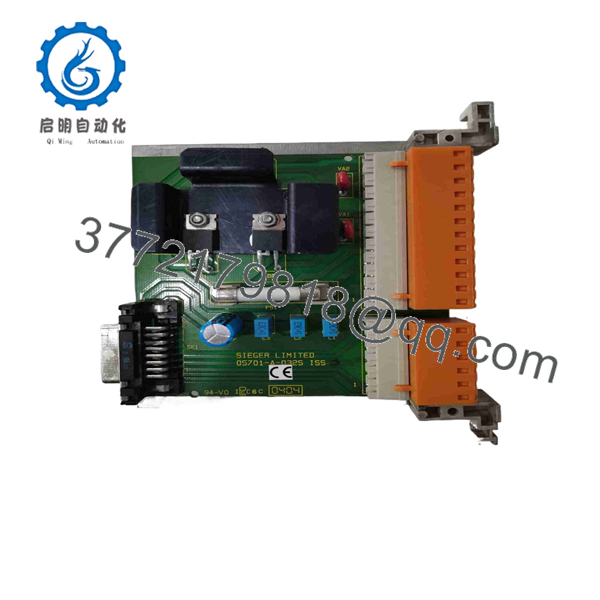
05701-A-0325
5. Installation & Configuration Guide
Critical Life Safety Warning
The Engineering Card manages common alarm contacts and communications for the entire gas control rack. Removing or inserting this module during active operations can disrupt serial communications to your main DCS or trigger false common fault alarms.
1.System Backup & Safety Inhibit:Prerequisite.
Log all channel parameters using Honeywell System 57 configuration software or manual documentation. Put downstream emergency shutdown (ESD) loops in bypass mode prior to card servicing.
2.Hardware Unseating:Removal.
Loosen the top and bottom captive retaining screws on the 05701-A-0325 front panel. Unlatch the ejector handles to disconnect the rear edge connector from the backplane multi-pin socket, then slide the card out smoothly.
3.Card Replacement & Seating:Installation.
Inspect the backplane edge connector on the replacement 05701-A-0325 board for clean contact surfaces. Align the card with the guide channels in the dedicated engineering slot (typically the far right slot) and push firmly until seated. Tighten retaining screws.
4.Power Check & Comms Validation:Commissioning.
Re-apply rack power and observe the boot sequence. Verify that the front-panel display activates and that serial Modbus polling resumes normal data transfer with your supervisory PLC/DCS.
6. Firmware/Software Versions & Upgrade Notes
- Software Compatibility: Compatible with Honeywell System 57 configuration software suites and standard Modbus RTU polling masters.
- Master/Slave Setup: The 05701-A-0325 acts as the central interface for all single-channel and multi-channel cards installed within the same backplane frame.
- Firmware Consistency: Ensure the firmware revision on the engineering card is equal to or higher than the revision of the individual channel processing cards in the rack.
- Handling Warning: Always wear a grounded ESD wrist strap. Static discharge to the front membrane keys or serial communications port can damage sensitive microcontroller inputs.
7. Frequently Asked Questions (FAQ)
Q: Is this Honeywell 05701-A-0325 engineering card genuinely new, or is it a used pull?
A: This product is a Brand New Surplus unit. It is not used, not pulled from a decommissioned plant, and not refurbished. All modules undergo rigorous quality verification to ensure OEM-level reliability.
Q: Why should I buy New Surplus instead of a cheaper refurbished card?
A: Refurbished engineering cards often feature worn tactile push-buttons, degraded LCD backlights, and thermal memory drift. A failure on this central card blinds your technicians to gas detection alarms across the entire rack. New Surplus provides pristine keypad response, clean displays, and long-term operating life.
Q: Does a single System 57 rack require more than one 05701-A-0325 card?
A: No. A standard System 57 19-inch rack uses exactly one 05701-A-0325 Engineering Card to manage all associated channel cards in that specific frame.
Q: Will installing a replacement engineering card overwrite calibration data on my channel cards?
A: No. Calibration data and alarm setpoints are stored in EEPROM on the individual channel cards (e.g., 05701-A-0293). The engineering card acts as the configuration interface and communication gateway.
Q: What warranty and quality verification accompany this unit?
A: Every 05701-A-0325 card is shipped in static-shielding protective packaging, includes a complete QC inspection report, and carries a 1-year full replacement warranty.



