
 WhatsApp: +86 16626708626
 Email:
  Phone: +86 16626708626
Description
Key Technical Specifications
| Parameter | Value |
|---|---|
| Manufacturer | Honeywell |
| Part Number | 620-0073C |
| Alternate P/N | 6200073C |
| Module Type | Ethernet Loop Processor Module |
| Abbreviation | ELPM |
| Product Family | Honeywell 620 Modular Controllers |
| System Range | Honeywell S9000 / ISSC 90 & 900 |
| Primary Function | Ethernet loop processing |
| Communication | Ethernet |
| Module Category | Processor / Communication Module |
| Revision | C |
| Dimensions | Approx. 2.0 × 10.5 × 7.0 in |
| Weight | Approx. 2 lb 6.7 oz |
| Mounting | Honeywell modular controller rack |
| Lifecycle | Legacy / discontinued |
Honeywell parts documentation lists 620-0073C specifically as an Ethernet Loop Processor Module within the 620 Modular Controller product line.
Classic Automation identifies the module as part of the Honeywell ISSC 90 and 900 System and lists 620-0073C as an alternate part number for 620-0073.
⚠️ Technical verification note: Several third-party websites incorrectly associate 620-0073C with unrelated functions such as pressure sensing, burner controls, or digital I/O. Those descriptions conflict with the Honeywell modular-controller parts lists and multiple independent industrial automation listings. The Ethernet Loop Processor Module identification is the technically consistent description.
Product Introduction
The Honeywell 620-0073C is an Ethernet Loop Processor Module (ELPM) used in Honeywell’s legacy 620 Modular Controller architecture. It handles Ethernet-based loop/controller communication and belongs to the S9000-era industrial control hardware family.
This is a legacy processor/communication module rather than a conventional field I/O card. For replacement work, verify the controller rack, existing 620-0073/620-0073C revision, Ethernet architecture, and application configuration before installation.
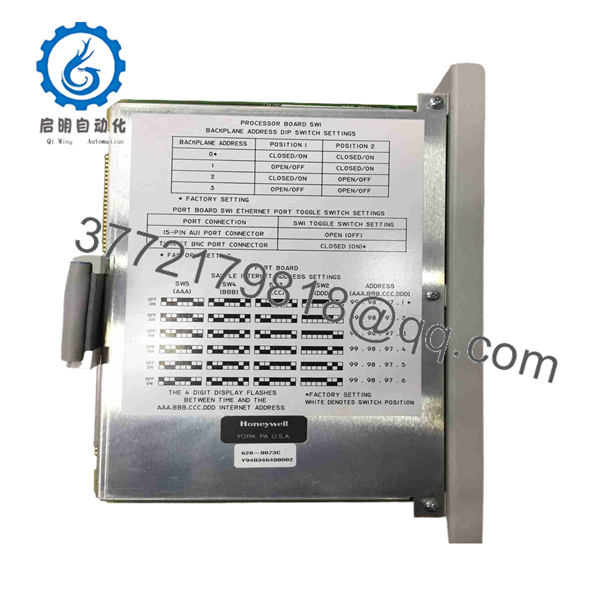
620-0073C
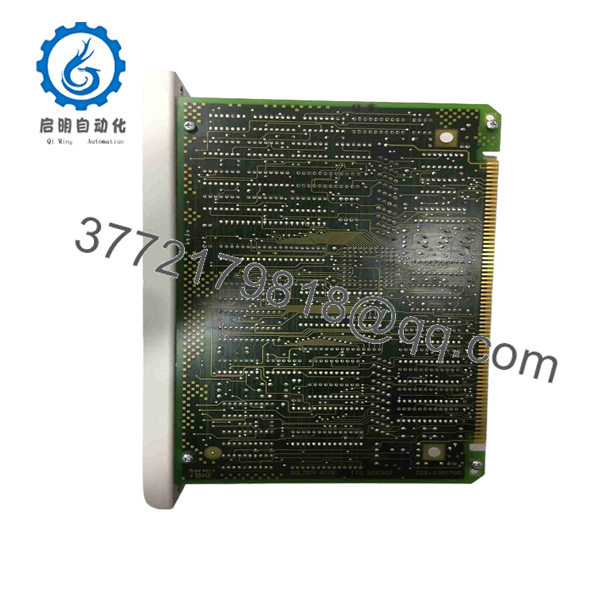
620-0073C
Installation & Configuration Guide
Estimated replacement time: 30–60 minutes for an experienced Honeywell controls technician, excluding configuration recovery.
Stage 1: Pre-Installation Preparation
⚠️ Safety First
- Notify operations before taking the controller out of service.
- Confirm the controlled process is in an approved maintenance state.
- Apply LOTO where required by the plant procedure.
- Verify the controller’s power state before removing the module.
- Follow the Honeywell system maintenance procedure for the installed rack.
Tools Required
- ESD wrist strap
- Phillips screwdriver
- Digital multimeter
- Wire labels
- Smartphone/camera
- Configuration backup
- Ethernet cable/test equipment where applicable
Data Backup
Before removing the old module:
- Record the complete part number: 620-0073C.
- Photograph the module label and rack position.
- Record the module revision.
- Back up the controller configuration.
- Document Ethernet connections.
- Record network addressing and communication parameters.
- Photograph adjacent modules and rack wiring.
⚠️ Do not assume that a replacement processor automatically contains the site’s original configuration.
Stage 2: Removing the Old Module
- Place the controller in the approved maintenance state.
- Confirm power isolation where required.
- Photograph all connections.
- Label Ethernet and other connections.
- Disconnect communication cabling carefully.
- Release the module retaining mechanism.
- Pull the module straight from the rack.
- Inspect the backplane connector.
Check for:
- Bent contacts
- Oxidation
- Dust contamination
- Damaged card guides
- Heat discoloration
Estimated time: 10–20 minutes.
Stage 3: Installing the New Module
- Wear an ESD wrist strap.
- Verify 620-0073C against the removed module.
- Confirm the controller rack is compatible.
- Verify the revision designation.
- Insert the module straight into the correct rack position.
- Secure the retaining hardware.
- Reconnect Ethernet communication wiring.
- Verify connector seating.
- Check adjacent modules for proper seating.
Self-Checklist
- 620-0073C part number verified
- Revision C verified
- Correct rack slot confirmed
- Ethernet connection restored
- Configuration backup available
- Backplane connector inspected
- Module fully seated
Stage 4: Power-On & Testing
- Restore controller power according to the approved procedure.
- Observe module status indicators.
- Verify that the controller recognizes the Ethernet Loop Processor.
- Check Ethernet link status.
- Verify network communication.
- Restore configuration if required.
- Confirm communication with connected controller/loop devices.
- Check diagnostic messages.
- Verify process data exchange.
- Return the controller to normal service only after communication is stable.
⚠️ If the module powers up but Ethernet communication fails, check the network configuration before replacing additional hardware. Verify addressing, cabling, network equipment, and the expected 620-system configuration.
Frequently Asked Questions (FAQ)
1. What is the Honeywell 620-0073C?
The 620-0073C is an Ethernet Loop Processor Module (ELPM) used in Honeywell’s 620 Modular Controller architecture. Honeywell parts documentation places it within the Modular Controllers product line.
2. Is 620-0073C the same as 620-0073?
The base 620-0073 and 620-0073C are directly associated in aftermarket documentation, with 620-0073C identified as an alternate part number/revision. Classic Automation specifically lists 620-0073C as an alternate number for 620-0073.
For a production replacement, however, match the complete installed part number and revision rather than assuming every revision is interchangeable.
3. Is 620-0073C an I/O module?
No. It is identified as an Ethernet Loop Processor Module, not a conventional analog or digital I/O module. Honeywell’s parts list separately identifies modules such as analog input, digital input, digital output, serial I/O, and parallel I/O modules.
4. Is the 620-0073C obsolete?
Secondary-market sources identify the part as discontinued by the manufacturer. Classic Automation continues to list used/refurbished inventory and repair services for the 620-0073/620-0073C family.
For an installed legacy system, specify whether you require New Original/New Surplus or Refurbished Tested material.
5. Can I replace 620-0073C with another Honeywell Ethernet module?
Not automatically. Check the:
- Honeywell controller family
- Rack type
- Module revision
- Ethernet architecture
- Controller configuration
- Existing communication topology
A newer Honeywell communication module may require different hardware and software configuration.
6. What should I verify before ordering?
Provide the supplier with:
- Exact 620-0073C part number
- Module revision
- Controller/rack model
- Photos of the installed module
- Ethernet configuration
- Required condition
- Required warranty period
This is particularly important for legacy Honeywell equipment because several aftermarket listings use inconsistent descriptions for the same part number.
7. What condition should I purchase?
For a production-critical controller, specify the condition explicitly:
- Factory Sealed / New Original
- New Surplus
- Refurbished and Tested
- Used Tested
For refurbished material, request a power-up test, Ethernet communication test, visual inspection report, and warranty. Classic Automation, for example, lists refurbished/used 620-0073C inventory and repair service.



