
 WhatsApp: +86 16626708626
 Email:
  Phone: +86 16626708626
Description
Key Technical Specifications
- Platform: Honeywell Experion PKS, Series 8 I/O architecture
- Compatible Controller: C300 (8C-PCNT01/02 family)
- Mounting: Requires matching IOTA — module and IOTA are sold and specified separately
- Form Factor: Series 8 I/O card (DIN-rail mounted, per Series 8 cabinet layout)
- Power Input: Per Series 8 backplane/IOTA power distribution — confirm 24 VDC nominal on OEM datasheet
- Signal Type: Not independently confirmed for this SKU — “IP” designation suggests a pulse or isolated input function; do not assume channel count or range without the datasheet
- Communication: ControlNet/FTE backbone via C300, per standard Series 8 architecture
- Environmental Rating: Standard Honeywell DCS cabinet-mount rating — confirm exact operating temperature band before deploying outside a climate-controlled panel
- Firmware/Compatibility: Verify Experion release compatibility (R43x, R51x, etc.) against your control system revision before ordering
A note from the bench: with legacy Series 8 parts like this, the model number alone doesn’t tell you the full story — dash-suffix revisions (-275 here) can carry different firmware baselines. Get the datasheet or the exact revision letter from us before you commit budget.
Product Introduction
The Honeywell 8C-IP0102 (51454362-275) is a Series 8 I/O module built for the Experion PKS platform, deployed alongside C300 controllers in distributed control system architectures. It’s the kind of part that shows up on a spares list for plants running Series 8 cabinets that haven’t migrated to newer I/O generations yet.
We’re not going to pad this with unverified channel counts or signal ranges — pull the OEM datasheet or send us your system revision and we’ll confirm exact compatibility before you order. What we can speak to directly is sourcing: this is New Original stock, not a remanufactured substitute, which matters when you’re trying to keep a legacy Series 8 loop intact without introducing an unknown quantity into the cabinet.
Troubleshooting Quick Reference
| Symptom | Possible Cause | Relevance to this Part | Quick Check Method | Recommendation |
|---|---|---|---|---|
| No status LED on power-up | Loss of backplane/IOTA power | ❌ Low | Measure supply voltage at the IOTA terminals | Check the Series 8 power distribution module and fusing before replacing the I/O card |
| Communication fault flagged in Experion Station | C300 network or FTE issue | ❌ Low | Check C300 controller status and network diagnostics first | Confirm the fault isolates to this specific module before swapping it |
| Point quality showing “Bad” or “Uncertain” | I/O module fault, wiring fault, or field device fault | ✅ High (if isolated to this module’s points) | Cross-check adjacent points on the same module and inspect field wiring/terminations at the IOTA | If only this module’s points are affected and wiring checks clean, module replacement is warranted |
| Module fails to initialize after swap | Firmware/revision mismatch with C300 or IOTA seating issue | ✅ High | Verify Experion system revision and confirm the module is fully seated on the IOTA | Reseat the module; if it persists, confirm firmware compatibility before assuming the part is defective |
If you’re stuck at 3 AM, don’t guess — send us the exact alarm text from Experion Station and a photo of the module’s status LEDs. We can usually tell you in minutes whether this is a card problem or something upstream.
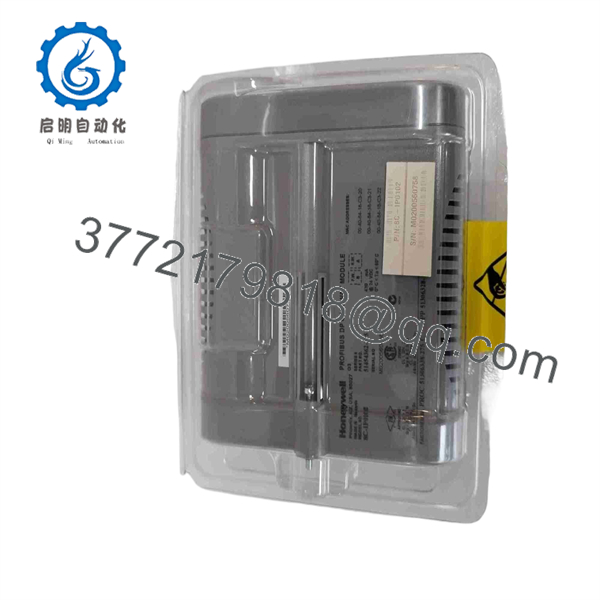
8C-IP0102
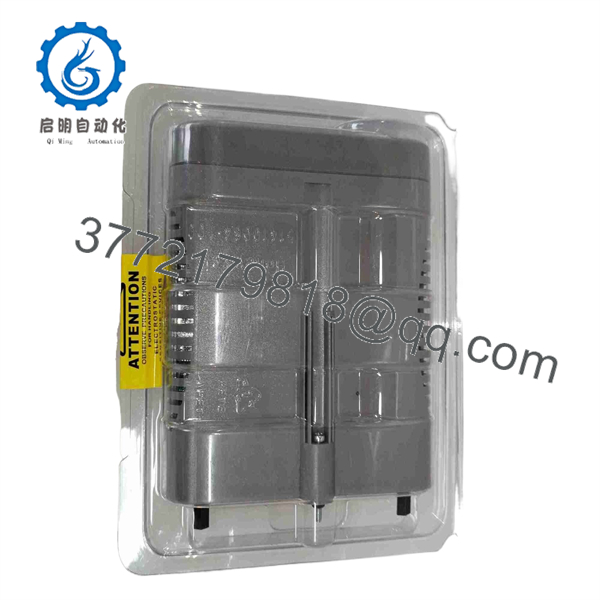
8C-IP0102
Frequently Asked Questions (FAQ)
Can I confirm the exact channel count and signal type before I buy?
Yes — and you should. We don’t have a public OEM datasheet we’re fully confident citing for the 8C-IP0102’s specific I/O count and signal range, so we’ll pull the confirmed spec sheet or match it against your existing module before the order ships. Don’t let anyone quote you exact specs on this part number without backing it up.
Is this a direct swap into my existing Series 8 rack?
Physically, Series 8 I/O modules of the same model number are designed to be interchangeable within the same IOTA type. The catch is firmware and Experion revision compatibility — confirm your system’s release level against the module’s firmware baseline before installing.
Why is this cheaper than buying new from Honeywell direct?
This is New Original surplus stock — sourced through the secondary market rather than direct factory allocation, which is common for legacy Series 8 parts that Honeywell may no longer stock at full OEM lead times. You’re getting the same genuine hardware without paying factory new-build pricing or waiting on a long-lead order.
Does this module retain configuration when swapped in?
No. On Experion/ architecture, module-level configuration lives in the controller’s checkpoint and database, not on the I/O card itself. When you swap the module, Experion re-downloads the point configuration to it — you don’t need to manually reprogram the card, but you do need the controller checkpoint intact.
Is it hot-swappable?
Series 8 I/O generally supports hot-swap replacement on a live rack, but this depends on your specific IOTA and redundancy configuration. Confirm your rack is configured for hot-swap before pulling a live module — if it isn’t, you’ll trip more than just the one point.
What’s your testing process before this ships?
Inbound traceability check, visual inspection for corrosion or rework marks, and a functional power-on/communication test on a representative Series 8 test setup. We don’t run a full 24-hour load cycle on every unit, so if you need that level of burn-in testing or documentation, tell us before we ship and we’ll arrange it.
What if it doesn’t work when it arrives?
Tell us the exact fault — Experion alarm text, LED pattern, or diagnostic buffer read — and send photos if you can. We’ll work the fault with you before you’re stuck holding a part with an unclear failure mode.



