
 WhatsApp: +86 16626708626
 Email:
  Phone: +86 16626708626
Description
Key Technical Specifications
| Parameter | Value |
|---|---|
| Model | CC-PCNT01 |
| Common Part Number | 51405046-175 |
| Product Type | C300 Controller Module |
| Platform | Honeywell Experion PKS |
| Controller Family | C300 / Series C |
| Primary Role | Distributed process controller and I/O gateway |
| Execution Environment | Honeywell Control Execution Environment (CEE) |
| Supply Requirement | 24 VDC |
| Supply Current | 0.311 A |
| I/O Links | Dual I/O link architecture |
| I/O Link Capability | Supports up to two I/O links |
| Mounting Method | Mounts directly onto a C300 Input Output Termination Assembly (IOTA) |
| IOTA Hardware | C300 IOTA; verify exact installed IOTA part number before purchase |
| Redundancy Capability | Supports 1:1 controller redundancy with two controller modules, two IOTAs, and a dedicated redundancy cable |
| Typical Redundancy Cable | 51305980-836; verify against installed system documentation |
| Device Index Range | 1–510 |
| IOTA Size | 6 in. |
| SNTP Update Period | 1 minute |
| PTP Update Period | 30 seconds |
| GPS Time Support | No, according to available CC-PCNT01 configuration references |
| Memory Backup | Optional C300 memory backup, subject to installed system architecture |
| Lifecycle Position | Legacy C300 model; Honeywell identifies PCNT05 as the latest C300v5 controller family model |
The CC-PCNT01 is a Honeywell distributed process controller and I/O gateway for Experion PKS. It mounts on a dedicated IOTA and supports dual I/O links and redundant-controller architectures when correctly engineered.
Product Introduction
The Honeywell CC-PCNT01 is a Controller Module for Experion PKS distributed control systems. It executes CEE-based control strategies, communicates with connected I/O, and acts as the controller node between the control network and field-level process I/O.
Plants use the CC-PCNT01 when maintaining installed systems that require the existing Series C form factor, dual I/O link structure, and established Control Builder database. This is not a generic PLC CPU. Confirm the installed IOTA, controller device index, CEE execution configuration, network architecture, firmware, and redundancy state before replacing it.
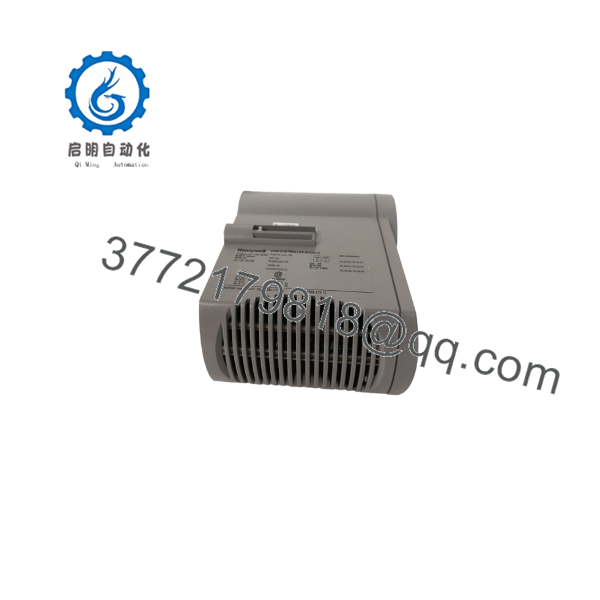
CC-PCNT01
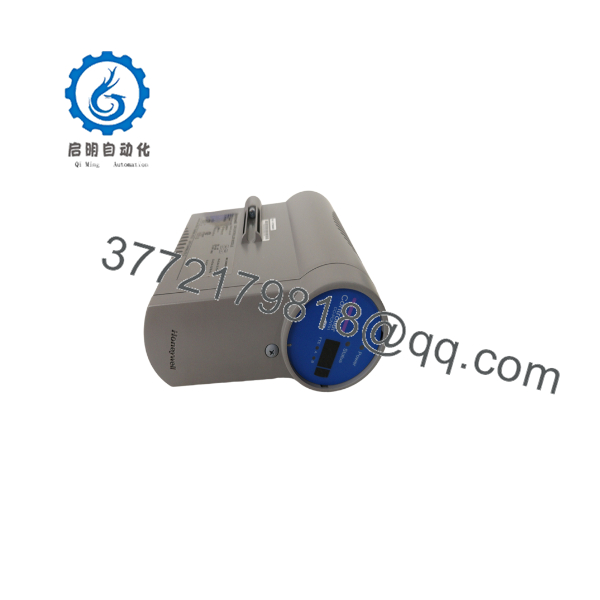
CC-PCNT01
Troubleshooting Quick Reference
| Symptom | Possible Cause | Relevance to This Part | Quick Check Method | Recommendation |
|---|---|---|---|---|
| Controller does not power up | Missing 24 VDC supply, IOTA power issue, loose mounting, cabinet fuse fault, reversed wiring, or failed module | ✅ High | Measure 24 VDC at the installed IOTA power terminals and verify correct polarity; inspect cabinet fuses and power-distribution terminals | Confirm field power and IOTA condition before replacing the CC-PCNT01 |
| Controller cannot be seen in Experion | Network path issue, device index conflict, switch/VLAN issue, database configuration, controller fault, or incorrect engineering workstation connection | ✅ Possible | Check controller status in Control Builder and network diagnostics; verify device-index switch setting and physical network links | Check the control network and device index before changing hardware |
| Controller shows fault after replacement | Firmware mismatch, unsupported application version, failed configuration load, incorrect IOTA, damaged connector, or hardware fault | ✅ High | Record the installed controller firmware, CEE release, diagnostics, and controller state before removal; compare against the replacement | Use a matching approved hardware/firmware release and follow the site commissioning procedure |
| Redundant controller does not synchronize | Different firmware, different database revision, failed redundancy cable, IOTA mismatch, device-index error, or controller fault | ✅ High | Compare both controller labels, firmware levels, device indexes, application versions, redundancy status, and cable condition | Do not operate on assumptions; correct mismatches before attempting a synchronization or switchover |
| I/O modules show communication failures | I/O link cable issue, I/O cabinet power loss, I/O module fault, network configuration problem, or controller problem | ✅ Possible | Review the controller diagnostic display and Experion event log; inspect both I/O links and affected IOTA assemblies | Troubleshoot affected I/O path and cabinet power before replacing the controller |
| Control loops go manual or bad quality | Process I/O fault, I/O link problem, CEE execution issue, database mismatch, or controller failure | ✅ Possible | Identify whether one I/O link, one cabinet, or all points are affected; compare controller health with peer-controller status | Scope the fault before replacement; a single I/O cabinet fault is not proof of a controller failure |
| Engineering workstation cannot download or connect | Incorrect Control Builder release, access controls, network issue, incompatible database, controller communication fault | ❌ Usually engineering/network | Record exact error text, confirm approved engineering software release, and verify control-network access | Do not install a new tool version or download a project during an outage without change approval |
| Intermittent controller resets or faults | 24 VDC ripple, grounding issue, cabinet temperature, loose IOTA contact, network disturbance, or aging module | ✅ Possible | Trend event-log timestamps; measure DC supply under load; inspect grounding, cabinet temperature, and controller seating | Correct power and environmental issues before declaring the CC- defective |
❗ DCS change-control warning: The CC- is an active Experion PKS controller. Replacing it can affect multiple loops, sequences, alarm handling, and I/O communication. Perform the work only under an approved maintenance window, control-room coordination plan, backup procedure, and site management-of-change process.
❗ IOTA warning: The controller is not a stand-alone card. It mounts onto a Input Output Termination Assembly. Verify the exact IOTA model and condition before ordering. Do not assume that a physically similar Series C or Series 8 component is interchangeable.
❗ Redundancy warning: Photograph and document the primary/secondary position, device index, redundancy cable, firmware revision, controller diagnostics, application version, and current redundancy state before pulling either controller. A mismatched replacement may power up but fail to synchronize.
If diagnostics remain unclear, provide qualified Honeywell support or the approved system integrator with actual module-label photos, IOTA part number, controller status screenshots, Control Builder diagnostics, event logs, installed software release, firmware revision, and redundancy topology.
Frequently Asked Questions (FAQ)
What is the Honeywell CC-?
The CC- is a Honeywell Controller Module for Experion PKS. It functions as a distributed process controller and I/O gateway, executing control strategies through Honeywell’s Control Execution Environment.
Is CC- the same as 51405046-175?
Independent product references commonly associate CC- with Honeywell part number 51405046-175. Verify the complete label, revision marking, firmware, and any system-specific ordering suffix on the installed unit before placing an order.
Can I replace CC- with PCNT05?
Not as a simple remove-and-install substitution. Honeywell identifies PCNT05 as the current C300v5 family controller, but moving from CC- requires an engineering compatibility review covering IOTA hardware, Experion release, Control Builder database, CEE configuration, redundancy design, network configuration, application testing, and formal commissioning.
Can I hot-swap a CC-?
Do not assume hot swapping is permitted. Whether a controller can be replaced online depends on the installed redundancy architecture, active controller status, process risk, maintenance procedure, and approved site workflow. In a nonredundant installation, removing the controller can interrupt control and I/O communication.
Will I lose the control strategy when I replace the controller?
The controller’s behavior depends on the installed Experion PKS database, controller configuration, CEE settings, I/O mapping, and application download state. Before replacement, back up the current engineering database and record controller diagnostics, device index, firmware, software release, redundancy status, and active alarms. Never treat a controller swap as a substitute for a verified configuration backup.
What condition should I specify when buying a replacement?
For a production-critical DCS controller, specify the condition clearly: New Original, New Surplus, or Refurbished (tested). Request actual label photos, part-number confirmation, firmware/revision information, ESD-safe packaging, functional-test evidence, warranty terms, return process, and stock location. A clean-looking module without traceability is not enough for a controller spare.
Why is a surplus CC- less expensive than a factory replacement?
It is an established controller generation, and surplus inventory often comes from canceled projects, system upgrades, warehouse spares, or decommissioned plants. Lower price does not confirm compatibility. Confirm the exact module identity, IOTA relationship, firmware, software-release support, and test documentation before buying.
How should a supplier test CC- before shipment?
A meaningful test requires more than powering the module. The supplier should verify the actual label and revision, inspect connectors and housing, mount it to a compatible IOTA, apply 24 VDC power, confirm controller boot and diagnostics, validate I/O-link communication, verify controller-network visibility, and document the result. For redundancy applications, ask whether the module was tested in a paired redundant setup using an approved matching software release.



