
 WhatsApp: +86 16626708626
 Email:
  Phone: +86 16626708626
Description
Key Technical Specifications
| Parameter | Value |
|---|---|
| Manufacturer | Honeywell |
| Model Number | CC-PDOB01 |
| Product Type | Digital Output Module |
| System Platform | Honeywell Experion PKS |
| Controller Compatibility | Honeywell C300 Process Controller |
| I/O Family | Series C I/O |
| Signal Type | Digital Output |
| Channel Capacity | 32 digital output channels |
| Application | Discrete control of valves, solenoids, relays, and actuators |
| Installation | Series C I/O termination assembly |
| Communication | Experion PKS I/O network |
| Replacement Category | Legacy process automation spare |
Product Introduction & Supply Chain Strategy
The Honeywell CC-PDOB01 is a Series C digital output module designed for Experion PKS process automation systems. It provides discrete output signals from the control application to field devices including motor starters, solenoid valves, alarms, and switching equipment.
For facilities operating Honeywell C300 control systems, maintaining New Original / New Surplus CC-PDOB01 modules reduces the risk of production interruptions caused by aging I/O hardware. Strategic Buffer stock and Last-time-buy planning help control procurement delays, reduce emergency sourcing costs, and improve Total Cost of Ownership (TCO).
Installation & Configuration Guide
Stage 1: Pre-Installation (Prep & Safety)
- Follow site-approved lock-out/tag-out procedures before working on connected equipment.
- Verify the replacement module model is CC-PDOB01.
- Wear an ESD wrist strap when handling the module.
- Record existing configuration details:
- I/O module slot location
- Channel assignments
- Field terminal wiring
- Controller database configuration
- Existing module revision information
Required tools:
- ESD protection equipment
- Insulated screwdriver set
- Multimeter
- Honeywell engineering workstation access
Stage 2: Removal
- Place affected outputs into a controlled maintenance state.
- Confirm the module status through Experion PKS diagnostics.
- Isolate power according to plant procedures.
- Remove field wiring connections carefully.
- Release the module locking mechanism.
- Extract the existing module while protecting the backplane connector.
Avoid excessive force during removal to prevent connector damage.
Stage 3: Installation (Clone & Seat)
- Inspect the replacement CC-PDOB01 identification label.
- Confirm hardware revision compatibility.
- Insert the module into the correct Series C I/O position.
- Secure the module locking mechanism.
- Reconnect field wiring using the original wiring records.
- Verify output channel assignments match the engineering database.
Stage 4: Power-On & Testing
- Restore system power following approved procedures.
- Check module diagnostic indicators.
- Confirm communication with the C300 controller.
- Verify the module appears correctly in Experion PKS.
- Test digital outputs:
- Output activation
- Field device response
- Alarm/status feedback
- Interlock operation
Record commissioning results for future maintenance reference.
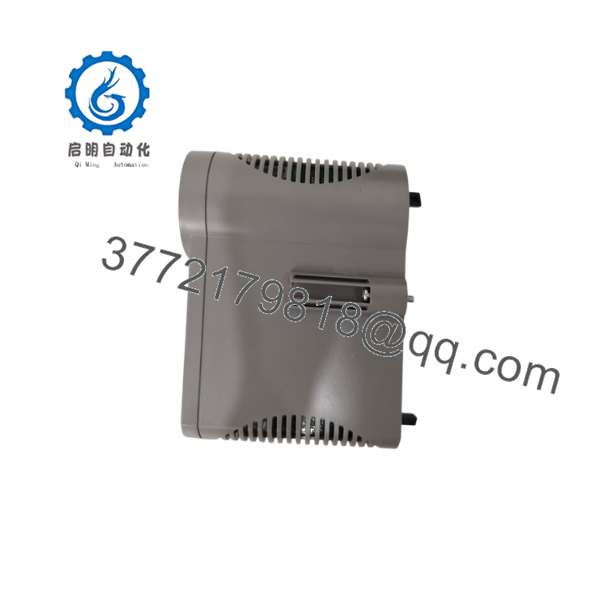
CC-PDOB01
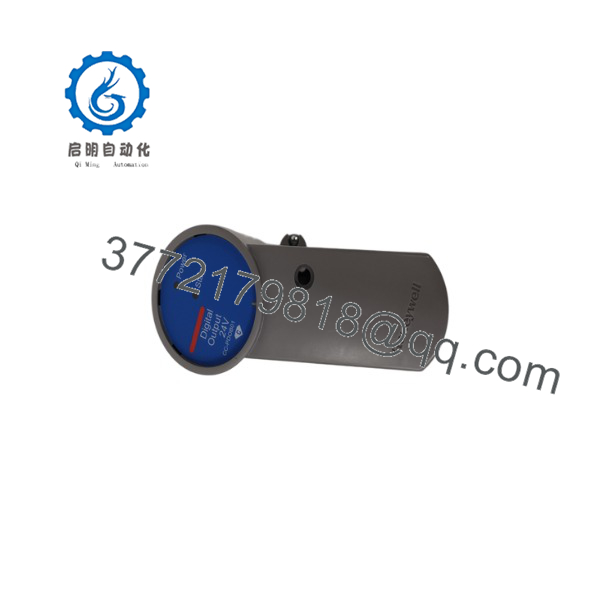
CC-PDOB01
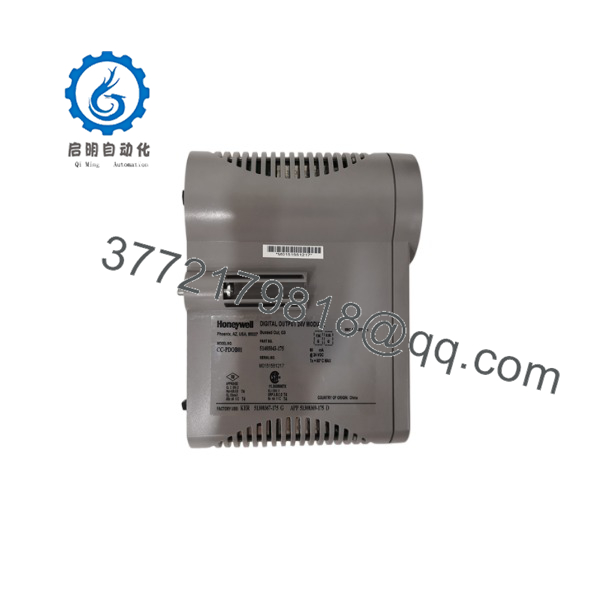
CC-PDOB01
Firmware/Software Versions & Upgrade Notes
- Firmware: Dependent on Honeywell Series C hardware revision.
- Configuration Dependency: Requires correct Experion PKS database configuration.
- Compatibility Verification Required:
- C300 controller firmware version
- Experion PKS release version
- Series C I/O firmware revision
- Existing module configuration
Upgrade Warning:
Avoid firmware changes during urgent hardware replacement unless compatibility has been verified. Firmware mismatches can create communication failures, configuration errors, or unexpected I/O behavior.
Recommended replacement procedure:
- Document existing firmware and hardware revision.
- Backup Experion configuration.
- Match replacement module revision whenever possible.
Frequently Asked Questions (FAQ)
Q1: Is the Honeywell CC-PDOB01 a new original module?
Yes. New Original / New Surplus CC- units are unused OEM components maintained for industrial replacement requirements. They are not refurbished or repaired modules.
Q2: Why choose New Surplus instead of a lower-cost alternative?
Process control failures can create costly downtime. Genuine New Surplus inventory provides a controlled replacement path and avoids uncertainty associated with unknown-condition components.
Q3: Is the CC- an obsolete Honeywell module?
The CC- belongs to the Honeywell Experion PKS Series C lifecycle. Plants using installed C300 systems should monitor availability and maintain planned spare inventory.
Q4: Can I install the CC- without changing the control strategy?
Physical replacement does not normally require strategy changes, but Experion PKS configuration verification is required before returning the module to service.
Q5: Does the CC- require PLC programming?
No. The module operates within the Honeywell Experion PKS control environment. Configuration is handled through Honeywell engineering tools.
Q6: How many CC- modules should be stored as spare parts?
For critical process applications, keeping 1–2 units on-site is recommended. Lower-criticality systems may use centralized inventory supported by reliable suppliers.
Q7: What should be confirmed before purchasing a replacement CC-?
Verify:
- Exact model number
- Hardware revision
- Experion PKS software release
- C300 controller compatibility
- Existing I/O configuration
Accurate verification prevents installation delays and incorrect spare purchases.



