
 WhatsApp: +86 16626708626
 Email:
  Phone: +86 16626708626
Description
3. Key Technical Specifications
| Parameter | Value |
|---|---|
| Model | CC-PFB401 (Series C FIM4) |
| Physical Interface | FOUNDATION Fieldbus H1 (31.25 kbps) |
| Number of H1 Networks per Module | 4 |
| Maximum Devices per H1 Network | 16 |
| Configuration Options | Non-redundant or redundant (side-by-side) |
| Available Macrocycle Periods | 250 ms, 500 ms, 1 s, 2 s, 4 s, 8 s, 16 s, 32 s |
| Power Supply | 24 VDC |
| Typical Current Consumption | ≈ 210 mA |
| Indicators (Module) | 24 V Power, Module & FTE Status LEDs, front display panel |
| Indicators (Carrier) | 4 H1 Link Status LEDs (one per link) |
| Integration | Experion PKS C300 Controller and ACE node |
| Key Capabilities | Full LAS support, multiple Backup LAS devices, Device Description file support, Control Builder engineering |
| Mounting | Series C carrier / IOTA |
Confirm exact revision, conformal coating status, and Experion software compatibility before installation. Pair with the correct Series C Fieldbus carrier.
4. Product Introduction
The Honeywell CC-PFB401 is a Series C Fieldbus Interface Module (FIM4) that provides four independent FOUNDATION Fieldbus H1 networks for the Experion PKS system. It serves as the bridge between the C300 controller (or ACE node) and H1 field devices, supporting both scheduled publish/subscribe traffic and client/server communications.
Engineers select the CC-PFB401 when high-density H1 connectivity with optional side-by-side redundancy is required. The module supports up to 16 devices per link, offers flexible macrocycle periods from 250 ms to 32 s, and delivers full Link Active Scheduler (LAS) and Backup LAS functionality. Control Builder provides direct Device Description integration, diagnostics, and alarm handling within the Experion environment.
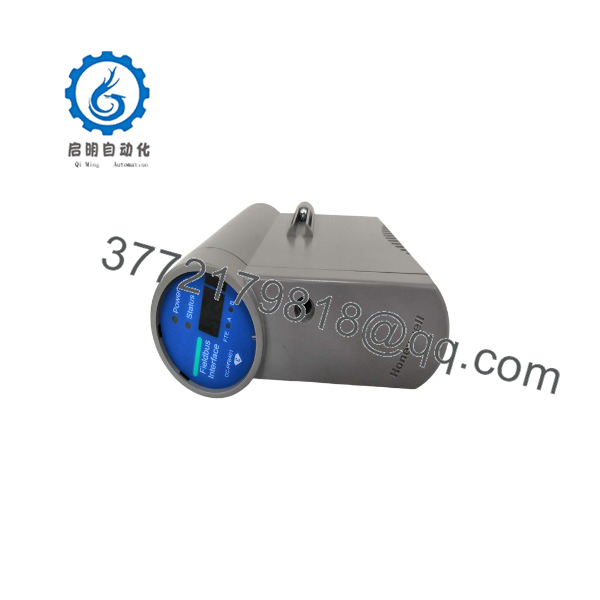
CC-PFB401
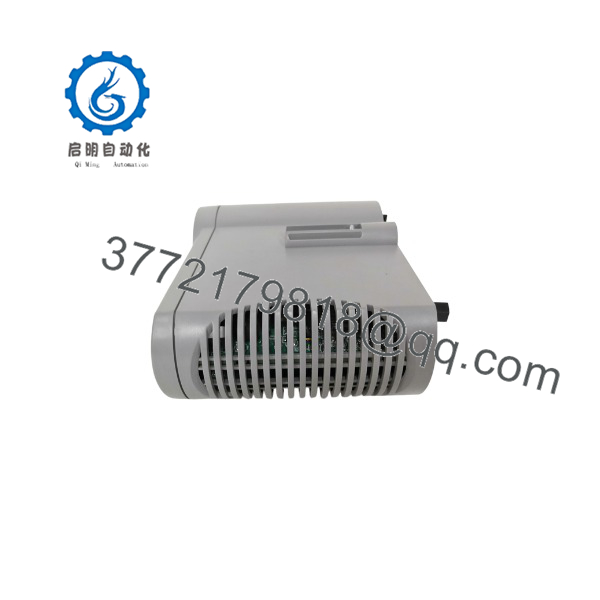
CC-PFB401
5. Installation & Configuration Guide
Stage 1: Pre-Installation Preparation (15–20 min)
⚠️ Safety First: Place the process in a safe state. Notify operations of the planned Fieldbus outage. Lock-out/tag-out power to the Series C cabinet or carrier. Allow residual energy to dissipate.
Tools Required: ESD wrist strap, screwdriver set, multimeter, wire labels, smartphone for photos of existing H1 wiring, terminators, and module labeling.
Data Backup: Export or photograph the current Control Builder configuration, H1 network assignments, device tags, LAS settings, and any redundancy pairing. Record the exact carrier/IOTA model and slot location.
Stage 2: Removing the Old Module (5–10 min)
- Confirm power is removed from the carrier.
- Release the module locking mechanism and withdraw the FIM straight from the carrier.
- Inspect the carrier connectors for bent pins, corrosion, or debris.
⚠️ Keep the old module available until the new unit is online and all H1 links report healthy.
Stage 3: Installing the New Module (10–15 min)
- Verify the part number is CC-PFB401 and that any conformal coating matches site requirements.
- Align the module with the carrier guides and insert fully until the lock engages.
- Confirm H1 field wiring, segment power, and terminators on the carrier terminals.
- If using side-by-side redundancy, ensure the partner module is correctly installed and paired.
Self-Checklist: [ ] Module fully seated [ ] Lock engaged [ ] H1 terminators present [ ] No bent pins.
Stage 4: Power-On & Testing (15–25 min)
Pre-Power Check: Verify 24 VDC presence and no shorts on the carrier.
- Restore power. Observe 24 V Power, Module/FTE Status, and H1 Link LEDs.
- In Control Builder / Experion, confirm the FIM is recognized and the four H1 networks appear.
- Verify device communication, LAS status, and live process values from field instruments.
- Check diagnostics and any pending firmware or configuration downloads.
⚠️ Troubleshooting: Module not recognized usually indicates seating or carrier mismatch. H1 link faults often trace to missing terminators, incorrect polarity, or segment power issues. Redundancy failures require verification of side-by-side pairing and Control Builder configuration.
6. Frequently Asked Questions (FAQ)
Q: Can the CC-PFB401 be hot-swapped?
A: Series C modules support controlled replacement under defined conditions, but best practice is to take the associated carrier offline. Always follow site procedures and confirm redundancy status before removal.
Q: How many H1 networks and devices does it support?
A: Four independent H1 networks per module, with a maximum of 16 FOUNDATION Fieldbus devices per network.
Q: Does it support redundancy?
A: Yes. It can be configured non-redundant or as a side-by-side redundant pair.
Q: What macrocycle periods are available?
A: 250 ms, 500 ms, 1 s, 2 s, 4 s, 8 s, 16 s, and 32 s. Selection depends on the control strategy and device requirements.
Q: Will I lose Fieldbus configuration when I replace the module?
A: Configuration resides in Control Builder and the Experion database. After replacement the system downloads the existing configuration. Always verify network assignments, device tags, and LAS settings after the swap.
Q: Why is the price lower than current Honeywell list pricing?
A: Many units available on the secondary market are new surplus. Pricing reflects that availability rather than full current production list price.
Q: What testing is performed before shipment?
A: Visual inspection, power-on self-test, LED verification, and basic H1 link communication checks where a test carrier is available. Test reports and photos are available on request.



