
 WhatsApp: +86 16626708626
 Email:
  Phone: +86 16626708626
Description
Key Technical Specifications
| Parameter | Value |
|---|---|
| Manufacturer | Honeywell |
| Part number | FC-BKM-0001 |
| Product type | Battery and Key Switch Module (BKM-0001) |
| System platform | Honeywell Safety Manager / Safety Manager SC |
| Primary function | Backup battery supply for controller memory/RTC and key-switch interface for Force Enable and Reset functions |
| Location | Installed in the controller chassis (CPCHAS-0001 or CPCHAS-0002); only one BKM-0001 per controller, even in redundant systems |
| Battery configuration | Two non-rechargeable lithium thionyl chloride cells (SAFT LS14500CGFG or equivalent LS14500W) |
| Battery nominal voltage | 3.6 V per cell |
| Battery capacity | Greater than 2 Ah in AA size |
| Backup duration | Approximately 3 months for real-time clock and diagnostics |
| Battery operating temperature | −40 to +85 °C |
| 24 V DC supply voltage | 24 V DC, −15% to +30% |
| 24 V DC supply current | Maximum 20 mA per 24 V DC output; typical 7 mA shared load on 24 V DC |
| 5 V DC supply voltage | 5 V DC ±10% |
| 5 V DC supply current | Maximum 10 mA |
| Output supply voltage | 14–31 V DC |
| Output resistance | Approximately 2 × 1.1 kΩ (parallel) |
| Short-circuit protection | Continuously short-circuit proof |
| General-purpose inputs | Three 24 V DC inputs (IN1, IN2, IN3) on the controller backplane CPB-0001 |
| Input high voltage | 14–35 V DC |
| Input low voltage | Below 7 V DC |
| Input current | 2.3 mA at 24 V DC |
| Input filter time | IN1: approximately 0.1 ms; IN2 and IN3: approximately 10 ms |
| Operating temperature | −5 to +70 °C |
| Storage temperature | −40 to +85 °C |
| Relative humidity | 10–95%, non-condensing |
| Approvals | CE, TUV, UL, CSA, FM |
| Physical dimensions | 176 × 35.2 × 212 mm (H × W × D) |
| Approximate weight | 0.5 kg |
| Replacement requirement | Match FC-BKM-0001, confirm chassis type, battery type and condition, key-switch function, and Safety Manager configuration |
Honeywell product data identifies FC-BKM-0001 as the Battery and Key Switch Module used in Safety Manager controller chassis. It contains two lithium thionyl chloride batteries, a Force Enable key switch, a Reset key switch, and three 24 V DC general-purpose inputs on the controller backplane.
Product Introduction
The Honeywell FC-BKM-0001 is a Battery and Key Switch Module () used in Honeywell Safety Manager and Safety Manager SC controller chassis. It provides backup power for controller memory and real-time clock functions and supplies the Force Enable and Reset key-switch interface required for certain maintenance and operational modes.
The module is specific to the Safety Manager architecture and is not a generic battery card or I/O module. Only one FC- is installed per controller chassis, even in redundant configurations. Confirm chassis type, battery condition, key-switch function, and Safety Manager software configuration before replacement.
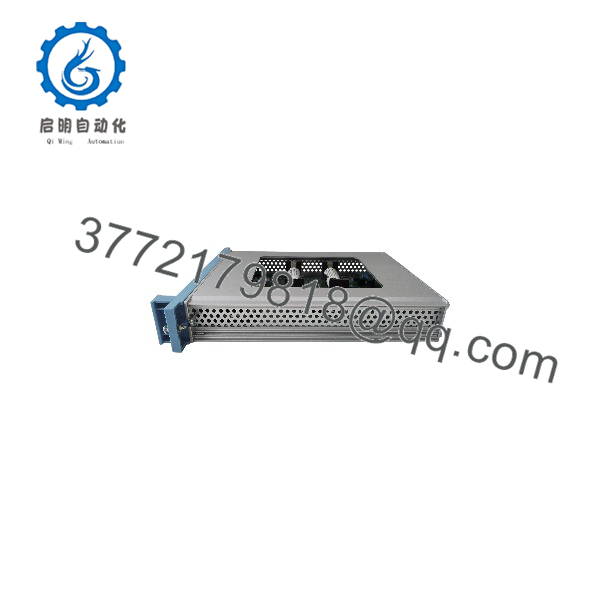
FC-BKM-0001
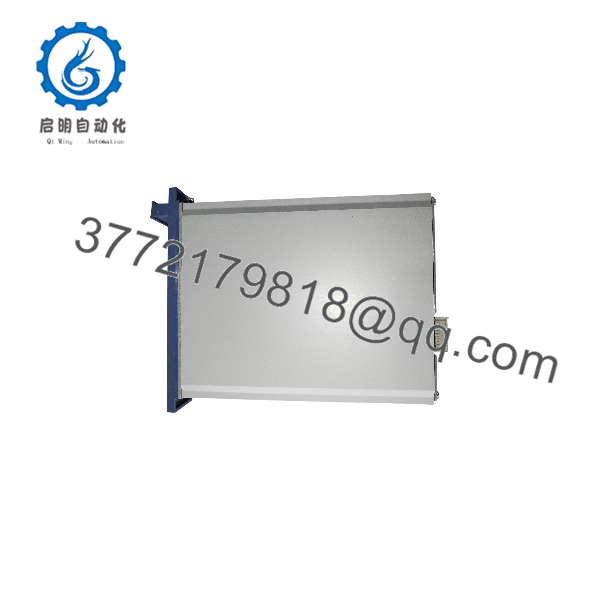
FC-BKM-0001
Troubleshooting Quick Reference
| Symptom | Possible Cause | Relevance to This Part | Quick Check Method | Recommendation |
|---|---|---|---|---|
| Controller reports low battery or battery fault | Depleted or aged lithium batteries, poor battery contact, failed battery holder, incorrect battery type | ✅ High | Check Safety Manager diagnostics for battery status. Isolate power per procedure, open the battery compartment, and inspect battery type, orientation, corrosion, and contact condition. Measure battery voltage with a multimeter. | Replace batteries with the correct SAFT LS14500 type and verify polarity. Do not use generic AA cells. |
| Force Enable or Reset key switch has no effect | Wrong key position, failed key switch, wiring or backplane issue, Safety Manager configuration or permissive condition | ⚠️ Medium | Verify the key is turned to the correct position. Check Safety Manager diagnostics and event logs for key-switch state and related permissives. Inspect the key-switch mechanism and connector. | Correct configuration or permissive issues first. Replace FC- only if the key-switch input remains invalid with a known-good module. |
| Controller loses time or configuration after power loss | Battery backup failed, battery disconnected, excessive power-off duration, RTC or memory fault | ⚠️ Medium | Check battery voltage and installation. Measure time between power removal and loss of RTC or configuration. Review Safety Manager diagnostic logs for power-loss events. | Replace aged batteries and document the maximum allowed power-off time. If configuration is lost quickly with new batteries, investigate controller hardware. |
| One or more general-purpose inputs (IN1–IN3) do not respond | Field wiring fault, missing 24 V DC, incorrect voltage level, failed input circuit, backplane issue | ⚠️ Medium | Measure voltage at the backplane input terminals for IN1, IN2, and IN3. Verify field wiring and source voltage. Compare input status in Safety Manager diagnostics. | Repair field wiring and supply first. Replace FC- only if inputs remain invalid with verified field signals. |
| Module area is hot or shows physical damage | Incorrect supply voltage, short circuit, damaged connector, prior electrical event, contaminated cabinet | ✅ High | Isolate power safely. Inspect the module, connector, and backplane for heat marks, discoloration, or damaged pins. Measure supply voltage before re-energizing. | Correct the electrical fault before installing a replacement. Do not re-apply power to a damaged backplane. |
| Controller fails to start after BKM replacement | Incorrect module, battery not installed or reversed, key switch in wrong position, configuration lost, backplane fault | ✅ High | Verify the replacement is FC-. Confirm battery type, orientation, and voltage. Check key-switch position and Safety Manager configuration. | Restore the original configuration and verify all connections. Do not assume a new module will automatically restore settings. |
| Intermittent battery fault or controller reset | Loose battery holder, corroded contacts, vibration, temperature extremes, aged batteries | ⚠️ Medium | Inspect battery contacts and holder. Measure battery voltage under slight mechanical stress. Check cabinet temperature and ventilation. | Clean or replace contacts and secure the battery compartment. Replace aged batteries proactively. |
| Safety Manager shows BKM-related hardware fault | Module mismatch, firmware or configuration mismatch, failed internal circuitry, backplane communication issue | ⚠️ Medium | Check hardware inventory and module type in Safety Manager. Compare firmware and configuration with the approved baseline. Inspect module seating and backplane contacts. | Correct configuration and seating first. Replace FC- only after diagnostics indicate a hardware fault. |
Field note: The most common FC- issue is battery age. Lithium thionyl chloride cells can hold a charge for years, but once they start to drop, the controller can lose RTC or configuration during a short power interruption. Replace both batteries as a matched set and record the replacement date.
If you need technical support, provide photos of the FC- label, chassis type, battery compartment, installed batteries, key-switch position, Safety Manager diagnostics, and any related alarm text.
Frequently Asked Questions
What does the Honeywell FC- do?
The FC- is the Battery and Key Switch Module for Honeywell Safety Manager controllers. It provides backup battery power for memory and real-time clock functions and supplies the Force Enable and Reset key-switch interface used in certain operational and maintenance modes.
Where is FC- installed?
The module is installed in the Safety Manager controller chassis (CPCHAS-0001 or CPCHAS-0002). Only one FC- is used per controller, even in redundant controller configurations.
What type of batteries does FC- use?
It uses two non-rechargeable lithium thionyl chloride AA-size cells, typically SAFT LS14500CGFG or equivalent LS14500W. Each cell is nominally 3.6 V with a capacity greater than 2 Ah. Do not substitute generic alkaline or rechargeable AA batteries.
How long do the batteries last?
Battery life depends on temperature, discharge history, and time in service. The module is designed to maintain real-time clock and diagnostic data for approximately three months with no main power, using fresh batteries. In practice, plan proactive replacement based on age and site power-loss history rather than waiting for a fault.
Can I replace just one battery?
No. Replace both lithium cells as a matched set. Mixing old and new cells can cause uneven discharge and unreliable backup performance. Record the replacement date on the module or in the maintenance log.
What do the Force Enable and Reset key switches do?
The Force Enable key switch allows authorized personnel to enable forced I/O or special maintenance modes, depending on the Safety Manager configuration and site procedures. The Reset key switch is used to reset the controller or clear certain fault states under approved procedures. Both functions are safety-related and must be managed under formal authorization.
Can I hot-swap FC-?
Do not hot-swap it. The module is part of the controller’s backup-power and key-switch interface. Removing it while the controller is energized can affect battery-backed memory, RTC, and safety-related key functions. Follow the approved Safety Manager maintenance procedure, manage process risk, and use lockout/tagout where required.
Why does my controller lose configuration after a short power outage?
Start with the batteries. Measure FC- battery voltage and check installation. If batteries are aged or below specification, replace them with the correct SAFT LS14500 type. If the problem persists with new batteries, check for frequent power interruptions, backplane issues, or controller hardware faults.
Is FC- compatible with other Honeywell DCS platforms?
No. The FC- is specific to Honeywell Safety Manager / Safety Manager SC controller chassis. Do not use it as a generic battery or key-switch module for other Honeywell DCS or PLC families. Confirm the chassis type and approved hardware list before ordering.
Is this FC- New Surplus or Refurbished?
The condition must be stated explicitly. New Original / New Surplus means unused legacy inventory with verified labels, clean connectors, and documented storage inspection. Refurbished (tested) means a previously used module that has been inspected and functionally checked.
For a refurbished FC-, request actual-unit photos, label verification, battery-compartment inspection, battery type and date-code check, 24 V DC and 5 V DC supply verification, key-switch function test, general-purpose input test, connector inspection, and a written test report. Test videos and photos should be available upon request.
What should I verify before ordering FC-?
- Exact module label: FC- and hardware revision
- Controller chassis type: CPCHAS-0001 or CPCHAS-0002
- Existing battery type, date code, and condition
- Key-switch function and Safety Manager configuration
- General-purpose input wiring and 24 V DC supply
- Safety Manager diagnostics, battery alarms, and event logs
- Site power-loss history and maximum allowed outage duration
- Required condition: New Original/New Surplus or Refurbished (tested)
Keep these checks in mind and you will avoid most FC- replacement rework.



