
 WhatsApp: +86 16626708626
 Email:
  Phone: +86 16626708626
Description
Key Technical Specifications
- Manufacturer: Honeywell
- Model Number: FC-IOCHAS-0002R
- Product Category: Experion PKS I/O Chassis
- System Platform: Honeywell Experion Process Knowledge System (PKS)
- Primary Function: Provides mechanical mounting and electrical connection for compatible I/O modules
- Application: Process automation, DCS I/O subsystem installation
- Compatible Architecture: Honeywell Fault Tolerant Ethernet (FTE) and Experion control environments (verify exact configuration)
- Installation Type: Control cabinet / rack-mounted installation
- Module Support: Designed for Honeywell control system I/O module assemblies
- Operating Environment: Industrial control room or protected automation cabinet environment
- Condition Options: New Original (New Surplus) or Refurbished (tested)
- Verification Requirement: Confirm chassis revision and connected I/O module compatibility against the site Experion PKS configuration
Product Introduction
Honeywell FC-IOCHAS-0002R is an Experion PKS I/O chassis assembly used to install and connect compatible Honeywell process control I/O modules within a DCS cabinet. It provides the physical mounting structure and backplane interface required for distributed control system I/O deployment.
This chassis is typically used in process industries where maintaining existing Experion PKS hardware infrastructure is required. Before replacement, verify chassis revision, installed I/O modules, firmware compatibility, and cabinet wiring documentation against the existing system configuration.
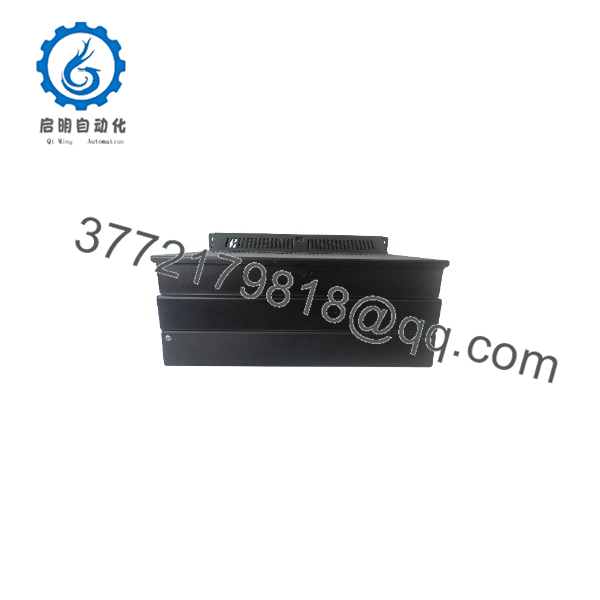
FC-IOCHAS-0002R
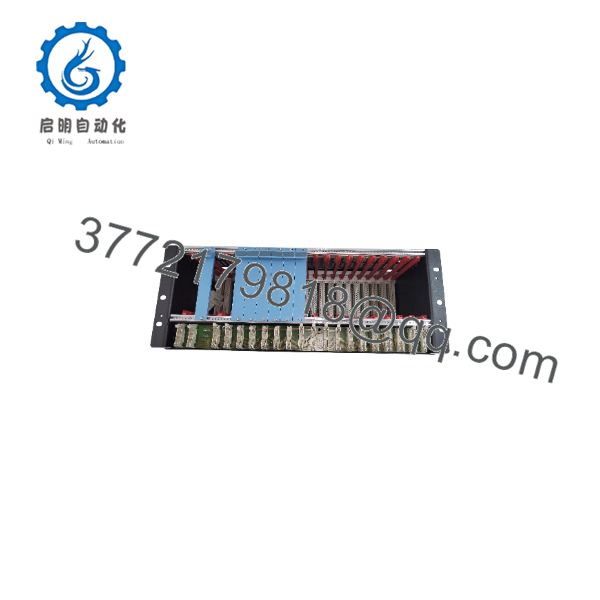
FC-IOCHAS-0002R
Installation & Configuration Guide
Stage 1: Pre-Installation Preparation
⚠️ Safety First:
Notify operations before removing any DCS hardware. Confirm the affected process area is in a safe operating condition. Apply lockout/tagout procedures where required and wait for stored energy discharge before handling cabinet hardware.
Tools Required:
- ESD wrist strap
- PH1/PH2 screwdriver set
- Digital multimeter
- Wire labels
- Smartphone or camera for documentation
- Cabinet drawings and Experion PKS configuration records
Data Backup:
Before replacement:
- Record the existing chassis location and slot arrangement.
- Export current Experion PKS configuration data if applicable.
- Photograph all module positions, terminal wiring, and identification labels.
- Record I/O module model numbers installed in the chassis.
Stage 2: Removing the Old Chassis
- Place the control system into an approved maintenance state.
- Disconnect cabinet power according to site procedures.
- Label all connected wiring and communication interfaces.
- Remove installed I/O modules carefully and keep them in ESD-safe packaging.
- Release chassis mounting hardware.
- Remove the existing chassis while protecting backplane connectors.
⚠️ Note:
Keep the removed FC-IOCHAS assembly until the replacement system completes functional testing. It provides a valuable reference for wiring, module position, and configuration verification.
Stage 3: Installing the New Chassis
Installation Steps:
- Wear an ESD wrist strap before touching the chassis or modules.
- Verify the replacement label matches Honeywell FC-IOCHAS-0002R.
- Inspect the chassis connector area for mechanical damage.
- Install the chassis into the cabinet mounting position.
- Secure mounting hardware according to cabinet specifications.
- Reinstall I/O modules in their original slot locations.
Configuration Clone (Critical):
- Match the original module arrangement exactly.
- Confirm all I/O module addresses and identification records.
- Verify communication settings from the original system documentation.
Self-Checklist:
- Correct chassis model installed
- Mounting hardware secured
- I/O modules installed in original positions
- Wiring labels verified
- Cabinet grounding confirmed
Stage 4: Power-On & Testing
Pre-Power Check:
- Verify cabinet power supply voltage.
- Check for short circuits on the DC supply rails.
- Confirm grounding continuity.
Power-On Steps:
- Energize the cabinet according to site startup procedures.
- Check chassis and module diagnostic indicators.
- Verify Experion PKS system recognition.
- Confirm communication between controllers and I/O modules.
- Execute I/O point verification using approved test procedures.
- Monitor alarms and diagnostic logs.
⚠️ Troubleshooting Note:
If the system does not recognize installed modules, check chassis compatibility, module seating, configuration database records, and controller communication status before replacing additional hardware.
Frequently Asked Questions (FAQ)
Q1: Is Honeywell FC-IOCHAS-0002R still available as a new product?
FC-IOCHAS-0002R availability depends on remaining inventory because many Experion PKS hardware components are maintained through replacement stock and surplus channels. Confirm whether the unit is New Original (New Surplus) or Refurbished (tested) before purchase.
Q2: Can I replace FC-IOCHAS-0002R without shutting down the system?
In most cabinet installations, removing an I/O chassis requires controlled power isolation. Do not assume hot-swap capability. Verify the exact Experion PKS architecture and site procedures before removing hardware under power.
Q3: Will my existing I/O modules work with a replacement FC-?
Usually, compatibility depends on the installed Experion PKS hardware generation, chassis revision, and connected I/O module models. Check the existing module part numbers and system documentation before installation.
Q4: What information should I provide when ordering this chassis?
Provide the complete model number (), current chassis label information, installed I/O module models, Experion PKS version, and cabinet configuration details. These details reduce the risk of receiving an incompatible replacement.
Q5: Why is surplus Honeywell hardware priced lower than OEM list pricing?
Industrial automation spare parts often remain available through discontinued inventory, project leftovers, or plant maintenance stock. Pricing depends on condition, testing history, packaging status, and market availability.
Q6: What testing should be completed before installing a used FC-?
A proper inspection should include visual checks, connector inspection, electrical continuity verification, and functional testing with compatible Honeywell hardware where available. Request test documentation when purchasing refurbished equipment.
Q7: What is the main replacement risk with this chassis?
The most common issue is configuration mismatch rather than physical installation. I/O module layout, chassis revision, and Experion PKS database configuration must match the original system. Document the existing installation before removal.



