
 WhatsApp: +86 16626708626
 Email:
  Phone: +86 16626708626
Description
Key Technical Specifications
- Manufacturer: Honeywell
- Model Number: FC-PDIO01
- Product Type: Digital Input/Output Module
- System Platform: Honeywell Experion PKS
- Application: Process control digital signal monitoring and actuator control
- Signal Type: Discrete digital field signals
- Installation Location: Experion PKS I/O subsystem cabinet
- Communication Interface: Honeywell control system backplane communication
- Configuration Method: Experion PKS engineering tools
- Mounting Method: Chassis/rack installation
- Operating Environment: Industrial control cabinet environment
- Condition Options: New Original (New Surplus) or Refurbished (tested)
- Compatibility Note: Verify exact firmware, chassis type, and Experion PKS release before installation
Product Introduction
Honeywell FC-PDIO01 is a digital process I/O module designed for Honeywell Experion PKS distributed control systems. It handles discrete field signals between plant equipment and the control system, supporting applications such as status monitoring, interlock signals, and digital command outputs.
The module is used in process automation installations requiring replacement of existing Honeywell I/O hardware while maintaining the current cabinet architecture. Engineers should verify module revision, chassis compatibility, and Experion PKS configuration before commissioning.
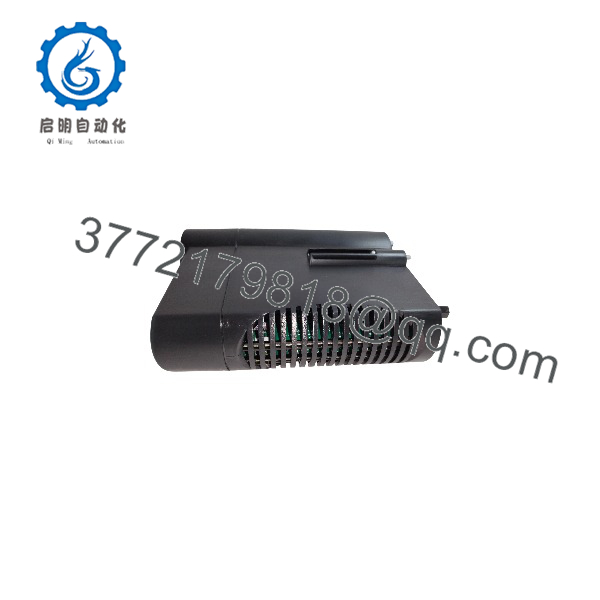
FC-PDIO01
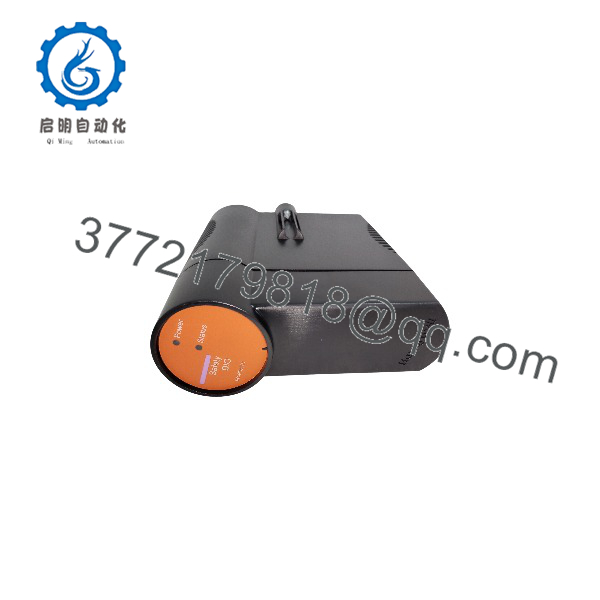
FC-PDIO01
Installation & Configuration Guide
Stage 1: Pre-Installation Preparation
⚠️ Safety First:
Notify plant operations before removing the existing I/O module. Confirm the process is in a safe state, isolate power according to site procedures, and wait for electrical discharge before handling the equipment.
Tools Required:
- ESD wrist strap
- PH1 screwdriver
- Digital multimeter
- Wire labels
- Smartphone for documentation
- Experion PKS engineering workstation access
Data Backup:
Before removal:
- Record the existing module slot location.
- Photograph front panel indicators and wiring arrangement.
- Document channel assignments from engineering records.
- Confirm the current Experion PKS configuration database.
Stage 2: Removing the Old Module
- Place the controller/I/O system into the approved maintenance condition.
- Disconnect power if required by site procedure.
- Label all terminal wiring before removal.
- Release the module locking mechanism.
- Pull the module straight out to avoid damaging the backplane connector.
- Inspect the slot connector for dust, oxidation, or mechanical damage.
⚠️ Note:
Keep the original module available until the replacement passes communication and I/O verification.
Stage 3: Installing the New Module
Installation Steps:
- Use ESD protection before opening the replacement package.
- Verify the module identification label matches Honeywell FC-PDIO01.
- Inspect connector pins and module housing condition.
- Insert the module into the correct chassis slot.
- Secure the locking mechanism.
- Reconnect field wiring using the original labels.
Configuration Clone (Critical):
- Confirm channel assignments match the original module.
- Verify digital input/output configuration in Experion PKS.
- Check alarm, logic, and interlock references before returning the loop to service.
Self-Checklist:
- Correct module installed
- Slot position verified
- Wiring confirmed
- Configuration downloaded
- Diagnostic status normal
Stage 4: Power-On & Testing
Pre-Power Check:
- Verify 24 VDC supply conditions if applicable.
- Confirm no wiring shorts exist.
- Check grounding and shield connections.
Power-On Steps:
- Restore cabinet power.
- Observe module diagnostic LEDs.
- Confirm the Experion PKS system detects the module.
- Verify channel status in engineering tools.
- Perform point-to-point digital signal testing.
- Confirm alarms and control logic operate correctly.
⚠️ Troubleshooting Note:
If the module is not recognized, check chassis compatibility, module addressing, configuration download status, and controller communication diagnostics before replacing additional components.
Frequently Asked Questions (FAQ)
Q1: What is Honeywell FC-PDIO01 used for?
FC-PDIO01 is a Honeywell Experion PKS digital I/O module used to interface discrete field signals with the control system. Typical signals include equipment status feedback, permissive signals, and digital control commands.
Q2: Can FC-PDIO01 be hot-swapped?
Do not assume hot-swap capability. Whether replacement under power is allowed depends on the specific Experion PKS hardware architecture and site operating procedures. Follow Honeywell documentation and plant maintenance rules.
Q3: Will FC- work with any Honeywell Experion system?
Not every Experion PKS installation uses identical hardware revisions. Verify the chassis type, controller architecture, firmware compatibility, and engineering database configuration before replacement.
Q4: Is FC- obsolete?
The availability of FC- depends on inventory status and the installed Experion PKS generation. Many legacy DCS components remain in service through maintenance stock and tested replacement units.
Q5: Will replacing the module erase my control logic?
The control logic normally resides in the controller and engineering database, not inside the I/O module itself. However, channel configuration, signal mapping, and module parameters should be backed up before replacement.
Q6: Why are used or surplus Honeywell modules available below OEM pricing?
Industrial automation spare parts are often sourced from plant inventory, discontinued project stock, or surplus channels. The price depends on condition, testing records, packaging status, and availability.
Q7: What should be checked before installing a replacement FC-?
Verify the complete part number, existing module revision, chassis compatibility, field wiring, channel configuration, and Experion PKS software records. A five-minute documentation check can prevent hours of commissioning work.



