
 WhatsApp: +86 16626708626
 Email:
  Phone: +86 16626708626
Description
Key Technical Specifications
| Parameter | Value |
|---|---|
| Manufacturer | Honeywell |
| Model | FS-SICC-0001/L3 |
| Material Number | 4213500 |
| Product Type | Safety Manager system interconnection cable |
| Application | Chassis I/O to Field Termination Assembly (FTA) connection |
| System Compatibility | Honeywell Safety Manager / FSC platform |
| Cable Length | 3 m |
| Cable Construction | 20 × AWG 22 conductors |
| Shielding | Double-shielded construction |
| Conductor Size | 0.34 mm² (AWG 22) |
| Outer Diameter | Approx. 9.93 mm |
| Temperature Range | Approximately −20 to +60 °C |
| Installation Type | Control cabinet internal wiring |
| Power Consumption | Passive cable assembly, no internal power draw |
| Weight | Approx. 2 kg shipping weight |
The Honeywell FS-SICC-0001/L3 (4213500) is a Safety Manager System Interconnection Cable used to connect Honeywell chassis I/O assemblies with Field Termination Assemblies (FTAs). The cable is a passive signal interconnection component, not an active control module.
The FS-SICC-0001/L3 uses a shielded multi-conductor design intended for industrial control cabinet environments where signal integrity and correct channel routing are required. The documented version is a 3 m cable assembly within the FS-SICC-0001/Lx family.
Product Introduction
The Honeywell FS-SICC-0001/L3 (4213500) is a dedicated interconnection cable for Honeywell Safety Manager systems. It provides the physical connection path between chassis I/O hardware and FTA interfaces used for field signal termination.
Unlike active Safety Manager modules, this component does not execute logic or process signals internally. Its reliability depends on correct pin assignment, connector seating, shielding, and installation practice. Verify the exact cable length, connector type, and system hardware revision before replacement.
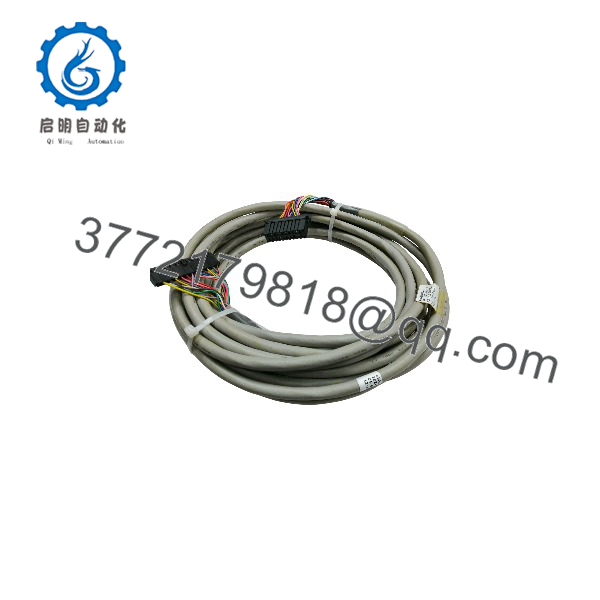
FS-SICC-0001/L3
Installation & Configuration Guide
Stage 1: Pre-Installation Preparation — Approximately 15 Minutes
⚠️ Safety First:
The FS-SICC-0001/L3 may carry safety-related I/O signals. Before removal, place the Safety Manager system into an approved maintenance state. Follow site lockout/tagout procedures and verify that connected safety circuits are handled according to plant procedures.
Tools Required:
- ESD wrist strap
- Digital multimeter
- Screwdriver set
- Connector inspection light
- Wire labels
- Smartphone for cabinet photographs
- Honeywell Safety Manager documentation
Data Backup:
- Record the existing cable identification:
- FS-/L3
- 4213500
- Photograph:
- Chassis I/O connector location
- FTA connector location
- Cable routing path
- Shield grounding points
- Document:
- Connected I/O rack numbers
- FTA module references
- Connector orientation
- Verify replacement cable length and connector type.
⚠️ Important:
Do not replace this cable based only on length. A similar-looking cable with different pin mapping can create incorrect field signal routing.
Stage 2: Removing the Old Cable — Approximately 10 Minutes
- Confirm the system is in a safe maintenance condition.
- Verify cabinet power status according to site procedure.
- Label both cable ends before removal.
- Release connector locking hardware.
- Disconnect the chassis I/O connector.
- Disconnect the FTA-side connector.
- Remove cable clamps or routing supports.
- Remove the old FS-/L3 carefully.
- Inspect:
- Connector pins
- Locking screws
- Shield termination points
- Cable insulation
- Cabinet routing condition
⚠️ Keep the removed cable until system testing is complete.
The original cable is the best reference for connector orientation and routing.
Stage 3: Installing the New FS-/L3 — Approximately 15 Minutes
- Verify the replacement marking matches FS-/L3.
- Confirm:
- 3 m length
- Correct connector arrangement
- Correct Safety Manager application
- Route the cable using the original path.
- Avoid sharp bends and excessive pulling force.
- Connect the chassis I/O side.
- Connect the FTA side.
- Secure connector locking hardware.
- Confirm shield and grounding arrangement matches the original installation.
Self-Checklist:
- Correct part number verified
- Cable length confirmed
- Connector orientation checked
- Both ends fully seated
- Locking hardware secured
- Cable strain relief installed
- Shield connection verified
Stage 4: Power-On & Testing — Approximately 20 Minutes
- Perform a final connector inspection before returning the system to service.
- Restore system power according to site procedure.
- Check Safety Manager diagnostic status.
- Verify connected I/O channels.
- Confirm:
- No communication faults
- No open-circuit alarms
- Correct field signal indication
- Perform approved safety function testing.
⚠️ Troubleshooting Note:
- I/O channels show faults: Check connector seating and pin alignment.
- Multiple channels fail simultaneously: Inspect the cable connection path before replacing modules.
- Intermittent signals: Check shielding, cable routing, and connector retention.
- Unexpected channel mapping: Verify the cable part number and termination points.
Frequently Asked Questions (FAQ)
Can the Honeywell FS-/L3 be hot-swapped?
No. This cable is used in Safety Manager I/O signal paths. Disconnecting it during operation can interrupt safety-related signals. Follow the plant maintenance procedure before removal.
What is the function of FS-/L3?
The FS-/L3 connects Honeywell Safety Manager chassis I/O hardware with Field Termination Assemblies. It provides the physical signal path between control hardware and field wiring interfaces.
Is FS-/L3 an active Honeywell control module?
No. It is a passive cable assembly. It does not contain a processor, firmware, or configurable logic.
What is the cable length of FS-/L3?
The FS-/L3 version is identified as a 3 m cable assembly. The FS- family uses different length variants, so confirm the suffix before ordering.
Can I replace FS-/L3 with another Honeywell cable?
Only after confirming compatibility. Check:
- Part number
- Cable length
- Connector type
- Pin assignment
- Connected Safety Manager hardware
A cable with the same appearance may not provide the same signal mapping.
Why is a new FS-/L3 available below OEM pricing?
Industrial spare cables are often sourced from maintenance inventory, system upgrades, or surplus automation stock. Price differences usually depend on condition, testing, warranty coverage, and availability.
What should I request before purchasing FS-/L3?
Request:
- Actual cable photos
- Connector close-up images
- Part number label
- Length confirmation
- Condition:
- New Original / New Surplus
- Refurbished (tested)
- Warranty information
For Safety Manager applications, confirm the complete chassis and FTA configuration before installation.



