
 WhatsApp: +86 16626708626
 Email:
  Phone: +86 16626708626
Description
Key Technical Specifications
- Type Number: FX-USI-0002
- System: Honeywell Safety Manager
- Module Function: Universal Safety Interface
- Supply Voltage: 5 V DC ±5%
- Maximum Supply Current: 1.2 A
- Protocol: EUCN
- Operating Temperature: −5 to +70 °C
- Storage Temperature: −40 to +85 °C
- Relative Humidity: 10–95%, non-condensing
- Dimensions: 176 × 35.2 × 212 mm (H × W × D)
- Dimensions, inches: 6.93 × 1.40 × 8.35 in
- Weight: 0.7 kg
- Approvals: CE, TÜV, UL, CSA, and FM
- Minimum Safety Manager Software: R140.1
- Replacement Compatibility: Pin-to-pin and function compatible with FE-USI-0002, FC-USI-0002, and FC-USI-0001
Honeywell’s Safety Manager Hardware Reference identifies the USI-0002 electrical, environmental, dimensional, and approval data. Honeywell also specifies the R140.1 minimum software requirement and the pin-to-pin replacement relationship.
Product Introduction
The Honeywell FX-USI-0002 is a Universal Safety Interface module for Honeywell Safety Manager safety instrumented systems. It provides the USI function used in Safety Manager controller architectures and supports EUCN communication.
This module is the documented replacement for FE-USI-0002, FC-, and FC-USI-0001 when the Safety Manager system runs software release R140.1 or later. Honeywell states that it can operate online as a replacement, including in redundant controller configurations.
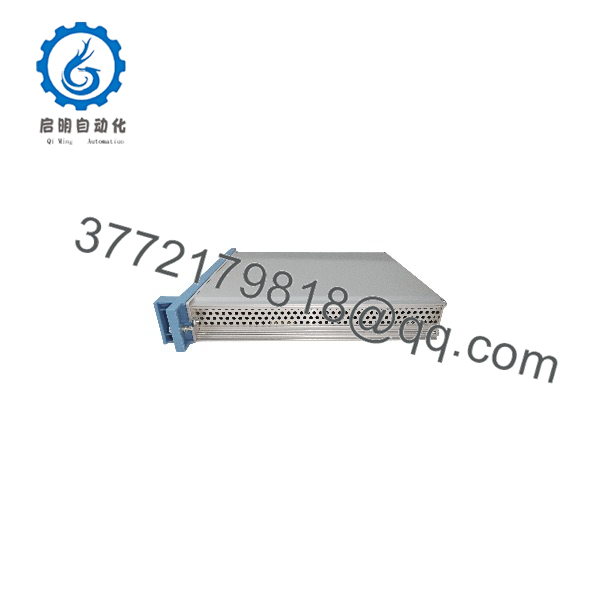
FX-USI-0002
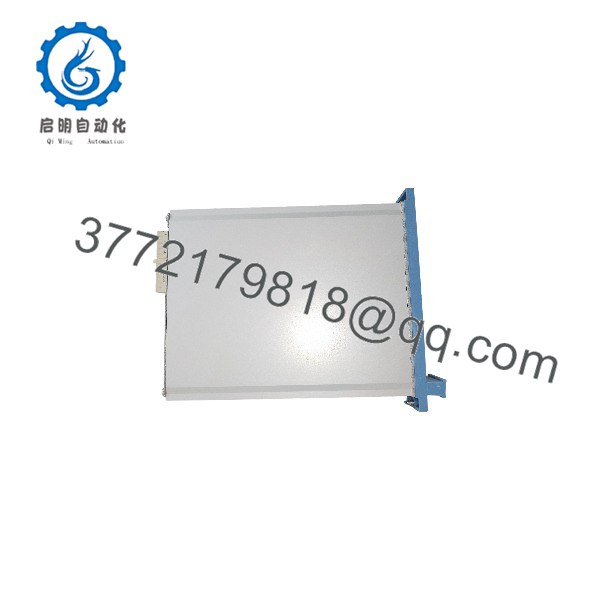
FX-USI-0002
Troubleshooting Quick Reference
| Symptom | Possible Cause | Relevance to This Part | Quick Check Method | Recommendation |
|---|---|---|---|---|
| No module LEDs after startup | Missing 5 V DC supply, blown fuse, or backplane fault | ✅ High | Measure the module supply at the designated Safety Manager backplane terminals; confirm 5 V DC within ±5% | Check the power distribution and adjacent modules before replacing the FX- |
| USI module not recognized | Incorrect slot, poor seating, or backplane connector contamination | ✅ High | Power down according to the approved Safety Manager procedure, reseat the module, and inspect connectors for bent or contaminated contacts | Reseat only after following site safety and shutdown procedures |
| Communication timeout after replacement | Safety Manager software is older than R140.1 | ✅ High | Check the installed Safety Manager release in Safety Builder or the system maintenance records | Do not install FX- into a system below R140.1 without an approved upgrade plan |
| Redundant controller reports USI mismatch | Mixed module types or configuration still identifies the old module type | ✅ High | Compare both controller modules and review the SM Controller Properties configuration | Verify the redundant pair and update the configuration using the approved online modification procedure |
| Existing FC-USI-0001 replacement fails to start | Old software or uncompiled configuration | ✅ High | Confirm R140.1 or later; for enhanced functions, verify the applicable release and recompile the project | Update the configuration only under an approved Safety Manager change procedure |
| Intermittent module faults | Backplane power fluctuation, thermal stress, or connector oxidation | ✅ Medium | Trend the 5 V DC supply, inspect module seating, and check cabinet temperature against −5 to +70 °C | Correct the cabinet-level cause before condemning the module |
| Other Safety Manager I/O points fail | I/O module, FTA, field wiring, or controller problem | ❌ Low | Check adjacent module LEDs, I/O diagnostics, FTA wiring, and system diagnostic logs | Do not replace the FX- for a localized I/O fault |
| Fault returns after a module swap | Configuration, firmware, or redundant-pair incompatibility | ✅ High | Record module labels, software release, diagnostics, and controller configuration before removing the original | Contact technical support with clear module photos, serial information, software release, and diagnostic logs |
Important: Do not treat this module as a generic PLC communication card. It belongs in a Honeywell Safety Manager architecture, and compatibility must be verified against the installed software release and controller configuration. Contact technical support with photos and diagnostic logs if the fault remains unresolved.
Frequently Asked Questions
Is the FX- a direct replacement?
Yes. Honeywell documents the FX- as pin-to-pin and function compatible with FE-, FC-, and FC-USI-0001. The replacement applies only when the Safety Manager software meets the required release level.
What software version is required?
The system must run Safety Manager software release .1 or later. Systems running earlier software releases will not support the FX-. Verify the release before ordering or scheduling a live replacement.
Can it replace the module online?
Honeywell states that the FX- can replace FE-, FC-, and FC-USI-0001 online. Do not interpret that as permission to remove the card without following the site’s approved Safety Manager online modification and safety procedures.
Can it operate with an older module in a redundant controller?
Yes. Honeywell states that the FX- can function with another FE-, FC-, or FC-USI-0001 in a redundant Safety Manager controller, provided the software requirement is met. Confirm the actual redundant architecture before installation.
What condition is the listed unit?
Condition must be stated against the specific inventory unit: New Original, New Surplus, or Refurbished and tested. Do not assume factory-sealed condition from the model number alone. Request photographs of the label, serial number, packaging, and any visible revision markings before purchase.
Why can this module cost less than a factory-supplied unit?
Legacy automation inventory may come from surplus stock, system decommissioning, or independent industrial inventory rather than a current Honeywell production channel. Lower price does not establish equivalence. Confirm authenticity, traceability, test documentation, warranty period, and return terms.
Does the module require external 24 V DC power?
The documented specification lists a 5 V DC ±5% supply with a maximum current of 1.2 A. Verify the Safety Manager backplane and power-distribution arrangement for your chassis; do not apply 24 V DC directly to the module.



