
 WhatsApp: +86 16626708626
 Email:
  Phone: +86 16626708626
Description
Key Technical Specifications
The following values are taken from Honeywell’s Excel Web II product documentation. Model-specific details should be checked against the controller label and the applicable installation manual.
| Parameter | Specification |
|---|---|
| Manufacturer | Honeywell |
| Model | MVC-WEB-2026B3A |
| Controller family | MVCweb / Excel Web II |
| Controller type | Freely programmable building automation controller |
| Onboard I/O | 26 points |
| Maximum system I/O | Up to 600 points, using supported expansion buses |
| Power supply | 19–29 VAC, 50/60 Hz, or 20–30 VDC |
| Typical power consumption | 9 VA AC or 5 W DC |
| Maximum power consumption | 11 VA AC or 6 W DC |
| Ethernet | 1 × RJ45, 10/100 Mbps |
| Serial interfaces | 2 × RS-485; one isolated and one non-isolated |
| Additional interfaces | USB 2.0 host/device; RS-232 interface for M-Bus via supported converter |
| Supported protocols | BACnet/IP, BACnet MS/TP; optional Modbus RTU Master, M-Bus, and LonWorks via the appropriate interface |
| Programming | Honeywell CARE Engineering Tool |
| Web access | Embedded web server with browser-based operation |
| Trend capacity | Up to 100 data points |
| Operating temperature | 0–40°C wall-mounted; 0–50°C cabinet/door-mounted |
| Storage temperature | −20 to +70°C |
| Relative humidity | 5–95%, non-condensing |
| Dimensions | 215.5 × 110 × 61 mm |
| Weight | Approximately 0.6 kg |
| Protection rating | IP20/IP30 depending on mounting arrangement and specified accessories |
| External HMI | Compatible with the designated external HMI interface; confirm the correct accessory part number |
Specification note: Honeywell’s published Excel Web II documentation identifies the closely corresponding XL2026B3A variant. The model MVC-WEB-2026B3A is also listed in Honeywell’s Excel Web II BACnet documentation. Verify the exact variant before treating every family-level specification as a guaranteed model-specific value.
Product Introduction
The Honeywell MVC-WEB-2026B3A is a programmable building automation controller intended for HVAC regulation, equipment sequencing, and building-management applications. Its Excel Web II architecture combines Ethernet-based BACnet/IP communication with serial fieldbus connectivity, allowing it to exchange data with compatible controllers and building-management front ends. The embedded web server provides browser-based access, while Honeywell CARE supports application development and online debugging.
For maintenance and retrofit projects, the controller’s onboard I/O and supported expansion buses can help consolidate sensor monitoring and equipment control. Typical applications include air-handling units, heating and cooling plant control, energy-management routines, and supervisory functions. Before replacing an installed unit, verify the existing application program, I/O assignments, network settings, and required communication options. Product condition, firmware revision, included accessories, and availability must be confirmed separately.
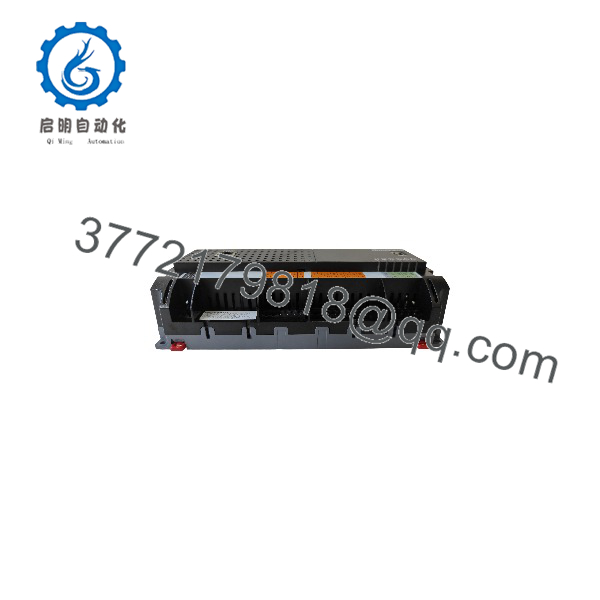
MVC-WEB-2026B3A
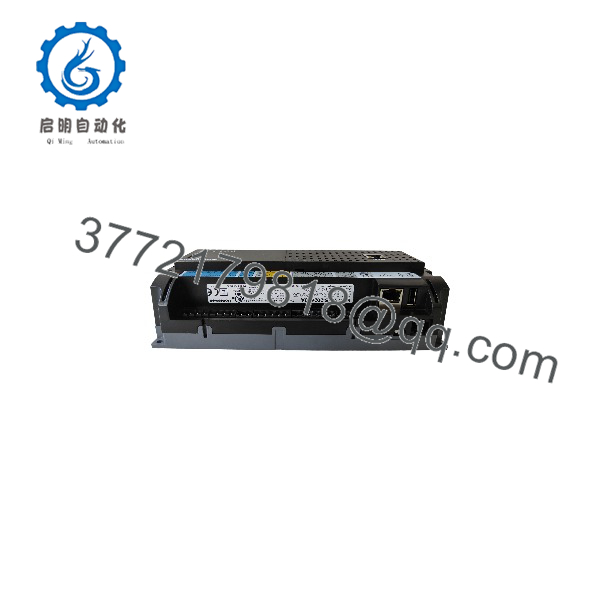
MVC-WEB-2026B3A
Installation & Configuration Guide
Estimated durations are planning estimates, not manufacturer-prescribed installation times.
Stage 1 — Verify the replacement and prepare the panel
- Estimated time: 10–20 minutes
- Confirm the complete model number, terminal arrangement, and required HMI configuration.
- Compare the replacement against the existing controller and approved project drawings.
- Back up the existing application and configuration where possible.
- Isolate power and follow site lockout/tagout procedures before disconnecting wiring.
Stage 2 — Mount and wire the controller
- Estimated time: 20–45 minutes
- Install the controller in the approved cabinet or mounting arrangement.
- Connect the specified power supply within the documented voltage range.
- Reconnect I/O and communication wiring according to the terminal diagram.
- Check RS-485 polarity, signal common, shielding, and termination/bias settings.
Safety warning: Honeywell prohibits connecting the controller’s RJ45 sockets to Power over Ethernet (PoE) equipment. Disconnect power before connecting or removing terminal wiring.
Stage 3 — Configure the application and network
- Estimated time: 30–90 minutes
- Use the applicable Honeywell CARE tool and supported workflow to load or verify the control application.
- Set the IP address and other network parameters in coordination with the building network administrator.
- Configure the required BACnet/IP or BACnet MS/TP communication parameters.
- Enable optional serial protocols only where the hardware interface and application support them.
Do not assume that a generic configuration file or a program from a different Excel Web II variant is directly interchangeable.
Stage 4 — Commission and validate operation
- Estimated time: 30–60 minutes
- Verify controller startup, status indicators, and network communication.
- Test each connected input and output against the control drawings.
- Confirm alarms, schedules, setpoints, and control sequences.
- Document the final configuration and confirm that HVAC equipment responds correctly before returning the system to normal service.
For safety-critical or plant-critical functions, follow the site’s approved commissioning and change-control procedures.
Frequently Asked Questions
Q1: What is the Honeywell MVC-WEB-2026B3A used for?
It is a programmable building automation controller for HVAC and related building-management functions, including equipment monitoring, control sequences, and communication with compatible supervisory systems.
Q2: Does the MVC-WEB-2026B3A support BACnet?
Yes. Honeywell’s Excel Web II documentation identifies BACnet/IP and BACnet MS/TP support and lists the MVC-WEB-2026B3A in its BACnet documentation. Confirm the required network configuration and application compatibility before commissioning.
Q3: How many onboard I/O points does this controller provide?
The corresponding XL2026B3A family variant is documented with 26 onboard I/O points and up to 600 total I/O points through supported expansion. Confirm that the installed MVC-WEB variant and its configuration match these requirements.
Q4: Can the controller communicate with Modbus devices?
The Excel Web II platform supports Modbus RTU Master through one of its RS-485 interfaces, subject to configuration. The two RS-485 interfaces cannot both be used for Modbus RTU Master communication simultaneously. Do not assume Modbus TCP support without model-specific documentation.
Q5: What power supply does it require?
Honeywell’s Excel Web II product data specifies 19–29 VAC at 50/60 Hz or 20–30 VDC. Verify the rating for the exact unit and follow the approved wiring diagram before applying power.
Q6: Can the controller be replaced without reprogramming the system?
Not necessarily. Replacement may require restoring the original application, communication settings, I/O mapping, and network configuration. Compatibility should be checked against the existing firmware, software tools, and installed hardware.
Q7: What should be checked before purchasing a replacement?
Confirm the full model number, onboard I/O requirements, communication interfaces, HMI arrangement, physical condition, and any required accessories. Request clear photographs of the nameplate and terminals if the installed unit’s exact variant is uncertain. Also confirm whether the supplied unit includes the application or configuration backup; do not assume it does.



