WhatsApp: +86 16626708626
 Email:
 Phone: +86 16626708626
Description
Core Product Summary (Brand / Model / Key Attributes)
The HP ProCurve Switch 2810-48G (J9022A) is a managed Layer 2 Gigabit Ethernet switch belonging to the HP ProCurve 2810 Switch Series. Designed for secure, high-performance network edge connectivity, it provides reliable data distribution across high-density enterprise, industrial, and building automation control networks.
The J9022A features 44 dedicated auto-sensing 10/100/1000Base-T RJ-45 copper ports alongside 4 dual-personality ports that accept either standard RJ-45 Gigabit Ethernet cabling or mini-GBIC (SFP) transceivers for fiber optic uplinks. Powered by a MIPS processor operating at 264 MHz, 64 MB SDRAM, and a 1.5 MB packet buffer size, it yields a switching capacity of up to 96 Gbps and a throughput of 71.4 million packets per second (Mpps). The unit integrates sFlow traffic accounting, 802.1Q VLAN tagging (up to 256 simultaneous VLANs), 802.1X network access control, and 802.3ad Link Aggregation Protocol (LACP) trunking, all enclosed within a compact 1U rack-mountable chassis.
Key Technical Specifications
| Parameter | Verified Specification Value |
| Model / Order Number | HP ProCurve Switch 2810-48G (J9022A) |
| Product Type | Managed Layer 2 Gigabit Ethernet Switch |
| Fixed Copper Ports | 44 auto-sensing 10/100/1000Base-T RJ-45 ports (Auto-MDIX) |
| Dual-Personality Ports | 4 ports (10/100/1000Base-T RJ-45 or open mini-GBIC/SFP slots) |
| Console Port | 1 x RJ-45 serial console port |
| Processor & Memory | MIPS @ 264 MHz, 16 MB Flash, 64 MB SDRAM |
| Packet Buffer Size | 1.5 MB |
| Throughput | Up to 71.4 Mpps (64-byte packets) |
| Switching Latency | < 5.4 µs (FIFO 64-byte packets) |
| VLAN Support | IEEE 802.1Q (up to 4,094 VLAN IDs, 256 simultaneous VLANs) |
| Jumbo Frame Support | Up to 9,220 bytes |
| Link Aggregation | IEEE 802.3ad LACP / ProCurve trunking (up to 24 trunks, 8 ports/trunk) |
| Input Voltage | 100–127 VAC / 200–240 VAC (50/60 Hz, auto-sensing) |
| Maximum Heat Dissipation | 341 BTU/hr (360 kJ/hr) |
| Dimensions (H × W × D) | 1.7 in × 17.4 in × 12.7 in (4.32 cm × 44.2 cm × 32.26 cm) / 1U |
| Weight | 8.6 lbs (3.9 kg) |
| Operating Temperature | 32°F to 113°F (0°C to 45°C) |
| Operating Humidity | 15% to 95% @ 104°F (40°C), non-condensing |
Detailed Product Overview
The HP ProCurve Switch 2810-48G (J9022A) functions as an edge aggregation point within industrial automation systems, enterprise networks, and facility infrastructure. Operating at Layer 2 of the OSI model, it manages high-bandwidth data transfers between human-machine interfaces (HMIs), programmable logic controllers (PLCs), supervisory computers, and core network backbones.
Featuring a 96 Gbps backplane and an forwarding rate of 71.4 Mpps, the switch delivers wire-speed packet processing with minimal latency (< 5.4 µs). This latency performance is vital for time-critical industrial protocols and multi-node automation architectures. Network administrators can segment traffic using IEEE 802.1Q VLANs and prioritize mission-critical communication via IEEE 802.1p Class of Service (CoS) and Layer 4 TCP/UDP prioritization.
Security features integrated into the firmware include IEEE 802.1X port-based authentication, MAC address locking, SSL/SSHv2 encrypted management access, and per-port broadcast throttling. The switch supports wire-speed sFlow monitoring (RFC 3176) to deliver detailed traffic accounting without impacting forwarding throughput. Dual flash images provide independent primary and secondary operating system files to ensure safe firmware updates and configuration protection.
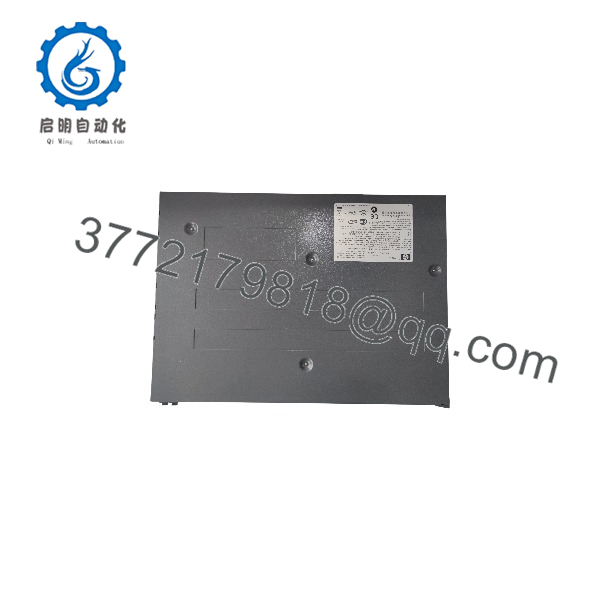
J9022A 2810-48G
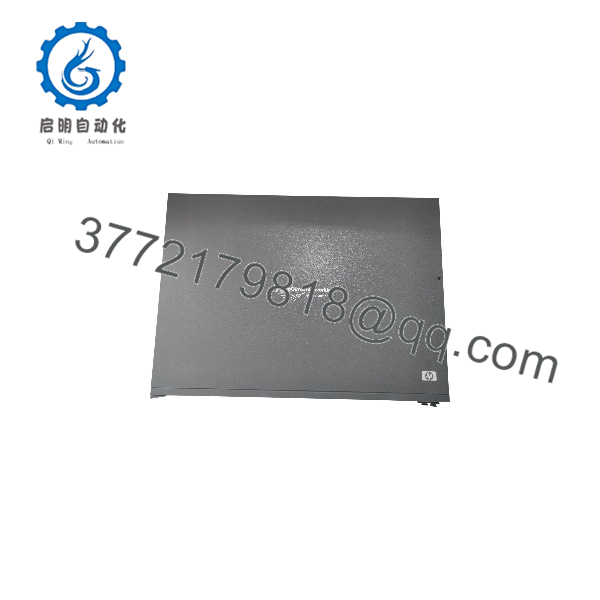
J9022A 2810-48G
Engineering Selection Highlights
- High-Density Gigabit Connectivity: Offers 44 dedicated RJ-45 Gigabit ports alongside 4 dual-personality ports, enabling local copper device distribution and long-distance fiber uplink integration within a single 1U enclosure.
- Low Latency Processing: Provides sub-5.4 microsecond packet latency for 64-byte frames, preserving fast cycle times required by industrial supervision and control software.
- Fiber Uplink Flexibility: Dual-personality slots accept mini-GBIC (SFP) transceivers supporting Gigabit-SX, -LX, -LH, or 100-FX optical connections for high-noise or multi-building physical links.
- Traffic Management & Security: Incorporates sFlow monitoring, 802.1X access control, source port filtering, and broadcast control to isolate automation control networks from general corporate IT noise.
- Redundant Power Options: Supports optional external redundant power supplies (such as the HP 600 RPS/EPS) to maintain continuous operations during internal AC supply interruptions.
Dimensions, Mounting & Connection Notes
The J9022A enclosure occupies a standard 1U rack profile measuring 1.7 inches (4.32 cm) in height, 17.4 inches (44.2 cm) in width, and 12.7 inches (32.26 cm) in depth, with a net weight of 8.6 lbs (3.9 kg). It mounts into standard 19-inch EIA server racks or industrial enclosures using standard side-mount brackets.
All 48 Ethernet ports use standard 8-pin RJ-45 connectors with Auto-MDIX capabilities, eliminating the need for crossover cables when connecting to end devices or other network switches. Ports 45 through 48 are shared dual-personality interfaces: inserting an SFP transceiver into one of these mini-GBIC slots automatically disables the corresponding RJ-45 copper port.
The internal power supply operates automatically across a universal input range of 100–127 VAC or 200–240 VAC at 50/60 Hz without manual switch adjustments. Operating relative humidity must remain between 15% and 95% at 104°F (40°C) (non-condensing), with ambient operating temperatures kept between 32°F and 113°F (0°C to 45°C).
System Compatibility & Integration Requirements
| Item / Dependency | Verified Compatibility or Requirement | Practical Note |
| Rack Installation | EIA-standard 19-inch equipment rack or cabinet | Requires standard 1U height mounting space; mounting hardware supported. |
| Fiber Transceivers | HP mini-GBIC (SFP) transceivers (Gigabit-SX, -LX, -LH, 100-FX) | Must be installed in ports 45–48; using an SFP slot disables the corresponding copper RJ-45 port. |
| Console Connection | Standard RJ-45 serial console connection | Uses RS-232 pinouts via the front-panel console port for CLI setup. |
| External Redundant Power | HP 600 Redundant Power Supply (RPS/EPS) | Provides backup DC power input via the rear-panel RPS connector. |
| Management Protocols | SNMPv1/v2c/v3, HTTP/HTTPS (SSL), SSHv2, LLDP (802.1AB), RMON | Fully manageable through web GUI, command line interface (CLI), or central NMS software. |
FAQ
What is the HP ProCurve J9022A?
The HP ProCurve J9022A (also known as the ProCurve Switch 2810-48G) is a managed Layer 2 Gigabit Ethernet switch designed for high-density edge network connectivity.
How many ports are available on the J9022A switch?
The J9022A provides 48 Gigabit ports in total: 44 dedicated 10/100/1000Base-T RJ-45 ports and 4 dual-personality ports that function as either RJ-45 copper or mini-GBIC (SFP) fiber slots.
Does the HP ProCurve 2810-48G support Power over Ethernet (PoE)?
No, the J9022A model does not supply Power over Ethernet (PoE). Connected devices require independent power sources.
What fiber transceivers are supported by the dual-personality ports?
The dual-personality slots accept standard HP mini-GBIC (SFP) transceivers, including Gigabit-SX, Gigabit-LX, Gigabit-LH, and 100-FX modules.
Can the J9022A be mounted in a standard equipment rack?
Yes, the unit features a 1U form factor and installs into standard 19-inch EIA equipment racks and cabinets.
Does the switch support redundant power?
Yes, the J9022A includes a rear port compatible with the optional external HP 600 Redundant Power Supply (RPS/EPS) system to prevent unexpected downtime due to primary power failure.
Verification & Troubleshooting Notes
- Port Activity and Link LEDs: Verify physical layer status using the LED panel. A solid green Link LED indicates an established network connection, while blinking indicates active traffic.
- Dual-Personality Port Conflicts: If a fiber link fails to establish on ports 45–48, confirm that no active RJ-45 Ethernet cable is plugged into the corresponding copper port, as inserting an SFP transceiver overrides the copper connection.
- Power and Boot Diagnostics: Upon applying AC power, monitor the Self-Test LED. A continuous fault light indicates an internal power supply issue, processor fault, or self-test failure.
- Management Access Reset: If access to the web interface or CLI is lost, clear local settings and restore factory default IP configuration using the recessed “Clear” and “Reset” buttons on the front panel according to OEM manual guidelines.