WhatsApp: +86 16626708626
 Email:
 Phone: +86 16626708626
Description
Key Technical Specifications
| Parameter | Value |
|---|---|
| Manufacturer | Johnson Controls Inc. (JCI) |
| Part Number | MS-NAE5510-02 (MSNAE55102) |
| Series / Type | Metasys NAE55 Network Automation Engine (site-level network engine) |
| Processor | 1.6 GHz Intel Atom class CPU (revision -02 hardware) |
| Communication — IP | Ethernet, 10/100 Mbps (RJ45), BACnet/IP, HTTP/S web UI |
| Communication — Field Bus | N2 Bus (RS-485) for legacy JCI field controllers (VMA, AHU, DX-9100 class devices) |
| Communication — Other | LonWorks FT-10 port for LON devices |
| Serial Ports | Two RS-485 channels (field bus + expansion) |
| USB | Two USB 2.0 ports (configuration / peripheral interface) |
| User Interface | Built-in web server, browser-based Metasys UI, multi-user with password/access control |
| Power Input | 24 VAC, 50/60 Hz (operating range 20–30 VAC) |
| Typical Power Draw | approx. 40 VA (verify against datasheet; size transformer with 20% margin) |
| Mounting | 35 mm DIN rail or panel screw mounting |
| Operating Temperature | 0 to +40 °C (panel interior) |
| Storage Temperature | −40 to +70 °C |
| Weight | 6.4 lb (2.9 kg) |
| Battery | Real-time clock battery backup (CR2032-class, field-replaceable) |
| Firmware Family | Metasys Release 4.x–9.x (NAE55 platform — see compatibility note below) |
| Standards | BACnet (ANSI/ASHRAE 135), N2 open protocol, LonWorks |
⚠️ Verify the supported Metasys release range against your site’s Metasys ADS/ADX or SCT archive version before ordering. An NAE5510-02 from mixed-revision stock may arrive with an older firmware image than your SCT site expects — plan the upgrade path before the unit ships, not after it fails to commission.
Product Introduction
The Johnson Controls MS-NAE5510-02 (NAE55) is a site-level Network Automation Engine in the Metasys building management system — the supervisory controller that binds a facility’s field devices (VAV boxes, air handlers, chillers, DX-9100 and VMA controllers) into one coordinated BACnet network, and manages them through a built-in web interface. It speaks three languages that matter in retrofit work: BACnet/IP over Ethernet, the legacy N2 Bus over RS-485, and LonWorks.
Facilities keep the NAE55 in service for one reason: it is the migration bridge between old N2 field controllers and modern BACnet front ends. In field deployments of Metasys systems, this engine is usually the last component holding the legacy network together, which is exactly why JCI part stock runs thin and why the -02 hardware revision — with the faster processor and USB service ports — is the one worth specifying over early -0x units. It is a discontinued platform superseded by the NAE85/SCE generation; every unit we ship is tested, version-documented, and ready to drop into an existing NAE55 site.
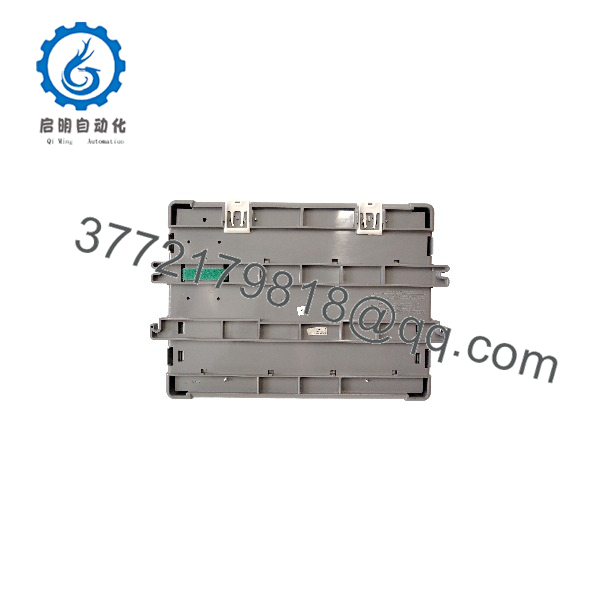
MS-NAE5510-02
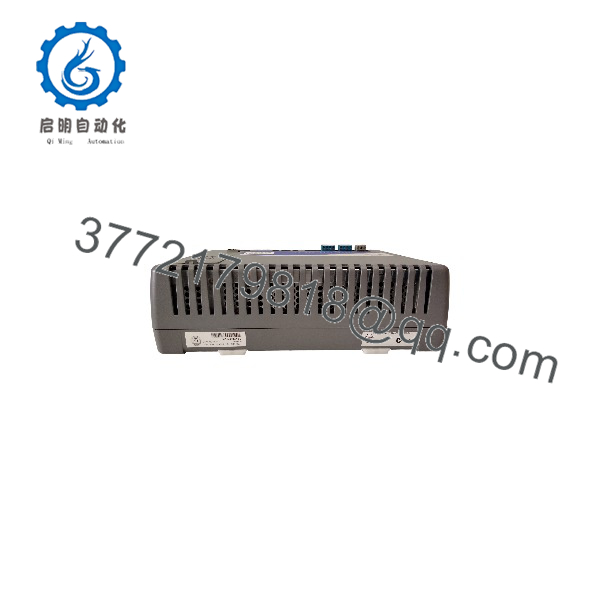
MS-NAE5510-02
Installation & Configuration Guide
Total estimated time for a controls technician familiar with Metasys: 2–4 hours, including firmware alignment and database restore. On a live site, plan the changeover for a low-occupancy window — this box supervises the whole building.
Stage 1: Pre-Installation Preparation (30–45 min)
⚠️ Safety First: Notify operations and IT — the NAE has a network presence and removing it drops the Metasys web UI for the entire site. Coordinate the downtime window. Lock out/tag out the 24 VAC transformer feeding the enclosure. Verify the panel is dust-free and the enclosure ground is intact.
Tools Required:
- Laptop with Metasys SCT (Site Commissioning Tool) and a matching release-level archive of your site database
- USB flash drive for firmware/databases
- Multimeter, wire labels, small flathead screwdriver (terminal blocks)
- Smartphone — photograph every terminal block and DIP setting before you touch anything
Data Backup — non-negotiable on this platform:
- From SCT, export a full site archive including the NAE’s device object database, points, and schedules.
- Record the current Metasys release/firmware version running on the old NAE. This single number determines your whole swap.
- Document the NAE’s IP address, subnet, gateway, BACnet device instance, and NAE name. The device instance mismatch is the classic commissioning failure — write it down.
- Photograph the N2 bus wiring topology (polarity, terminating/shielding at the first and last devices).
- Confirm whether the unit is licensed as a standalone site engine or as a child of an ADS/ADX — licensing changes the restore procedure.
Stage 2: Removing the Old NAE (15 min)
- Photograph all terminal blocks: power, N2 bus (+/−/shield), LonWorks, Ethernet.
- Disconnect Ethernet first (drops the web UI cleanly), then N2 and LonWorks, then power last.
- Release the DIN rail latch or panel screws and lift the unit out. The enclosure weighs 2.9 kg — nothing dramatic, but don’t let it dangle off wired terminals.
- Inspect the N2 bus terminals for corrosion. N2 is a 2-wire unbalanced bus; marginal connections that worked for years sometimes don’t survive a re-termination.
⚠️ Note: Do not discard or wipe the old NAE until the new one is fully online with the restored database. Its firmware version and license chip are your reference points and your fallback if the swap goes sideways at 2 AM.
Stage 3: Installing the New NAE (30 min)
- Verify the nameplate: MS-NAE5510-02. If your site runs mixed NAE hardware, confirm the revision matches your SCT release support — an NAE5510-02 with firmware your SCT can’t address is a paperweight until you upgrade SCT.
- Mount on 35 mm DIN rail or panel-screw mount per the enclosure layout.
- Wire in reverse order: power first, then field buses. N2 bus polarity and shield landing must mirror the photo exactly. LonWorks FTT wiring is polarity-insensitive but topology-sensitive — don’t add a tee you didn’t have.
- Set the IP configuration. If the old NAE used a static IP, configure the new one identically before connecting it to the site network — a duplicate-IP NAE on a production VLAN makes the network team very unhappy.
- Connect Ethernet.
Self-Checklist:
- IP/gateway/BACnet device instance match the recorded values
- N2 bus polarity and shield mirrored from photo
- 24 VAC measured at terminals (20–30 VAC range confirmed)
- Enclosure grounded
- Old NAE retained on the bench
Stage 4: Power-Up, Firmware & Database Restore (45–90 min)
Pre-Power Check:
- Multimeter: 24 VAC at the power terminals, within 20–30 VAC. Confirm the transformer VA rating covers the NAE plus everything else on that secondary — a sagging transformer under load reboots the NAE at random intervals, and that fault is miserable to chase.
- Confirm no shorts between the 24 VAC secondary and chassis.
Power-On Steps:
- Apply power. Watch the status LEDs through the boot sequence; the web server comes up in 2–3 minutes.
- Connect via the web UI or SCT and read the installed firmware version. If it doesn’t match your site release, apply the firmware upgrade/downgrade to align with the old NAE’s release before any database work. I’ve seen a tech restore a database onto a mismatched release and spend two days untangling schedule and object errors. Align first, restore second.
- Restore the site database from your SCT archive, or re-commission as a new device if this is a clean deployment.
- Verify the BACnet device instance and IP settings took.
- Field bus check: confirm the N2 bus enumerates its devices (VMAs, AHU controllers). A device count short of the old config means a wiring or termination problem, not a bad NAE — check your photos before debugging the engine.
- Smoke test: command a couple of points, confirm schedules run, and validate the web UI from a second workstation.
- Run 24 hours of observation before declaring victory. N2 bus hiccups and IP conflicts surface on the first full occupancy cycle.
⚠️ Troubleshooting Note: If the web UI won’t load, check IP settings first, then the release mismatch. If N2 devices are missing, re-verify bus polarity and the shield landing — 90% of “bad engine” calls on this platform are wiring issues at the terminal strip. If the NAE reboots randomly, meter the 24 VAC under full panel load; sagging supply voltages are the hidden culprit more often than anyone expects.
Frequently Asked Questions (FAQ)
Q1: Can I hot-swap the NAE55 under power?
Honestly, you can physically pull it — the NAE runs on 24 VAC and there’s no live-swap danger to the hardware — but you shouldn’t. Pulling it kills building-wide supervision: schedules stop executing, the web UI goes dark, and any N2 controllers that expect coordination lose their site engine mid-sequence. If your site is a child of an ADS/ADX, its failure mode is more forgiving, but on a standalone NAE site, treat this as a planned outage. Coordinate the window, back up the database, then power down properly.
Q2: Is the MS-NAE5510-02 obsolete, and is your stock genuinely new?
Yes — the NAE55 platform is discontinued, superseded by the NAE85/SCE generation, and JCI has pushed customers toward migration for years. Plenty of facilities aren’t ready to migrate, and that’s the honest reason this part still moves. Our stock is New Original / New Surplus: factory packaging, JCI-labeled hardware, version-documented. Units that have been in service are sold as tested refurb at a lower price and labeled as such. Test photos, firmware version, and the bench report are available on request.
Q3: What’s the replacement path if the NAE5510-02 is out of stock?
Short term, the -03 revision of the same NAE55 family is the closest functional equivalent — same engine class, same bus support — but confirm your SCT release supports it before ordering. Long term, the real answer is the migration: JCI’s path moves NAE55 sites to the SCE/NAE85 platform, which converts N2 field controllers to BACnet/IP integration. That’s a project, not a swap — budget engineering time and a real outage window. If your N2 device count is small, migration now is often cheaper than buying another generation of end-of-life hardware. If your N2 plant is large and stable, a tested NAE5510-02 buys you years. We’ll tell you which side of that line your site falls on if you ask.
Q4: Will I lose my programming and schedules when I swap the NAE?
Not if you follow the procedure — and you can lose everything if you don’t. The configuration, schedules, and point databases live in the NAE’s memory, not in the field controllers. If the old unit still boots, export the SCT archive first — that’s your golden copy. If the old NAE is dead and you have no archive, the database is gone with it: plan to re-commission the N2 controllers from scratch or from paper points lists, which is days, not hours. This is why we tell every customer the same thing before shipping: back up the archive tonight, not on swap day. Dead NAEs with no backup are the single most expensive preventable failure in Metasys maintenance.
Q5: Why is your price below the JCI list price?
Because discontinued JCI hardware moves through the surplus channel, and that channel doesn’t carry fresh-production lead time or OEM distribution markup. The hardware is factory-built JCI; the trade-off is that we carry the 1-year warranty ourselves, and JCI factory support won’t engage on our units the way they do on channel purchases. For a 15-year-old platform that JCI wants to sunset anyway, most maintenance managers find that trade acceptable. On a full Metasys migration project, buy through the OEM channel — this part isn’t where you should economize on that path.
Q6: What should I check before ordering?
Four things, in this order: (1) your SCT release version — the -02 hardware must be supported at your release level; (2) whether your site runs the NAE standalone or under an ADS/ADX, since that changes the restore procedure; (3) your N2 and LonWorks device counts, since the NAE55 has device-count limits per bus; (4) whether you need a specific firmware version pre-loaded. Give us those four and we’ll ship a unit that commissions in one pass. Skip them, and you’re gambling on your first SCT sync.
Q7: Do you test the unit before it ships?
Every unit gets a live bench test: power-up on a genuine JCI 24 VAC test rig, boot sequence and LED verification, web UI access check, Ethernet and N2 bus communication tests against test controllers, IP configuration verified, and firmware version documented on the test report. Battery backup for the real-time clock is checked and replaced if marginal. Photos and the test report are available on request. We won’t claim any unit is “100% failure-proof” — no honest engineer would. What we claim: verified fully functional under load testing before it leaves our bench.