
 WhatsApp: +86 16626708626
 Email:
  Phone: +86 16626708626
Description
Key Technical Specifications
| Parameter | Specification / Value |
|---|---|
| Manufacturer | KEBA AG |
| Part Number | AR281 (e.g., AR281/A / 68281) |
| System Compatibility | KEBA KeControl C1 / C2 / C3 Series Control Systems |
| Logic Supply Voltage | 24 V DC (Nominal system bus power) |
| I/O & Bus Interface | Isolated signal channels & proprietary KEBA backplane bus interface |
| Form Factor / Mount | Modular DIN-rail or rack-mount sub-chassis slot |
| Operating Temperature | 0 to +55 °C (+32 to +131 °F) |
| Weight | Approx. 0.35 kg (0.77 lbs) |
Product Introduction & Supply Chain Strategy
The KEBA AR281 is an industrial automation board designed for the KEBA KeControl system architecture, commonly deployed in injection molding machinery, industrial robotics, and high-precision motion equipment. Operating as an extension or interface module within the main controller rack, the AR281 handles critical signal conditioning, sensor feedback processing, and high-speed data transfer across the controller backplane.
Sourcing the KEBA AR281 as New Surplus provides plastics manufacturers and industrial plant managers with a fast, cost-effective replacement option. In high-cycle automated manufacturing environments, an I/O or interface board failure can paralyze an entire production cell. Sourcing unissued factory-original surplus stock ensures pristine edge connectors, unaged board components, and immediate drop-in compatibility, significantly lowering Total Cost of Ownership (TCO) compared to long factory lead times or unreliable secondhand components.
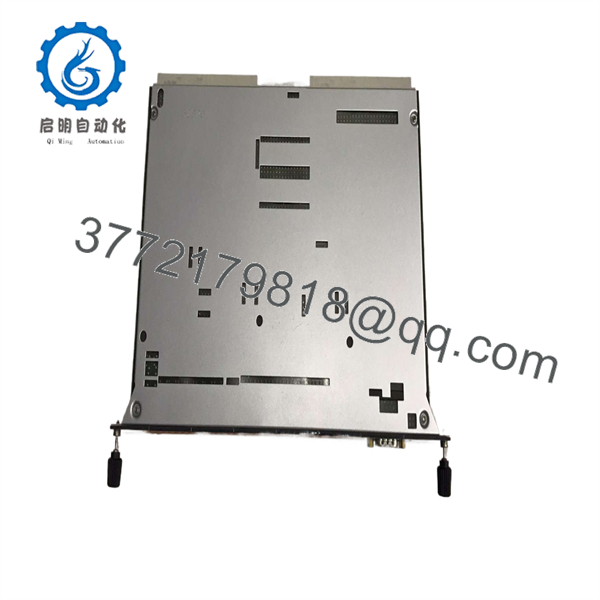
AR281
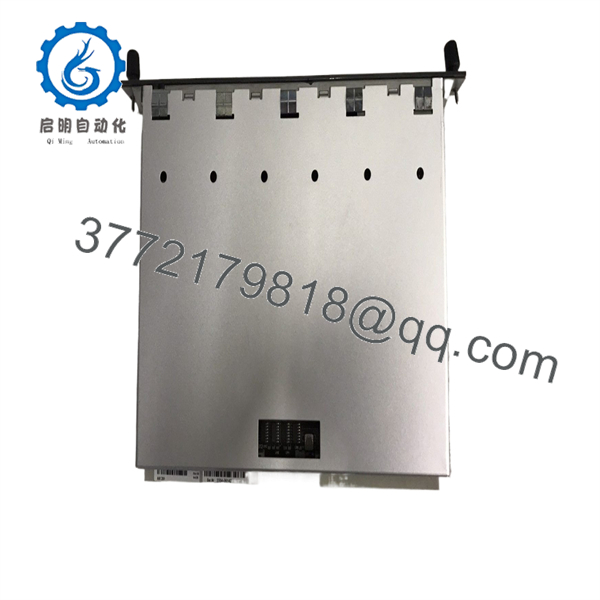
AR281
Installation & Configuration Guide
1
Pre-Installation & Safety Preparation
De-energize machine power and wear ESD grounding protection
1.Pre-Installation & Safety Preparation:De-energize machine power and wear ESD grounding protection.
- Lock out and tag out main power to the KEBA control cabinet and hydraulic power unit.
- Put on a grounded ESD wrist strap connected to the enclosure chassis ground before handling the module.
- Document all connector locations, ribbon cables, and slot positions on the existing AR281 card.
2
Board Extraction & Slot Inspection
2.Board Extraction & Slot Inspection:
- Loosen faceplate retaining screws or release plastic DIN-rail locking tabs securing the module.
- Gently disconnect all external wiring headers and communication ribbon cables.
- Slide the old board straight out from the backplane guide rails without applying side leverage.
3
Hardware Alignment & Slot Insertion
3.Hardware Alignment & Slot Insertion:
- Verify that hardware jumpers or address DIP switches on the new match the original board configuration.
- Align the replacement module with the guide tracks and slide it firmly into the backplane slot until fully seated.
- Tighten faceplate mounting screws and reattach all terminal plugs and signal cables.
4
Power-On Validation & System Synchronization
4.Power-On Validation & System Synchronization:
- Restore power to the control system and observe the module diagnostic LEDs (POWER, RUN, BUS status).
- Access the KeControl HMI runtime diagnostics to confirm card detection and error-free I/O mapping.
- Execute a manual dry run of the machine cycle to verify proper sensor feedback and actuation control.
Firmware/Software Versions & Upgrade Notes
- Hardware Sub-Variant Check: Ensure exact parity between variant designations (e.g., matching vs. /A) to guarantee correct backplane pinout assignments and onboard logic behavior.
- Address & Jumper Settings: Replicate all physical DIP switches or jumper headers from the original board onto the replacement unit prior to slot installation.
- KeStudio Software Integration: System hardware configuration is managed within the KEBA KeStudio environment; replacing a board with an identical revision requires no software re-compilation.
Frequently Asked Questions (FAQ)
Is this KEBA board an authentic OEM component?
Yes. This unit is New Surplus (Original New). It is an authentic KEBA component sourced from canceled machinery build projects or strategic maintenance overstock. It has never been installed in active factory production.
Why choose New Surplus over a refurbished KEBA module?
Industrial plastics machinery generates significant cabinet heat and vibration. Refurbished boards often suffer from aged capacitors and thermal stress that lead to intermittent I/O dropouts or bus communication errors. New Surplus guarantees factory-original component lifespan and total operational reliability.
Is the a plug-and-play replacement?
Yes, provided that all physical DIP switch settings and hardware jumpers on the replacement module are matched to the unit being replaced.
What applications typically use the KEBA ?
The is widely used in KEBA-controlled plastics processing machinery (such as Engel, Netstal, or KraussMaffei injection molding machines), blow molding systems, and industrial robotics cells.
What warranty is provided with this component?
We back this unit with a 1-Year Comprehensive Replacement Warranty. Every KEBA board undergoes visual inspection and backplane power rail validation prior to shipment.



