
 WhatsApp: +86 16626708626
 Email:
  Phone: +86 16626708626
Description
Key Technical Specifications
| Parameter | Value |
|---|---|
| Manufacturer | KEBA |
| Model | CL-ZE |
| Product Type | Industrial automation module |
| Application | KEBA controller system expansion |
| System Compatibility | KEBA automation platforms |
| Function | Control system interface / expansion component |
| Installation | Industrial control cabinet mounting |
| Communication | System-dependent |
| Power Supply | System-dependent |
| Configuration | Controller parameter dependent |
| Programming | Managed through KEBA engineering environment |
| Mounting Type | Internal automation system installation |
| Operating Environment | Industrial control cabinet environment |
| Lifecycle Status | Legacy component requiring lifecycle planning |
Technical note: Publicly available technical documentation for the exact CL-ZE variant is limited. Final replacement verification should be completed using the installed controller hardware configuration, KEBA system documentation, and module label information.
Product Introduction & Supply Chain Strategy
The KEBA CL-ZE is an industrial automation system component used within KEBA controller architectures. It serves as a system-level electronic module where compatibility depends on the installed KEBA platform, hardware revision, and application configuration.
For plants operating legacy KEBA equipment, maintaining New Surplus inventory can reduce outage exposure caused by discontinued modules or extended sourcing times. Correct lifecycle tracking, serial verification, and configuration matching are important to avoid unexpected integration issues and unnecessary control-system modifications.
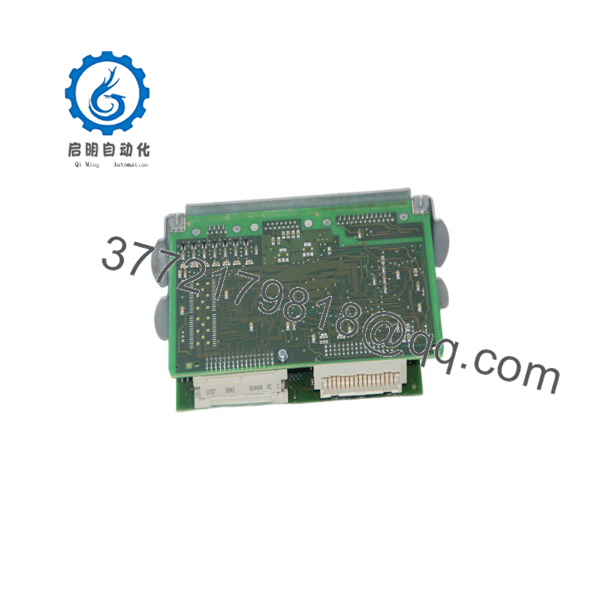
CL-ZE
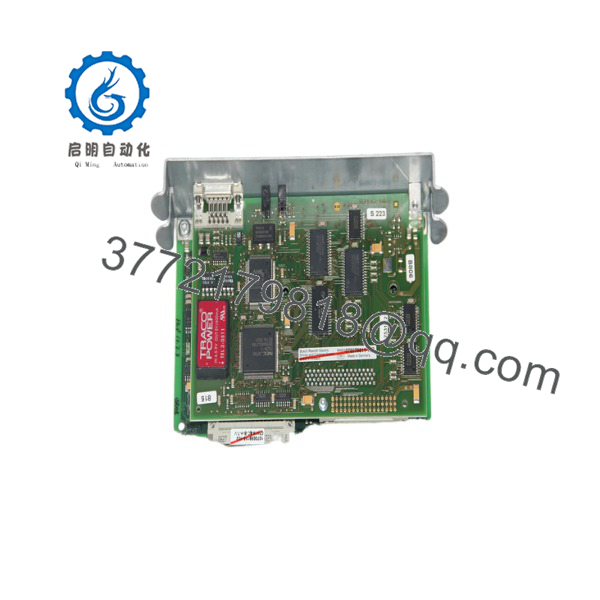
CL-ZE
Installation & Configuration Guide
Stage 1: Pre-Installation — Preparation & Safety
- Apply plant lock-out/tag-out procedures before accessing the control cabinet.
- Disconnect all relevant power sources.
- Verify safe voltage levels using an approved meter.
- Record the existing KEBA controller configuration.
- Photograph:
- Module position
- Connector wiring
- Terminal assignments
- Address settings
- Hardware labels
- Confirm the replacement model marking is KEBA CL-ZE.
- Use ESD protection before handling electronic assemblies.
Stage 2: Removal
- Identify all connected interfaces before removal.
- Label cables and connectors to prevent wiring errors.
- Release the module locking mechanism according to the cabinet design.
- Remove the module carefully without applying force to connectors.
- Inspect:
- Backplane contacts
- Connector pins
- Mounting guides
- Nearby power components
Stage 3: Installation — Clone & Seat
- Verify the replacement module hardware marking.
- Install the CL-ZE into the original mounting location.
- Ensure the module seats completely into the system connection interface.
- Reconnect all cables exactly according to recorded documentation.
- Verify grounding and shielding connections.
- Confirm surrounding modules remain correctly positioned.
Stage 4: Power-On & Testing
- Inspect wiring for shorts or incorrect connections.
- Restore control power.
- Check KEBA controller diagnostics.
- Verify module recognition by the controller.
- Confirm communication status.
- Load required configuration parameters if required.
- Test machine functions under controlled conditions.
- Monitor alarms, communication faults, and I/O response.
Firmware/Software Versions & Upgrade Notes
Firmware status: CL-ZE firmware information depends on the specific KEBA controller platform where the module is installed.
Before replacement:
- Record the KEBA controller firmware version.
- Record engineering software version.
- Save the current machine configuration.
- Document communication settings.
- Verify hardware revision compatibility.
Compatibility considerations:
- A hardware revision change may require matching KEBA software libraries.
- Controller firmware upgrades should not be performed during a simple module replacement unless required.
- Mixing different hardware revisions without validation may create communication or configuration faults.
Upgrade warning:
During emergency replacement, prioritize restoring the existing validated configuration. Firmware changes introduce additional variables and can increase commissioning time.
Frequently Asked Questions (FAQ)
1. What is the KEBA CL-ZE?
The KEBA CL-ZE is an industrial automation module used as part of a KEBA control system. Its exact role depends on the controller platform and installed system configuration.
2. Is the CL-ZE a standalone PLC?
No. The CL-ZE should be treated as a system component rather than an independent PLC. It operates within a KEBA automation architecture.
3. Is this part available as New Surplus?
New Surplus availability depends on current inventory conditions. For legacy KEBA systems, maintaining one spare module can reduce downtime risk when replacement lead times become unpredictable.
4. Can I replace CL-ZE without programming?
Not always. If the replacement matches the original hardware configuration, the controller may recognize it after installation. However, system parameters and application configuration should always be verified.
5. What information should I provide before ordering?
Provide:
- Complete model number
- Hardware revision
- Controller model
- Existing module location
- Photos of labels and connectors
- Current software/firmware information
6. Why avoid low-cost non-original alternatives?
Automation modules are closely tied to controller architecture, firmware compatibility, and machine validation. A lower purchase price can create additional commissioning time, troubleshooting effort, and production risk.
7. How should plants manage CL-ZE inventory?
For production-critical equipment, classify CL-ZE under ABC criticality analysis. Maintain buffer stock based on failure impact, lead time variability, and equipment availability requirements. A planned last-time-buy strategy is often more economical than emergency procurement after an unexpected failure.



