
 WhatsApp: +86 16626708626
 Email:
  Phone: +86 16626708626
Description
Key Technical Specifications
| Parameter | Value |
| Manufacturer | KEBA |
| Part Number | CP 253/W (CP253W) |
| System Architecture | Kemro K2-200 / KeControl C2 |
| Processor Type | Intel Celeron M Series (600 MHz – 1.4 GHz) |
| System Memory | 512 MB RAM |
| Operating System | VxWorks Real-Time Operating System (RTOS) |
| Storage Medium | CompactFlash (CF) Card (Firmware & Logic execution) |
| Fieldbus & Comm Ports | 1x CAN Bus |
| Supply Voltage | 24 V DC (-15% / +20%) |
| Operating Temperature | 0°C to +55°C (32°F to 131°F) |
| Mounting / Weight | Standard K2-200 Rack / Enclosure |
Product Introduction & Supply Chain Strategy
The KEBA CP253/W is a high-performance central processing unit designed for the Kemro K2-200 automation platform. Utilizing an x86 Intel Celeron M architecture running the VxWorks real-time operating system, the CP253/W delivers precise multi-axis motion control, closed-loop process execution, and system diagnostics for heavy machinery, including injection molding systems, robotic workcells, and automated packaging lines.
This product is a Brand New Surplus unit. It is not used, not pulled from a decommissioned plant, and not refurbished. All modules undergo rigorous quality verification to ensure OEM-level reliability. Stocking the CP253/W as New Surplus is a critical risk-mitigation strategy for facilities operating legacy KEBA KeControl platforms. Refurbished CPU modules frequently present hidden solder thermal fatigue and flash memory corruption, which can cause erratic real-time kernel halts. Securing an uncommissioned, factory-fresh surplus unit maintains continuous plant availability, eliminates costly machine retrofits, and protects against extended downtime caused by OEM discontinuation.
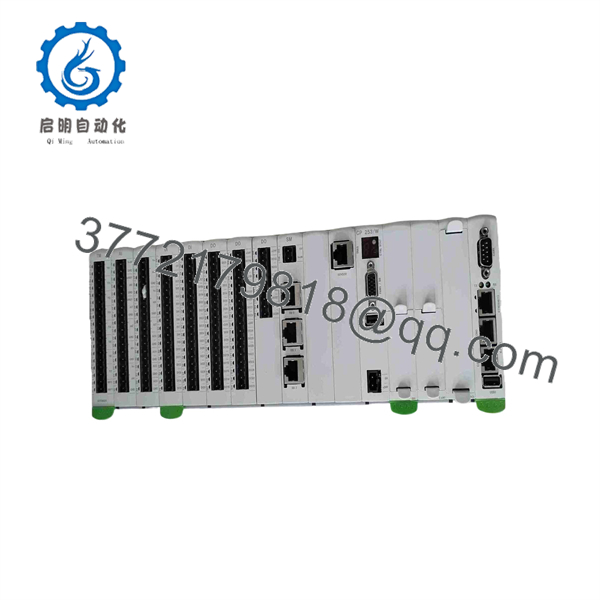
CP253W
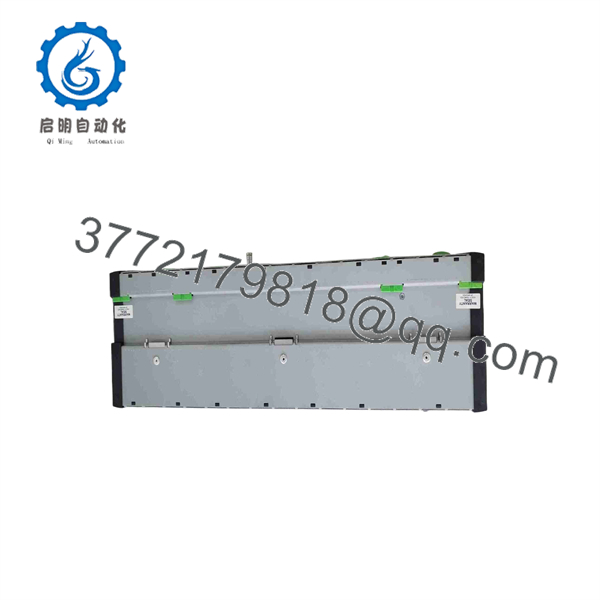
CP253W
Installation & Configuration Guide
- Stage 1: Pre-Installation (Prep & Safety)
- Isolate the main cabinet power supply and verify the 24 V DC power rail is completely de-energized.
- Wear a grounded wrist strap to prevent ESD damage to internal logic circuits.
- Take clear reference photos of all attached fieldbus cables, node switches, and the installed CompactFlash card orientation.
- Stage 2: Removal
- Disconnect all communication interface cables (Ethernet, CAN, K-Net, USB).
- Loosen the module retaining screws securing the CP253/W to the K2-200 rack assembly.
- Carefully pull the CPU module straight out along its guide rails to avoid flexing backplane pin headers.
- Stage 3: Installation (Clone & Seat)
- Transfer the application CompactFlash card from the original CPU to the new CP253/W, ensuring identical card slot seating.
- Align the replacement module with the rack guide rails and push firmly until fully engaged with the backplane connector.
- Tighten top and bottom panel retaining screws and reattach communication cabling.
- Stage 4: Power-On & Testing
- Re-apply 24 V DC power to the cabinet.
- Monitor the system LEDs on the CPU front panel to confirm successful VxWorks kernel initialization and application load.
- Establish a diagnostic connection via Ethernet to verify system status and ensure no I/O bus communication faults are present.
Firmware/Software Versions & Upgrade Notes
- System OS Requirements: The CP253/W relies on the VxWorks RTOS environment loaded directly from the system CompactFlash card. System application software version compatibility depends on the runtime software installed on your CF media.
- CompactFlash Media Transfer: When replacing a /W module, keep the original, working CompactFlash card intact. Swapping hardware without transferring the original, configured CF card will prevent the application logic from loading.
- Firmware Downgrade Warning: Ensure target replacement firmware revisions match the operational environment. Attempting to run older system images on newer hardware revisions can cause driver mismatches and communication timeouts across the K-Net bus.
Frequently Asked Questions (FAQ)
Q: Why is this New Surplus /W priced higher than refurbished units?
A: Our pricing reflects the market value of obtaining genuine, unused OEM hardware. Refurbished modules often carry worn capacitors and aged processor silicon hidden beneath a cleaned housing. A minor upfront savings on a refurbished processor can quickly turn into tens of thousands of dollars in emergency shutdown costs if the CPU halts during a production cycle.
Q: Are these KEBA /W units verified as new?
A: Yes. These units are New Surplus stock maintained in anti-static, climate-controlled environments. Packages are opened strictly for quality inspection and physical verification prior to shipment.
Q: Is the KEBA /W still actively manufactured by KEBA?
A: The K2-200 series (including /W) has transitioned to End of Life (EOL) status as KEBA pushes forward with newer control generations. Sourcing New Surplus modules allows you to maintain existing machines without undergoing an expensive control system redesign.
Q: Can I replace the CPU module while the control cabinet is powered on?
A: No. Hot-swapping the main CPU module on a K2-200 rack can cause electrical arcing across the backplane pins, damaging the backplane bus and destroying runtime data. Always disconnect 24 V DC cabinet power before replacing the unit.
Q: Does this module include a warranty?
A: Yes, every KEBA /W New Surplus processor includes a 1-year replacement warranty.



