
 WhatsApp: +86 16626708626
 Email:
  Phone: +86 16626708626
Description
3. Key Technical Specifications
- Model: CU312 / CU 312
- Manufacturer: KEBA
- Type: CPU NC (Numerical Control / Machine Control) processor card
- Application: Machine control systems, CNC, automation controllers
- Form Factor: Plug-in control module / PCB card
- Compatibility: KEBA NC series control systems
- Function: Central processing for motion, logic, and machine sequencing
- Typical Use: Replacement or expansion in existing KEBA-based machines
Note: Exact firmware, memory configuration, and interface details depend on the specific hardware revision and the host KEBA controller. Always verify against the existing system documentation or part number label.
4. Product Introduction
The KEBA CU312 is a dedicated CPU module used in KEBA industrial machine control systems. It serves as the central processing unit for numerical control (NC), motion, and machine logic tasks.
Maintenance teams replace this card when the original processor fails, when upgrading firmware is required, or when restoring a machine to full operation after a control system fault. It is a specialized module found in various automated machines and production equipment that use KEBA controllers. Available units are typically New Surplus or carefully tested residual stock.
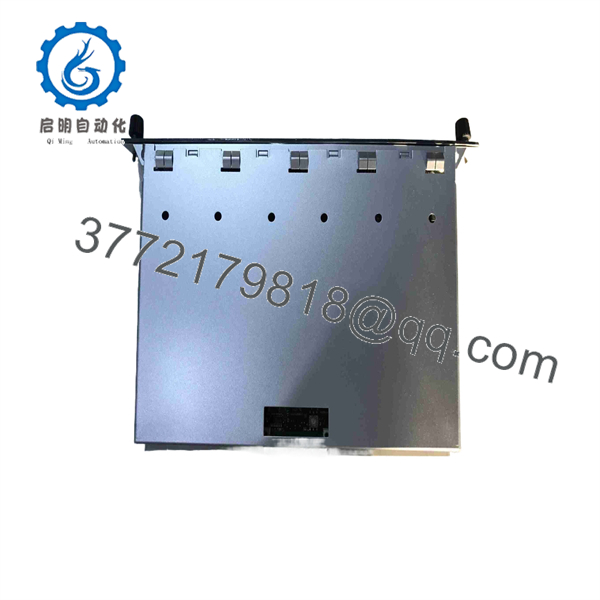
CU312
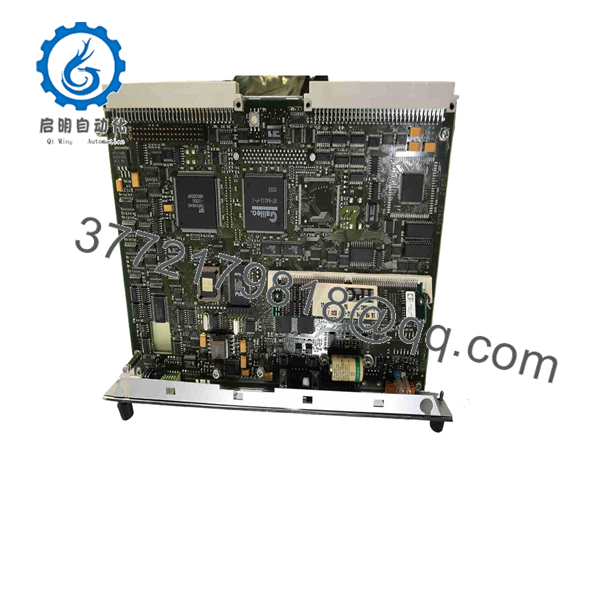
CU312
5. Troubleshooting Quick Reference
| Symptom | Possible Cause | Relevance to this Part | Quick Check Method | Recommendation |
|---|---|---|---|---|
| Controller does not boot | CU312 failure or seating issue | ✅ High | Check power LEDs and reseat the module | Verify backplane connection and power supply |
| Machine loses axis control | CPU or firmware fault | ✅ High | Observe status LEDs and error codes on HMI | Note exact error messages before replacement |
| Intermittent faults / resets | Overheating or marginal hardware | ✅ Medium | Check operating temperature and ventilation | Ensure adequate cooling around the control rack |
| Cannot load or retain program | Memory or battery-related issue | ✅ Medium | Check battery status and program checksum | Replace battery if applicable; reload program |
| Communication loss with drives/I/O | Interface or configuration error | ✅ High | Verify fieldbus/DRIVE connections and parameters | Confirm configuration matches the CU312 revision |
If the issue persists, record all status LED patterns, HMI error codes, and the exact firmware version before contacting support.
6. Frequently Asked Questions (FAQ)
Q: What systems use the KEBA CU312?
A: It is used in KEBA NC (Numerical Control) and machine control systems found on various industrial machines, CNC equipment, and automated production lines.
Q: Is the CU312 still in production?
A: It is a specialized/legacy module. Current availability is primarily New Surplus or residual stock from earlier production runs.
Q: Can I substitute a different KEBA CPU module?
A: Only if the replacement is explicitly listed as compatible by KEBA for your specific controller revision. Incorrect substitution can cause configuration or performance issues.
Q: Does the module require special configuration after installation?
A: In most cases the machine parameters and program are stored elsewhere or can be reloaded. However, firmware version matching is important. Always follow the machine builder’s replacement procedure.
Q: Why is this priced lower than a current KEBA control module?
A: It is a discontinued or low-volume specialized part sold as New Surplus or residual stock. Pricing reflects remaining inventory rather than current production cost. All units are functionally verified before shipment. Standard warranty is typically 12 months.
Q: What should I check before replacing the ?
A: Confirm the exact part number and revision on the existing card, note any error codes, and ensure you have a backup of the machine program and parameters.



