
 WhatsApp: +86 16626708626
 Email:
  Phone: +86 16626708626
Description
Key Technical Specifications
- Module Type: Digital Output (DO), K-Bus
- Power Supply (Front): 24 V DC, 19.2–30 V range per IEC 61131-2
- Power Supply (K-Bus): 24 V DC and 5 V DC supplied via the bus backplane
- Overvoltage Category: II
- Equipment Class: III, per EN 61131-2:2007
- Addressing: 16-digit address switch, mounted on the side of the module
- Connection Terminals: Open terminals, 5.08 mm grid spacing
- Max. Power Consumption (K-Bus, 24 V): 2.1 W
- Output Channel Count / Current Rating: Not confirmed in available sources — verify against the OEM datasheet or the nameplate of your existing unit before ordering a replacement
- Mounting: DIN rail / K-Bus backplane, consistent with KEBA’s modular I/O line
Note: The available technical excerpt covers power and addressing specs but doesn’t confirm output channel count, per-channel current rating, or diagnostic LED behavior — get the full KEBA datasheet or your system integrator’s documentation before specifying a replacement.
Product Introduction
The KEBA DO321/B is a digital output module in KEBA’s K-Bus I/O family, supplying switched 24 V DC outputs to field devices within a KEBA-based automation or control system. It draws logic power from the K-Bus backplane (both 24 V and 5 V rails) while accepting a separate 24 V DC front supply for field-side output power, and it’s addressed on the bus through a 16-position switch on the module’s side.
Its open-terminal, 5.08 mm grid connection style keeps wiring straightforward for panel technicians already familiar with K-Bus hardware, and its IEC 61131-2 / EN 61131-2 compliance places it squarely in standard industrial I/O practice rather than a proprietary interface. For plants running KEBA-based control platforms, it’s a like-for-like spare rather than a system requiring reconfiguration beyond address-switch matching.
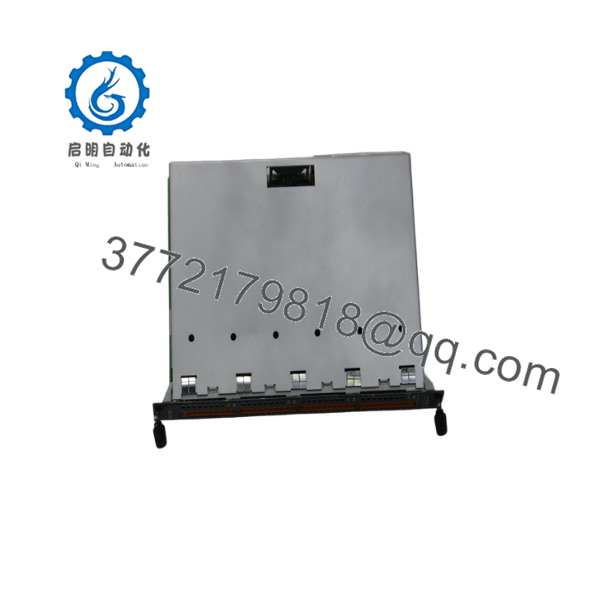
DO321/B
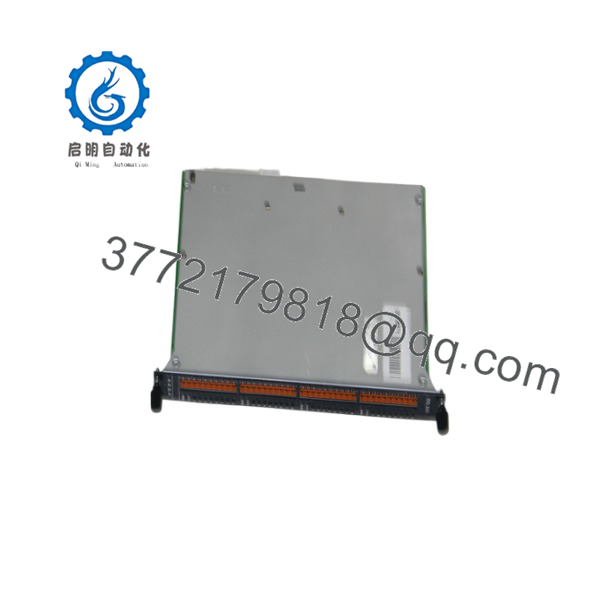
DO321/B
Installation & Configuration Guide
Stage 1: Pre-Installation Preparation (Est. 10 min)
⚠️ Safety First: Notify operations of the field outputs affected by this module before starting. Verify the outputs are in a safe state, lock out/tag out the 24 V field supply feeding the module, and confirm the K-Bus backplane section is powered down if the module isn’t hot-swap rated (verify hot-swap capability with KEBA documentation — not confirmed in available sources).
Tools Required: ESD strap, small flat-blade or PH1 screwdriver for terminal wiring, multimeter, wire labels, smartphone for photos.
Data Backup: Photograph the 16-digit address switch setting on the old module before removal — this is the single most important thing to replicate. Label every field wire connected to the open terminals.
Stage 2: Removing the Old Module (Est. 5 min)
- Disconnect labeled field wiring from the open terminals — don’t force spring or screw connections.
- Release the module’s DIN rail or K-Bus locking mechanism.
- Withdraw the module straight out to protect the backplane connector.
- Inspect the K-Bus backplane slot for bent pins or debris.
⚠️ Note: Keep the old module until the replacement confirms correct addressing and output behavior — the address switch photo is your only reliable reference if documentation is incomplete.
Stage 3: Installing the New Module (Est. 10 min)
- ESD prep. Confirm the replacement is genuinely a DO321/B and not a visually similar DI or AO variant from the same family.
- Set the 16-digit address switch to match the old module exactly — mismatched addressing is the most likely cause of a non-responsive or misbehaving output module on K-Bus.
- Seat into the rack/rail until the locking mechanism engages.
- Reconnect field wiring to the open terminals per your labels.
Self-Checklist: [ ] Address switch matches old module [ ] All field wiring reconnected [ ] Module fully seated and locked
Stage 4: Power-On & Testing (Est. 10 min)
Pre-Power Check: Multimeter check on the 24 V front supply terminals for shorts before restoring power.
- Restore the K-Bus backplane power, then the front 24 V field supply.
- Confirm the controller recognizes the module at the expected bus address without a fault indication.
- Test each known output channel against its field device at low-risk conditions before returning to full production.
⚠️ Troubleshooting Note: If the controller doesn’t see the module on the bus, the address switch setting is the first thing to check — not the module itself. If outputs energize but don’t match expected states, verify field wiring against your photos rather than assuming a hardware fault.
Frequently Asked Questions (FAQ)
Is the DO321/B still in production, and is “new” stock genuinely new?
I can’t confirm current production status from available sources — treat any “new” claim with the same scrutiny you’d apply to any legacy industrial part, and ask your supplier directly for a manufacture date or serial number you can verify.
Can this module be hot-swapped under power?
Not confirmed either way in available documentation. Treat it as not hot-swappable unless your KEBA system documentation explicitly states otherwise for K-Bus I/O modules — de-energize the field supply and, where possible, the K-Bus segment before removing or installing it.
Will I lose my system configuration when I swap this module?
The module’s own configuration is essentially its address switch setting, which is physical and set on the module itself — not stored in a way you’d back up through software. The main risk is losing track of the original setting; photograph it before removal.
What’s the direct replacement if the DO321/B is out of stock?
Not confirmed from available sources. If you can’t source this exact module, contact KEBA or a KEBA systems integrator directly — don’t assume a similarly-numbered module (like a DI or AO variant) is a functional substitute without confirming pinout and channel behavior.
Why do product descriptions for this part vary so much between suppliers?
Because a lot of what’s online for this part number is low-effort SEO content rather than sourced technical data — one listing even describes it as a servo drive, which contradicts the actual output-module datasheet specs. Treat generic “high-performance, robust” marketing language on this part as noise, and verify anything specific against KEBA’s own documentation or your system integrator.
Why is your price different from what another supplier quotes?
Given the inconsistent sourcing on this part across the surplus market, get a specific quote with condition, testing status, and warranty terms in writing rather than comparing headline prices across listings — the underlying units may not be equivalent.



