
 WhatsApp: +86 16626708626
 Email:
  Phone: +86 16626708626
Description
Key Technical Specifications
| Parameter | Value |
|---|---|
| Manufacturer | KEYENCE |
| Model Number | LS-7601 |
| Product Series | LS-7000 Series |
| Product Type | Digital Micrometer Controller |
| Controller Type | High-performance model |
| Connectable Sensor Heads | 2 heads |
| Display | 5.5-inch TFT LCD |
| Minimum Display Unit | 0.01 µm to 100 µm selectable |
| Display Range | ±99.99999 to ±9,999.9 mm |
| Power Supply | 24 VDC ±10 % |
| Power Consumption | 1.2 A maximum |
| Communication Interface | RS-232C |
| Analog Output | ±10 V × 2 outputs |
| Environmental Protection | IP64 (panel surface only) |
| Operating Temperature | 0 to +40 °C |
| Humidity Range | 35 to 85 % RH (non-condensing) |
| Weight | Approx. 1,010 g |
Source specifications: KEYENCE LS-7601 official specifications.
Product Introduction & Supply Chain Strategy
The KEYENCE LS-7601 is the high-performance controller for the LS-7000 Series optical micrometer system. It processes measurement data from compatible sensor heads, provides high-resolution dimensional monitoring, and supports industrial inspection applications requiring micron-level measurement control.
For factories operating LS-7000 inspection systems, maintaining New Original / New Surplus LS-7601 inventory reduces replacement risk when measurement equipment failure affects production quality control. A planned buffer stock strategy protects against extended lead times and avoids emergency purchasing at higher Total Cost of Ownership (TCO).
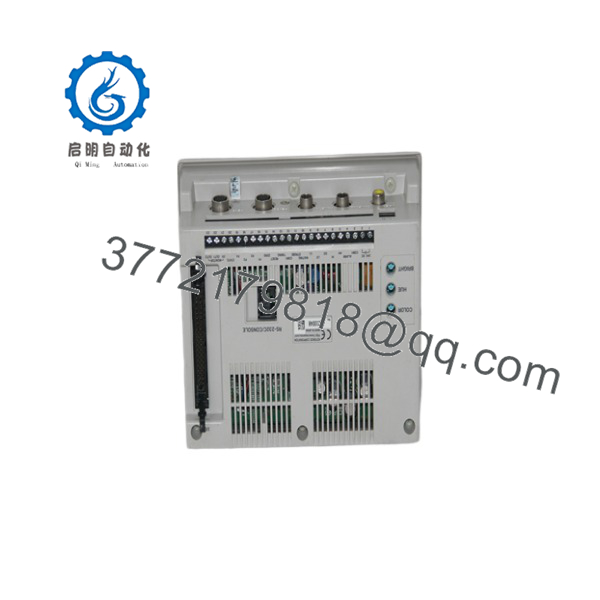
LS-7601
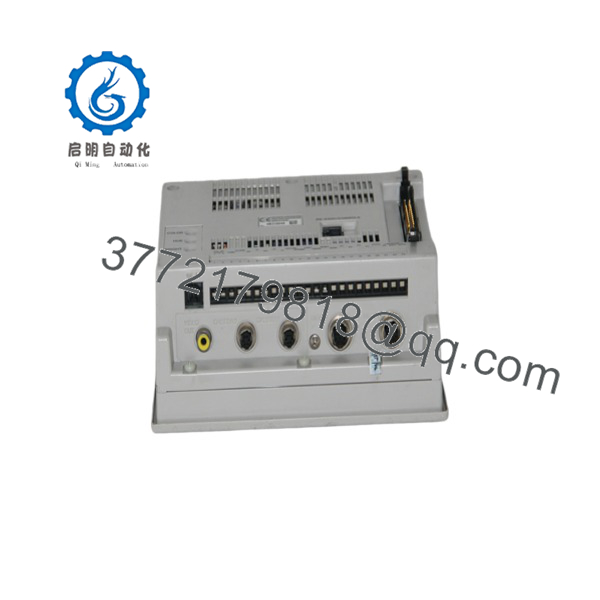
LS-7601
Installation & Configuration Guide
Stage 1: Pre-Installation (Prep & Safety)
- Apply lock-out/tag-out procedures before opening the control cabinet.
- Confirm the existing controller model is KEYENCE LS-7601.
- Record:
- Sensor head connections
- RS-232C communication settings
- Analog output wiring
- Stored measurement programs
- Calibration parameters
- Photograph:
- Rear terminal connections
- Sensor head wiring
- Panel mounting arrangement
- Use ESD protection before handling the replacement controller.
Required tools:
- ESD wrist strap
- Multimeter
- Insulated screwdriver
- Configuration backup records
Stage 2: Removal
- Disconnect the 24 VDC power supply.
- Verify voltage absence before removing wiring.
- Label all sensor and communication cables.
- Disconnect:
- Sensor head cables
- RS-232C cable
- I/O terminals
- Analog outputs
- Remove mounting hardware carefully.
Do not pull directly on sensor cables. Precision measurement systems are sensitive to connector damage.
Stage 3: Installation (Clone & Seat)
- Install the replacement LS-7601 controller in the original panel position.
- Reconnect all cables according to documentation.
- Confirm:
- Sensor head compatibility
- I/O wiring
- Communication parameters
- Program settings
- Secure all connectors.
- Verify cabinet grounding.
Stage 4: Power-On & Testing
- Apply 24 VDC power.
- Confirm controller startup.
- Check LCD display operation.
- Verify sensor head communication.
- Run measurement validation:
- Zero calibration
- Reference gauge measurement
- Tolerance output test
- Confirm PLC or inspection system receives measurement data.
Firmware/Software Versions & Upgrade Notes
- Firmware Version: Verify the installed LS-7601 firmware revision before replacement.
- Configuration Storage: Measurement programs, calibration data, and communication settings should be documented before controller exchange.
- Communication Compatibility: RS-232C parameters must match the connected PLC, PC, or inspection controller.
Replacement Warning
Avoid unnecessary firmware changes during a hardware replacement. A controller swap should first reproduce the existing configuration. Changing firmware, software tools, or communication settings simultaneously makes fault isolation difficult.
Before replacement:
- Backup measurement programs.
- Record sensor head models.
- Save tolerance settings.
- Document RS-232C communication parameters.
The LS-7601 supports functions including simultaneous measurement, averaging, calibration, statistical processing, auto-zero, trend display, and 16-program memory.
Frequently Asked Questions (FAQ)
Q1: Is the KEYENCE LS-7601 a new unit or refurbished?
The supplied KEYENCE LS-7601 is a Brand New Surplus unit. It is not removed from decommissioned equipment and is not refurbished. Each unit should maintain traceable inventory records and inspection documentation.
Q2: Why choose New Surplus instead of refurbished inventory?
The LS-7601 is a precision measurement controller. New Original inventory avoids unknown operating hours and previous environmental exposure. Refurbished measurement equipment may have hidden issues affecting calibration stability.
Q3: Is the LS-7601 obsolete?
The LS-7601 belongs to the LS-7000 Series measurement platform. Plants using this system should maintain lifecycle records and evaluate spare requirements based on production criticality.
Q4: Can the LS-7601 be replaced while powered?
No. Disconnect power before replacement unless the machine design specifically allows live maintenance. Incorrect handling can damage connected sensor heads or I/O circuits.
Q5: Will replacing the controller erase measurement settings?
The LS-7601 stores measurement configuration data. Always back up or record programs, calibration values, and communication settings before replacement.
Q6: What should be verified before ordering?
Confirm:
- Model number: LS-7601
- LS-7000 Series compatibility
- Connected sensor head models
- Required I/O configuration
- Communication method
- Existing calibration requirements
Q7: What stocking strategy is recommended?
For inspection systems affecting final product acceptance, maintain 1–2 units of on-site buffer stock. For lower-criticality measurement stations, vendor-managed stock or centralized spare holding may reduce carrying costs while maintaining availability.



