
 WhatsApp: +86 16626708626
 Email:
  Phone: +86 16626708626
Description
Key Technical Specifications
| Parameter | Value |
|---|---|
| Manufacturer | Keysight Technologies / Agilent |
| Model | E1412A |
| Instrument Type | 6.5-digit high-accuracy digital multimeter |
| Form Factor | C-size VXI module |
| VXI Occupancy | 1 slot |
| Measurement Method | Continuously integrating, multi-slope III A/D converter |
| DC Voltage Ranges | 100.0000 mV, 1.000000 V, 10.00000 V, 100.0000 V, 300.0000 V |
| DC Current Ranges | 10.00000 mA, 100.0000 mA, 1.000000 A, 3.000000 A |
| Resistance Ranges | 100 Ω through 100 MΩ |
| Resistance Measurement | 2-wire and 4-wire |
| DC Voltage Input Resistance | 10 MΩ; selectable >10 GΩ on 100 mV, 1 V, and 10 V ranges |
| Input Bias Current | <30 pA at 25°C |
| Input Protection | 300 V on all ranges |
| DC CMRR | 140 dB |
| Maximum DC Voltage | 300 V |
| Maximum DC Current | 3 A |
| DC Current Protection | Externally accessible 3.15 A, 250 V Class H fuse |
| AC Filter | 3 Hz, 20 Hz, or 200 Hz bandwidth settings |
| Communication/Control | VXI message-based instrument control |
| Programming | SCPI and VXI Plug & Play driver support |
| Status | Discontinued |
The official Keysight documentation specifies selectable 10 MΩ or >10 GΩ input resistance on the 0.1 V, 1 V, and 10 V DC ranges, 10 MΩ ±1% on the 100 V and 300 V ranges, and 300 V input protection.
The E1412A supports 2-wire and 4-wire resistance measurements, with resistance ranges extending from 100 Ω to 100 MΩ. Its documented DC current ranges extend to 3 A.
Product Introduction
The Keysight E1412A is a 6.5-digit high-accuracy digital multimeter built as a C-size, one-slot, message-based VXI module. It is designed for automated test systems requiring precision DC voltage, AC voltage, current, resistance, frequency, period, and DC ratio measurements. Keysight documentation identifies it as a legacy 75000 Series C instrument.
For test-system engineers, the important point is its VXI architecture. The E1412A is not a conventional benchtop DMM; it integrates into a VXI mainframe and can be controlled through SCPI commands and VXI Plug & Play software. Its 6.5-digit measurement capability and 4-wire resistance function make it useful in automated measurement racks where repeatable electrical characterization matters.
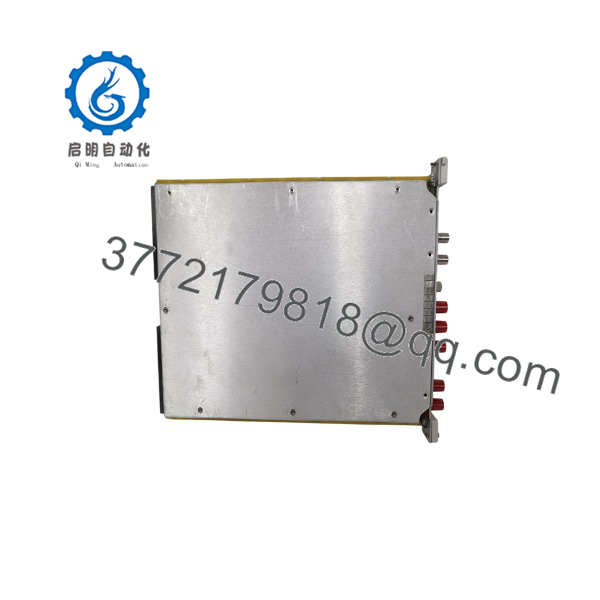
E1412A
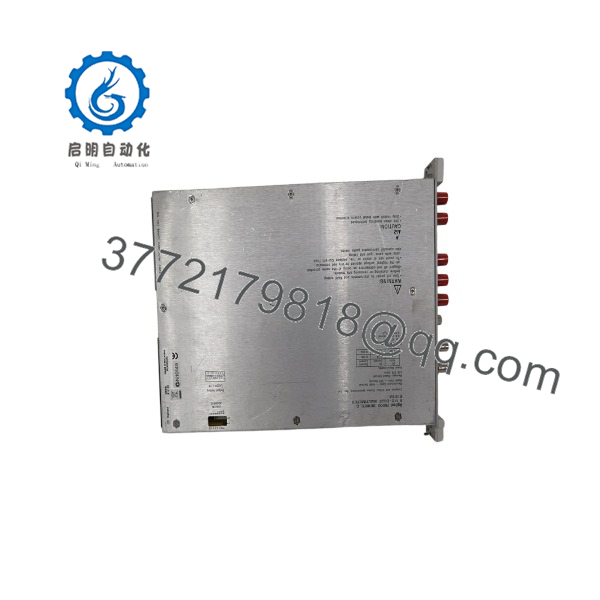
E1412A
Installation & Configuration Guide
Stage 1: Pre-Installation Preparation — 5–10 minutes
⚠️ Safety First: De-energize the VXI mainframe according to the mainframe manufacturer’s procedure before removing or installing the module. Do not treat the E1412A like a hot-swappable PLC I/O card unless the specific VXI chassis documentation explicitly permits the operation.
Tools Required:
- ESD wrist strap
- Appropriate VXI mainframe documentation
- PC running the required VISA/instrument-control software
- Multimeter for external wiring verification
- VXI interface/control software
- Smartphone or camera for configuration records
Data Backup:
- Record the existing E1412A serial number and hardware revision.
- Record the firmware/software revision where accessible.
- Save the existing SCPI program.
- Record the VXI logical address.
- Photograph the front-panel connections.
- Document external measurement wiring and signal routing.
- Confirm whether the installed unit is a standard or an variant.
⚠️ The -J01 is a specific hardware variant. Keysight component documentation distinguishes the E1412-66501 and E1412-66511 assemblies. Do not assume that every listing has identical internal hardware.
Stage 2: Removing the Old Module — 5 minutes
- Stop automated test execution.
- Place the VXI system in a safe state.
- Follow the chassis manufacturer’s shutdown procedure.
- Disconnect external measurement leads.
- Remove the module’s retaining hardware.
- Use the module’s ejector mechanism rather than pulling on the front panel.
- Pull the module straight out of the VXI slot.
- Inspect the backplane connector for contamination or mechanical damage.
- Keep the removed available for comparison.
⚠️ Do not force a VXI module into the slot. Connector alignment and ejector engagement should occur without excessive mechanical force.
Stage 3: Installing the New Module — 5–10 minutes
- Verify the replacement model is .
- Check the front-panel markings and serial-number label.
- Compare the replacement with the removed module.
- Verify that the VXI mainframe has a compatible C-size slot.
- Align the module with the guide rails.
- Insert the module straight into the slot.
- Engage the ejector handles evenly.
- Secure the retaining hardware.
- Reconnect external measurement wiring.
- Check that HI, LO, and 4-wire sense connections are correctly routed.
Configuration Checklist:
- model verified
- C-size VXI slot verified
- VXI logical address documented
- External wiring checked
- 2-wire/4-wire configuration verified
- Test software recognizes the replacement
- Calibration status recorded
Stage 4: Power-On & Testing — 10–20 minutes
- Power the VXI mainframe according to the chassis procedure.
- Observe the initialization sequence.
- Confirm that the VXI resource manager detects the module.
- Identify the module’s VXI logical address.
- Open the VISA/VXI instrument session.
- Send an identification query such as
*IDN?. - Confirm that the returned identity corresponds to the expected instrument.
- Execute a low-risk DC voltage measurement.
- Verify a known reference voltage.
- Test the required 2-wire or 4-wire resistance function.
- Confirm SCPI communication with the existing automated test program.
- Run the application’s normal measurement sequence.
The supports SCPI programming and VXI Plug & Play software. Keysight provides an User’s Manual and SCPI Programming Guide as well as VXI Plug & Play driver documentation.
⚠️ Do not immediately run a production test sequence after replacement. First verify instrument identification, range selection, measurement function, and a known reference value.
Frequently Asked Questions (FAQ)
Can the Keysight be used in a standard bench setup?
Not directly in the same way as a conventional standalone DMM. The is a C-size, one-slot, message-based VXI module intended for installation in a compatible VXI mainframe.
Is the obsolete?
Yes. Keysight’s current support page identifies the as discontinued. That makes condition, calibration history, hardware revision, and availability important when purchasing a replacement.
What measurements does the perform?
The supports DC voltage, AC voltage, DC current, AC current, 2-wire resistance, 4-wire resistance, frequency, period, and DC ratio measurements.
Does the support 4-wire resistance measurement?
Yes. The instrument provides dedicated 4-wire resistance measurement capability. This is particularly useful when lead resistance or contact resistance would materially affect low-resistance measurements.
What is the maximum DC voltage range?
The highest documented DC voltage range is 300.0000 V. The instrument also provides 100 mV, 1 V, 10 V, and 100 V DC ranges. Input protection is specified at 300 V on all ranges.
Can I replace an with any used ?
Not without checking the hardware variant and system requirements. Keysight documentation identifies different internal assemblies, including E1412-66501 and E1412-66511 for the and -J01 configurations. Verify the exact model, option/variant, firmware, calibration condition, and VXI system compatibility before purchasing.
Why is a used sometimes much cheaper than a new replacement DMM?
Because the is a discontinued VXI instrument. A surplus unit may have been removed from a decommissioned automated test system rather than supplied through current OEM production. Price alone does not establish condition. For procurement, request the serial number, front-panel photographs, self-test results, calibration information, and—if the application is accuracy-critical—a recent calibration report.



