
 WhatsApp: +86 16626708626
 Email:
  Phone: +86 16626708626
Description
Key Technical Specifications
| Parameter | Specification / Value |
| VXI Architecture | C-size, 1-slot, Slot-0 or non-Slot-0 register-based interface |
| Host Interface Protocol | IEEE 1394a (FireWire) serial bus interface |
| Data Transfer Rate | Up to 400 Mbps (S400) raw IEEE 1394 bandwidth |
| VXI Bus Master/Slave | A16 / A24 / A32 master and slave capability; D08 / D16 / D32 data |
| Resource Manager Function | Integrated Slot-0 VXIbus Resource Manager and Commander |
| Clock / Trigger Signals | SMB connectors for 10 MHz CLK10 input/output and external TTL triggers |
| Multi-Mainframe Daisy Chain | Up to 16 VXI mainframes linked via IEEE 1394 bus ports |
| Interrupt Handling | VXIbus interrupt handler (Levels 1–7) |
| Power Consumption (Backplane) | +5 VDC @ 2.5 A typical; +12 VDC @ 0.1 A typical |
| Operating Temperature | 0°C to +55°C operating range |
Product Introduction & Supply Chain Strategy
The Keysight E8491B is a C-size, 1-slot VXI interface module designed to link external PC hosts directly to VXIbus mainframes using an IEEE 1394 (FireWire) serial interface link. Operating as a full Slot-0 Resource Manager and VXIbus Commander, the module handles automated device identification, register mapping, and high-speed data transfers across demanding defense, aerospace, and semiconductor automated test systems (ATE).
Maintaining an E8491B as New Surplus provides a crucial defense against unexpected test cell shutdowns. Because legacy VXI control hardware is no longer produced by Keysight, finding functional controllers on short notice is a severe operational risk. Refurbished interfaces often hide damaged PHY transceivers, degraded backplane buffer ICs, or intermittent SMB clock output faults. Sourcing factory-original New Surplus units guarantees uncompromised signal integrity, clean backplane connectors, and long-term operating life without risking thousands of dollars in test stand downtime.
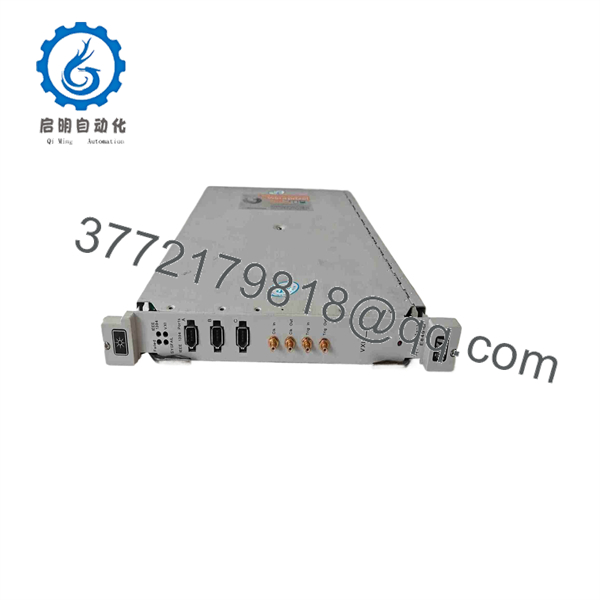
E8491B
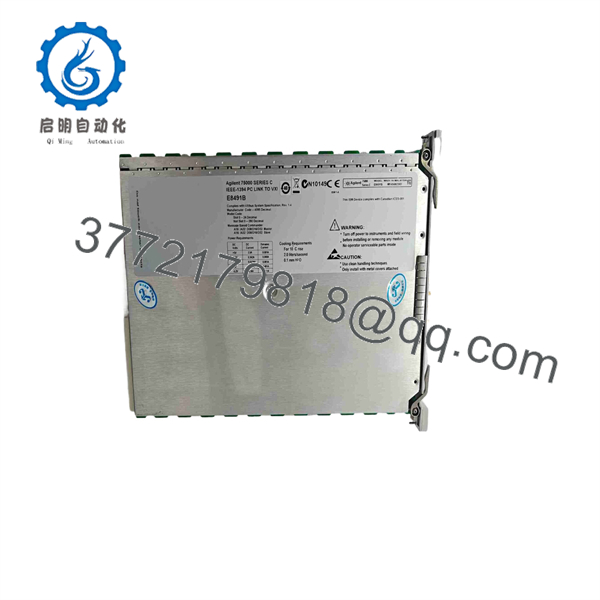
E8491B
Installation & Configuration Guide
Stage 1: Pre-Installation (Prep & Safety)
- Power down the VXI mainframe chassis and disconnect power from the host PC.
- Put on a grounded ESD wrist strap before handling the E8491B to prevent static damage to sensitive onboard transceiver ICs.
- Inspect the front-panel DIP switches and SMB ports. Document switch positions for logical address assignment (default Factory Address = 0 for Slot-0 operation).
Stage 2: Removal
- Loosen the top and bottom captive retaining screws on the existing VXI module faceplate.
- Unlatch the insertion/extraction levers to disengage the module from the VXI backplane connectors.
- Pull the module straight out along the card guides without applying twisting force to protect the rear P1/P2 backplane connector pins.
Stage 3: Installation (Clone & Seat)
- Set the logical address DIP switch on the replacement E8491B to match the original card (Address 0 when installed in Slot 0).
- Align the E8491B module with the card guides of Slot 0 in the C-size VXI chassis.
- Slide the card firmly until the rear connectors touch the backplane, then lock the faceplate levers into place. Secure the captive retaining screws tightly.
Stage 4: Power-On & Testing
- Connect the 6-pin IEEE 1394 FireWire cable from the host PC controller card to Port A on the E8491B.
- Power on the VXI mainframe first, then boot the host PC to ensure proper FireWire bus enumeration.
- Launch Agilent/Keysight Connection Expert or VISA I/O software and execute a VXI Resource Manager scan to verify mainframe mapping and register communications.
Firmware/Software Versions & Upgrade Notes
- Driver Compatibility: Requires Keysight IO Libraries Suite 14.0 or higher (or legacy Agilent I/O Libraries Suite M.01.01) with IEEE 1394 VXI driver support installed.
- Host OS Support: Best suited for Windows 7, Windows XP, or legacy Linux systems using dedicated IEEE 1394 OHCI host controllers. Modern Windows 10/11 environments require legacy OHCI FireWire driver installation.
- Firmware Maintenance Risks: Never disconnect the IEEE 1394 link while the host PC software or VISA layer is actively interrogating the VXI Resource Manager. Interrupting the bus handshake during boot enumeration can freeze host I/O buffers and require a complete system hard reboot.
Frequently Asked Questions (FAQ)
Q: Why is this New Surplus unit priced higher than refurbished controllers online?
A: Refurbished modules are often harvested from decommissioned test benches and frequently exhibit thermal aging, damaged IEEE 1394 PHY chips, or bent backplane contacts. Our New Surplus units come from static-controlled surplus storage, feature unblemished contacts, and carry a full functional replacement warranty—eliminating the risk of costly ATE downtime.
Q: Are these units truly factory-new and unused?
A: Yes. This product is a Brand New Surplus unit. It is not used, not pulled from a decommissioned plant, and not refurbished. Modules are stored in ESD-protective packaging and are opened solely under ESD-safe bench conditions for visual and electrical verification.
Q: Is the Keysight officially obsolete (EOL)?
A: Yes, Keysight has discontinued production of the and the broader VXI product line. Holding a verified New Surplus unit as strategic spares buffer stock is essential to keep legacy VXI test equipment operational.
Q: Can I plug or unplug the IEEE 1394 FireWire cable while the system is powered on?
A: While IEEE 1394 supports hot-plugging in standard IT settings, hot-plugging industrial VXI interfaces can cause bus resets and crash active VISA communication sessions. Always power down or halt test software before disconnecting interface cables.
Q: Do I need to program logic or flash memory when replacing this module?
A: No. The functions as a hardware bridge and resource manager. As long as you match the logical address switch settings on the front panel, the host computer software will recognize the replacement card automatically upon booting.
Q: What warranty coverage is included with this product?
A: All New Surplus Keysight interface modules are backed by a full 1-year replacement warranty and include verified QC inspection documentation.



