
 WhatsApp: +86 16626708626
 Email:
  Phone: +86 16626708626
Description
Key Technical Specifications
| Parameter | Value |
|---|---|
| VXI Device Type | Message-based, C-size, 1-slot |
| Logical Address | 0 (always mainframe Resource Manager) |
| Slot 0 / Resource Manager | Yes / Yes |
| Host Interface | IEEE-1394 (FireWire) |
| Data Transfer Rate | Up to 400 Mbit/s |
| Signal Level | 200 mV differential, controlled-impedance twisted pair |
| Included Cable | 4.5 m FireWire cable |
| PC Adapter Card (Option 001) | OHCI-based IEEE-1394/PCI host adapter, 3 external 1394 ports |
| Adapter Card Power Output | 12 V at up to 1.5 A (for powered 1394 devices) |
| Adapter Card Power Input | PC 12 V disk-drive power bus (via supplied cable) |
| Hot Plug-In | Yes — device recognized without powering down the PC |
| Compatible Mainframes | E84XX series (e.g., E8401A, E8403A, E8404A) |
Product Introduction
The E8491B is a C-size, 1-slot VXI module that links a PC directly to a VXI mainframe over IEEE-1394 (FireWire) instead of GPIB. Its logical address is hardwired to 0, so it always takes the Resource Manager role and installs in mainframe Slot 0. Data moves over differential 200 mV twisted-pair signaling at up to 400 Mbit/s, which is why it’s the pick for data acquisition setups moving large data blocks rather than instrument-control traffic alone.
The complete kit includes a 4.5 m FireWire cable and, with Option 001, an OHCI-based PCI host adapter card with three external 1394 ports and its own 12 V/1.5 A output for bus-powered FireWire devices. Hot plug-in support means the mainframe connection can be made or broken without shutting down the host PC — a real time-saver on a bench you’re reconfiguring often. It’s positioned as the lower-cost alternative to GPIB-based command modules when working with the E84XX mainframe family.
Troubleshooting Quick Reference
| Symptom | Possible Cause | Relevance to this Part | Quick Check Method | Recommendation |
|---|---|---|---|---|
| PC doesn’t detect the VXI mainframe | FireWire cable fault or PCI adapter card not seated | ❌ Low | Reseat the PCI adapter card, swap the 4.5 m FireWire cable | Rule out cabling and adapter seating before replacing the E8491B |
| Mainframe modules don’t enumerate | Resource Manager failed to initialize on the E8491B | ✅ High | Check Slot 0 status LED, verify logical address 0 assignment | If Resource Manager repeatedly fails to boot, module likely needs replacement |
| Intermittent data transfer errors | Signal integrity issue on the FireWire link | ❌ Low | Check cable length/routing, verify no kinks or connector damage | Usually a cable issue — test with a known-good cable before replacing the card |
| Bus-powered 1394 device not powering up | Adapter card power output not connected or insufficient load capacity | ❌ Low | Verify 12 V/1.5 A output wiring on the OHCI adapter card | Confirm device power draw is within 1.5 A before assuming adapter failure |
| PC won’t hot-plug the connection | PCI adapter driver or OS-level 1394 stack issue | ❌ Low | Check Device Manager / OS driver status for the 1394 host controller | Software/driver issue more often than the module itself |
| No power to PCI adapter card | 12 V disk-drive power bus cable not connected | ❌ Low | Verify the supplied 12V adapter power cable is connected to an available drive power connector | Some industrial PCs lack this bus — confirm PC compatibility before troubleshooting further |
If you’re still stuck after running these checks, send us your OS/driver version and any error codes from the 1394 host controller so we can help narrow it down.
Note: The relevance-to-part columns lean “Low” more often here — the E8491B itself has few internal failure points beyond the Slot 0/Resource Manager function; most field issues trace back to cabling, the PC-side adapter card, or driver configuration.
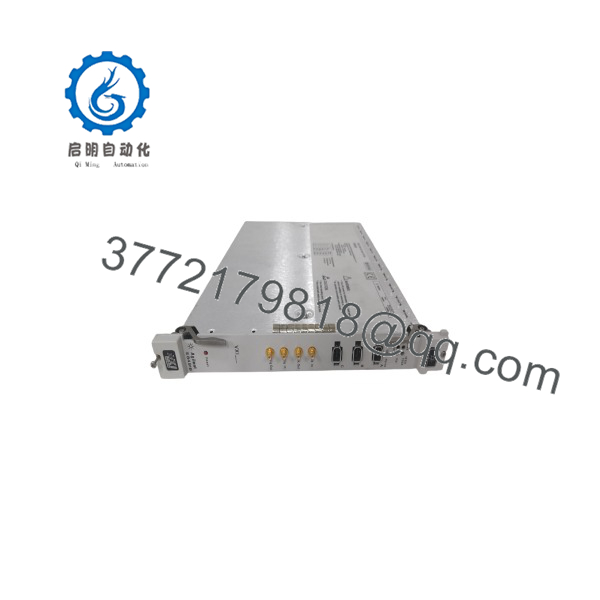
E8491B
Frequently Asked Questions (FAQ)
Can this module be hot-swapped in a running mainframe?
No — it’s the Slot 0 device with logical address 0, meaning it’s always the Resource Manager for the whole mainframe. Removing or installing it live takes down VXI communication for every other module in the chassis. The hot plug-in feature refers to connecting/disconnecting the PC-side FireWire link, not the VXI module itself.
Do I need the Option 001 PCI adapter card, or does my PC already have FireWire?
If your PC has a native IEEE-1394 port, you may not need Option 001. But most modern and industrial PCs dropped FireWire years ago, so Option 001’s OHCI-based PCI card is usually required — and it also gives you the 12 V/1.5 A output some 1394 peripherals need, which a generic FireWire card may not provide.
Why is this cheaper than buying new from Keysight?
Keysight discontinued the E8491B and now points customers toward the 34980A as a replacement platform. There’s no new-manufacture option through the OEM anymore — what you’re buying is New Surplus (unused, pulled stock) or Refurbished (function-tested) genuine hardware.
Will my existing VXI configuration and drivers carry over to a new E8491B?
Configuration data doesn’t automatically transfer — since this module is always logical address 0 and Resource Manager, document your current mainframe’s SICL/VISA driver setup and I/O configuration before swapping, then re-verify enumeration of all VXI modules after installation.
Is this a direct replacement across HP/Agilent/Keysight branding?
Yes, the underlying hardware didn’t change across the branding transitions — HP, Agilent, and Keysight-labeled units are the same module. Confirm your Option 001 adapter card requirement and included accessories (cable, power adapter cable) match what you’re replacing.
Does the included cable length matter for my setup?
The standard kit ships with a 4.5 m FireWire cable. If your PC-to-mainframe distance exceeds that, you’ll need a compliant IEEE-1394 extension or repeater — running outside the rated cable length risks signal integrity issues given the 200 mV differential signaling used here.
What condition is this unit in, and how was it verified?
State plainly per listing: New Original/New Surplus (factory-sealed since manufacture, not function-tested since) or Refurbished (tested). For refurbished units, that should include a Resource Manager boot verification and a data-transfer test over the FireWire link — ask for those results before buying if a test report matters to you.



