
 WhatsApp: +86 16626708626
 Email:
  Phone: +86 16626708626
Description
Key Technical Specifications
| Parameter | Specification Value |
| Manufacturer | Kokusai Electric |
| Part Number | KOMS-A2 (CXP-544A) |
| System Series | KOMS Control System Architecture |
| Operating Voltage | 24 V DC (±10%) |
| Memory Capacity | Integrated DRAM / Non-volatile logic storage |
| Communication Ports | RS-232C serial / Ethernet interface |
| Output Frequency | Up to 50 kHz pulse/signal processing |
| Mounting Style | Industrial rack / sub-rack enclosure slot |
| Operating Temperature | 0 to +55 °C (+32 to +131 °F) |
| Relative Humidity | 10% to 90% non-condensing |
Product Introduction & Supply Chain Strategy The Kokusai KOMS-A2 (CXP-544A) serves as a core process control board within Kokusai industrial automation systems. It executes high-speed signal evaluation, manages sensor interlocks, and maintains real-time communication with peripheral controllers across automated manufacturing and processing machinery.
Sourcing the KOMS-A2 as New Surplus protects your operations from the sudden downtime associated with End-of-Life (EOL) hardware discontinuations. Original New Surplus inventory eliminates the severe operational hazards of second-hand units—such as degraded microprocessors, dry solder joints, and thermal stress on logic gates—ensuring continuous system uptime and avoiding multi-thousand-dollar plant outages.
Installation & Configuration Guide
Stage 1: Pre-Installation (Prep & Safety)
- Execute complete Lock-Out/Tag-Out (LOTO) procedures on the target control panel power supplies.
- Put on an anti-static ESD wrist strap connected to cabinet earth ground before handling the card assembly.
- Photograph all onboard DIP switches, rotary selectors, and cable connections on the existing KOMS-A2 board.
Stage 2: Removal
- Unfasten the retaining screws securing the faceplate to the rack chassis.
- Disconnect serial cables, bus lines, and I/O connectors by gripping the connector shells directly rather than pulling on individual wires.
- Disengage the card retention latches and slide the KOMS-A2 straight out along the guide channels.
Stage 3: Installation (Clone & Seat)
- Match all DIP switch arrays and configuration jumpers on the new KOMS-A2 board to mirror the original settings.
- Align the board edges carefully with the rack guide rails and push the card inward until it makes contact with the backplane connector.
- Lock the extraction levers home, tighten faceplate screws to 0.5 N·m torque, and reconnect all communication and logic cables.
Stage 4: Power-On & Testing
- Check cabinet 24 V DC supply rails with a multimeter before energizing the sub-rack.
- Apply logic power and verify front-panel status LEDs: confirm the green power/run indicator lights up solid and no fault LEDs are active.
- Perform a diagnostic loop test from your engineering interface to verify real-time data exchange and node addressing.
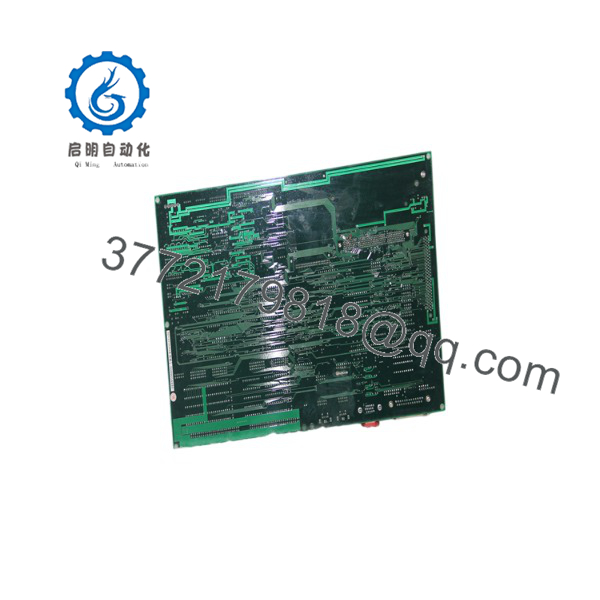
KOMS-A2
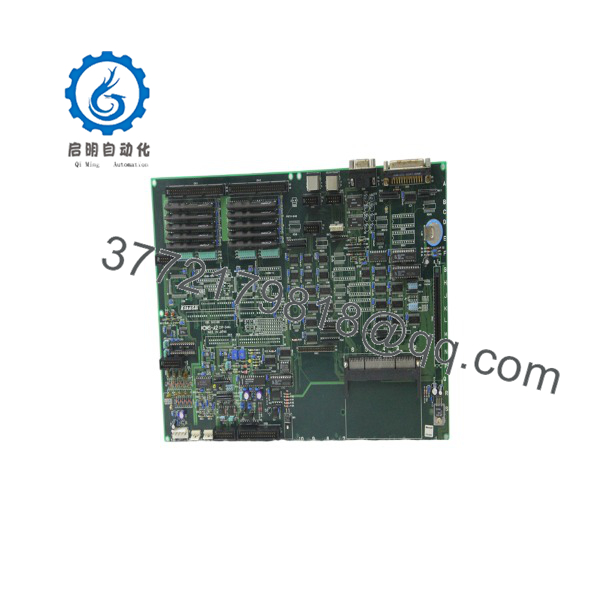
KOMS-A2
Firmware/Software Versions & Upgrade Notes
- Recommended Firmware Version: Align the module revision with your existing system master controller software build.
- Compatibility Notes: The (CXP-544A) is engineered for specific KOMS backplane architectures. Installing incompatible hardware revisions can trigger communication handshake failures or system bus errors.
- Upgrade/Downgrade Risks: Avoid reflashing firmware during emergency repairs. Mismatched firmware builds between the CPU board and surrounding system nodes can corrupt localized calibration parameters and halt automated routines.
Frequently Asked Questions (FAQ)
Why is this New Surplus board priced higher than used or refurbished units available online? Used circuit boards pulled from old machines suffer from thermal fatigue, component wear, and degraded memory circuits. Our Kokusai inventory consists strictly of New Surplus—uninstalled, authentic hardware kept in anti-static storage. Investing in New Surplus ensures factory-level longevity and prevents line shutdowns that can cost tens of thousands of dollars per shift.
Is this Kokusai board guaranteed to be an original OEM product? Yes. We supply 100% original OEM hardware. This unit is uninstalled original stock, not a clone, and has never been repaired or pulled from service. Each card undergoes rigorous visual and pin-integrity inspection prior to shipment.
What is the current manufacturing lifecycle status for the ? The has reached legacy/EOL status from the manufacturer, making factory-direct procurement difficult or requiring lengthy lead times. Maintaining 1-2 spare units on-site serves as an essential buffer stock strategy to keep your control systems running smoothly.
Can the board be hot-swapped while the system is powered? No. Removing or inserting the board while the backplane is energized can cause electrical arcing, damage delicate IC pins, and disrupt continuous data buses. Always isolate rack power prior to replacing the card.
Will I need to re-program the after installation? System execution parameters are determined by onboard hardware configuration jumpers and logic downloaded from the main system controller. Once hardware address switches are mirrored to match your old unit, the board will accept system parameters during initial boot.
What warranty is provided with this New Surplus control board? This New Surplus Kokusai board comes backed by a full 1-year operational replacement warranty, along with a verified pre-shipment quality inspection report.



