WhatsApp: +86 16626708626
 Email:
 Phone: +86 16626708626
Description
Key Technical Specifications
- Part Number: KOMS-A2 (alternate OEM references: 208-06-71120, 7835-12-3007, 7835-12-1008, 7835-12-1007, 7835-12-1006, 7835-12-1000)
- Product Type: Multifunction Monitor Panel for Komatsu PC-Series Excavators
- Display Type: Color graphic LCD
- Supported Machine Series: PC200-7, PC210-7, PC220-7, PC270-7, PC300-7, PC350-7, PC360-7, PC400-7, PC450-7
- Display Functions: Work mode, travel speed, fuel level, engine coolant temperature, service meter, error codes, maintenance reminders
- Communication Interface: EMMS (Equipment Management Monitoring System); KOMTRAX telematics compatibility
- Input Interface: Mode selection switches; password input capability for secured functions
- Nighttime Illumination: Adjustable display backlighting for day/night operation
- Caution Display: Visual alerts for faults, maintenance intervals, and operating limits
- Load Display (Arm Crane Specs): Actual and rated load display when Lift (L) mode is selected
- Data Logging: Information displayed every 0.1 hour; 16-step fuel level; max coolant temp; error type/time/frequency
- Operating Voltage: 12 V or 24 V DC (machine-dependent; verify against existing unit label)
- Environmental Rating: Designed for operator cab environment; vibration and temperature resistance per Komatsu heavy-equipment standards
- Dimensions (typical): ~200 × 150 × 50 mm (varies by exact model and housing)
- Weight: ~0.5–0.8 kg (net)
- Certifications: Komatsu OEM specifications; ISO-compliant telematics (AEMP 2.0 / ISO 15143-3 for KOMTRAX integration)
Product Introduction
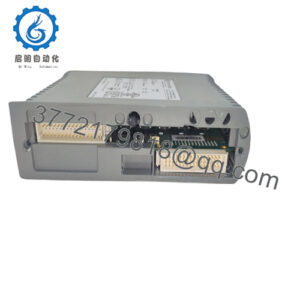
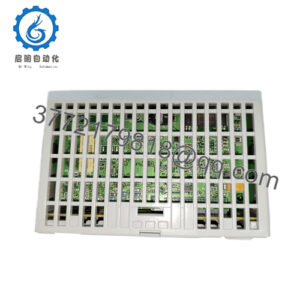
The Komatsu KOMS-A2 is a multifunction monitor display panel for Komatsu PC-Series hydraulic excavators (PC200-7 through PC450-7), providing the operator with real-time machine information including work mode, travel speed, fuel level, engine coolant temperature, service meter, and diagnostic error codes. It interfaces with Komatsu’s EMMS and KOMTRAX telematics systems to enable remote monitoring, maintenance scheduling, and fault diagnostics.
This monitor is chosen for its color graphic LCD, nighttime illumination adjustment, and comprehensive caution/maintenance displays, making it suitable for heavy-equipment operators who need clear, reliable machine feedback in demanding jobsite conditions. In the field, it shows up in PC200-7, PC300-7, and similar excavators where the original monitor has failed, become unreadable, or requires replacement during cab refurbishment.
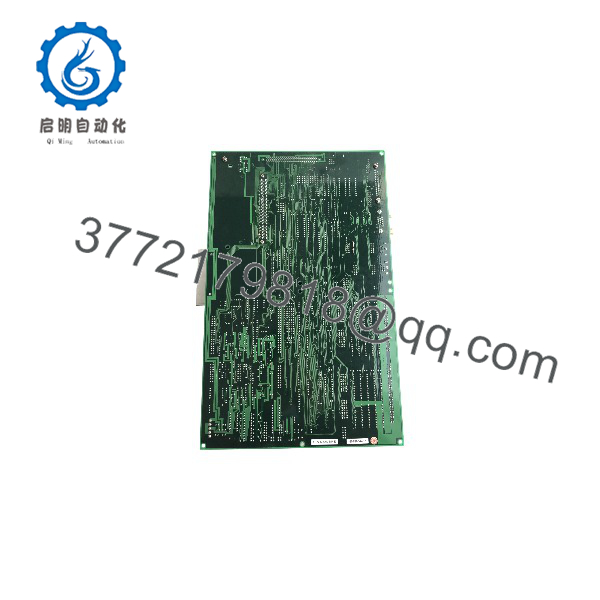
KOMS-A2
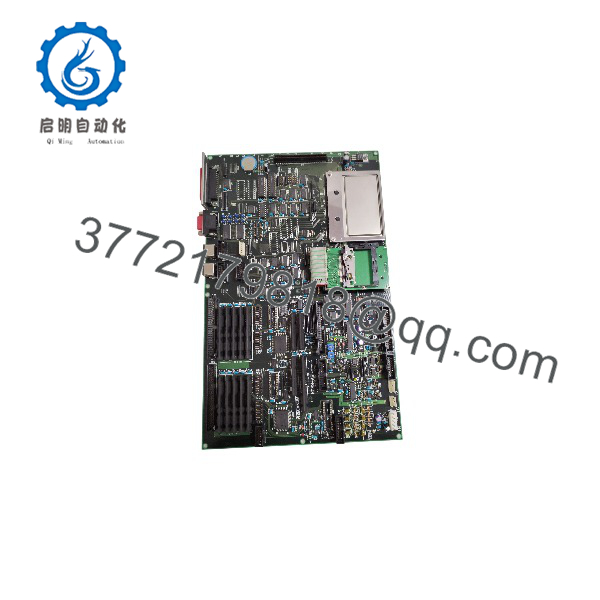
KOMS-A2
Troubleshooting Quick Reference
| Symptom | Possible Cause | Relevance to this Part | Quick Check Method | Recommendation |
|---|---|---|---|---|
| Blank screen, no backlight | Power supply fault; blown fuse; wiring disconnect | ✅ High | Measure 12/24 V DC at monitor connector with multimeter; check cab fuses and relays | Verify power supply and ground; replace blown fuses; inspect wiring harness |
| Display garbled or flickering | Loose connector; damaged LCD; EMI from nearby equipment | ✅ High | Reseat monitor connector; inspect for bent pins; check for nearby high-current cables | Secure connector; reroute cables if EMI suspected; replace monitor if LCD damaged |
| Wrong readings (fuel, temp) | Sensor fault; wiring issue; monitor calibration drift | ❌ Medium (sensor/wiring) | Compare readings with mechanical gauges or diagnostic tool; check sensor resistance | Investigate sensors and wiring first; monitor rarely causes isolated reading errors |
| No KOMTRAX/EMMS communication | Communication harness fault; monitor interface issue; telematics module fault | ❌ Medium (system) | Check diagnostic codes; verify KOMTRAX module status; inspect communication harness | Investigate telematics module and harness; monitor is one possible link in the chain |
| Caution lights always on | Actual fault present; monitor display logic fault; shorted warning circuit | ✅ Medium | Read diagnostic codes via service tool; check for active faults in other systems | Address actual faults first; if no faults exist, investigate monitor or warning circuit |
| Touch/buttons unresponsive | Failed switch matrix; damaged PCB; moisture ingress | ✅ High | Test each switch/button; inspect for corrosion or moisture; check connector integrity | Replace monitor if switch matrix or PCB is confirmed faulty |
If you’re stuck, pull a photo of the monitor label, connector pinout, a screenshot or photo of the diagnostic codes, and a multimeter reading of supply voltage, then send those to support.
Frequently Asked Questions (FAQ)
Q: Will the KOMS-A2 fit my PC200-8 or PC300-8?
A: The KOMS-A2 is primarily documented for PC200-7 through PC450-7 series excavators. PC-8 and later series may use different monitor part numbers (e.g., 7835-13-2000 for PC600-7, or other -8 series monitors). Verify your existing monitor’s part number and machine serial number before ordering.
Q: Is this new or refurbished?
A: We supply this as New Original / New Surplus unless otherwise noted. Factory packaging may vary by lot; traceability is maintained via OEM labels and packing docs.
Q: Does this monitor support KOMTRAX telematics?
A: Yes. The KOMS-A2 interfaces with Komatsu’s EMMS and KOMTRAX systems for remote monitoring and diagnostics. Ensure your machine’s telematics harness and subscription are active.
Q: What’s the lead time?
A: Typical ship time is 3–5 working days from stock. If you need a specific delivery date, tell us up front so we can stage it.
Q: What warranty do you offer?
A: 1-year warranty against DOA and functional defects. We’ll replace or refund if it fails under normal use within that period.
Q: Why is this cheaper than buying direct from Komatsu?
A: This is surplus channel stock — genuine OEM hardware, but sourced via secondary distribution. Same part number, often with original factory labels and packaging.
Q: Can I install this myself, or do I need a dealer?
A: Physically, it’s a bolt-in replacement if the part number matches. However, telematics configuration, error-code clearing, and calibration may require a dealer service tool. Plan for a dealer visit if your machine needs post-install configuration.