WhatsApp: +86 16626708626
 Email:
 Phone: +86 16626708626
Description
Key Technical Specifications
| Parameter | Specification / Value |
| Model Number / Part Number | KTQ77/FLEX / 30101611 |
| Form Factor | Flex-ATX (190.5 mm × 228.6 mm) |
| Processor Socket | LGA1155 (Supports 3rd & 2nd Gen Intel Core i7 / i5 / i3 up to 95W TDP) |
| System Chipset | Intel Q77 Express Chipset |
| System Memory | 4x 240-pin DDR3 UDIMM Sockets (Up to 32 GB, 1066/1333/1600 MT/s, Non-ECC) |
| Graphics Interface | Integrated Intel HD Graphics 4000/2500; Supports 3x Independent Displays (2x DisplayPort 1.2, LVDS, VGA via DP adapter) |
| Network Interfaces | 3x 10/100/1000 Mbps Gigabit Ethernet (1x Intel 82579LM w/ AMT 8.0, 2x Intel 82574L PCIe Controllers) |
| Storage Connectors | 2x SATA 6 Gb/s (SATA III), 4x SATA 3 Gb/s (RAID 0/1/5/10), 1x mSATA slot (shared) |
| Expansion Slots | 1x PCIe x16 Gen 3.0, 1x PCIe x4 (in x16 mechanical slot) Gen 2.0, 2x Legacy PCI slots |
| USB & Serial Ports | 4x USB 3.0 (rear), 10x USB 2.0 (2 rear, 8 internal headers), 4x RS-232 COM headers |
| Embedded Features | TPM 1.2, KT Feature Connector (GPIO, ADC, DAC, Timer), Intel AMT 8.0 |
| Power Input | Standard ATX 24-pin + 12V 4-pin connector |
| Operating Temperature | 0 °C to +60 °C (32 °F to 140 °F) |
Product Introduction & Supply Chain Strategy
The Kontron KTQ77/FLEX (P/N: 30101611) is an industrial-grade Flex-ATX motherboard powered by the Intel Q77 chipset and Socket LGA1155 architecture. Purpose-built for long-lifecycle industrial automation, medical imaging, vision inspection, and transportation systems, it delivers exceptional computational performance, triple independent display outputs, and triple Gigabit LAN ports for isolated subnets.
Because Kontron has officially phased out active production of the KTQ77 line, securing genuine New Surplus units is critical for operations reliant on legacy x86 hardware validation. Utilizing second-hand or pulled motherboards exposes systems to hidden risks such as degraded electrolytic capacitors, BGA solder micro-cracks, and unreliable PCIe signal integrity. Procuring factory-sealed New Surplus units guarantees 100% trace thickness, zero thermal stress history, and complete operational longevity, protecting your plant from high-cost downtime during unexpected motherboard failures.
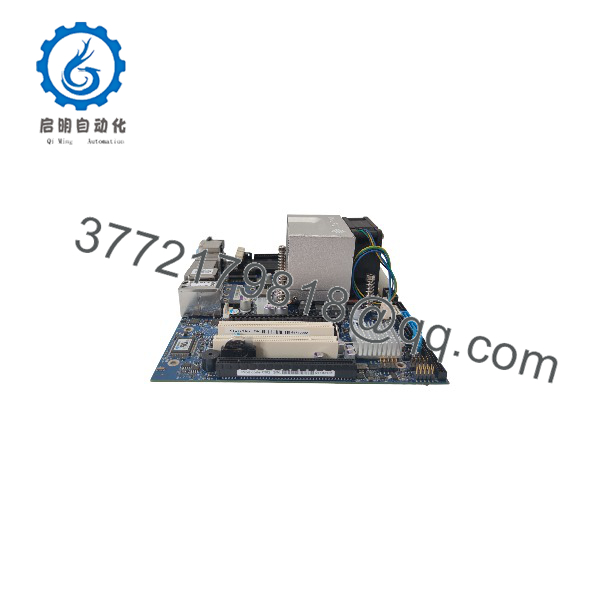
KTQ77/FLEX 30101611
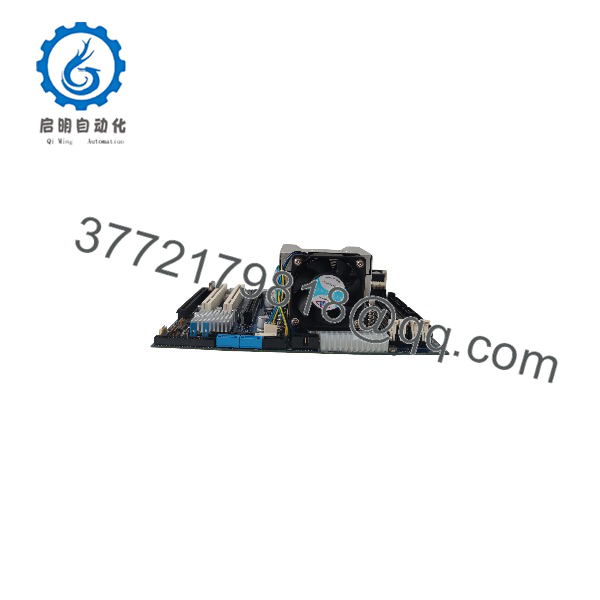
KTQ77/FLEX 30101611
Installation & Configuration Guide
Electrostatic Discharge & Power Hazard
Static electricity will destroy high-density ICs on the Kontron motherboard. Always wear a grounded ESD wrist strap when handling the mainboard. Ensure main AC power is completely disconnected from the power supply unit (PSU) before inserting or removing RAM, CPU, or expansion cards.
1.Pre-Installation & Bench Setup:5 mins.
Perform LOTO on the cabinet or chassis power source. Place the motherboard on an ESD-safe mat. Document existing front-panel wiring, serial headers, and jumper block configurations on the outgoing mainboard.
2.CPU, Memory, & Cooler Installation:10 mins.
Open the LGA1155 socket latch carefully. Seat the Intel Core i3/i5/i7 processor without touching or bending socket pins. Apply industrial thermal compound, secure the heat sink, and lock down DDR3 UDIMM modules in channels A and B.
3.Chassis Mounting & Cable Interface:10 mins.
Align the KTQ77/FLEX mainboard onto metal chassis standoffs. Torque mounting screws evenly to prevent PCB flex. Connect the 24-pin ATX power supply, 4-pin 12V CPU power, SATA drive cables, front panel headers, and primary Ethernet cables.
4.BIOS Check & OS Boot Verification:10 mins.
Attach power, boot into Kontron BIOS Setup (Press DEL/F2), verify all installed memory is detected, and configure SATA modes (AHCI/RAID) to mirror your existing system drive image. Save BIOS settings and proceed to full operating system boot.
Verification: The board must complete POST with a single short beep, power LEDs should remain steady GREEN, and the OS system manager must recognize all 3 Intel GbE network controllers without driver error flags.
Firmware/Software Versions & Upgrade Notes
- BIOS Architecture: AMI EFI BIOS hosted on SPI flash memory, supporting legacy MBR and UEFI boot modes.
- Chipset Driver Requirements: Requires Intel Management Engine (ME) 8.0 firmware and Intel Q77 Chipset INF drivers.
- RAID & AMT Considerations: Integrated Intel Rapid Storage Technology (RST) supports RAID 0/1/5/10. If utilizing Intel Active Management Technology (Intel AMT 8.0) for remote system management, ME firmware versions must match host software profiles prior to deployment.
- BIOS Replacement Warning: Never interrupt power during SPI flash updates on Kontron industrial boards. When swapping mainboards, back up CMOS settings to ensure legacy COM port IRQ addresses and custom Feature Connector pin multiplexing match the original deployment setup.
Frequently Asked Questions (FAQ)
Is this Kontron KTQ77/FLEX 30101611 mainboard factory new or pulled from a used system?
This product is Brand New Surplus. It is not a pulled board, not repaired, and not refurbished. It comes directly from original inventory stock with clean backplane contacts, zero component wear, and uncompromised solder integrity.
Why should our plant avoid buying used or refurbished industrial motherboards?
Used motherboards from decommissioned environments have experienced thousands of thermal cycles, drying out onboard capacitors and fatiguing solder joints around the CPU socket and chipset. A 200 saving on a used board can trigger an unplanned plant outage costing 30,000+ when an onboard voltage regulator fails under continuous duty.
Can I run 2nd Generation Intel Core CPUs on this board?
Yes, the LGA1155 socket on the KTQ77/FLEX supports both 2nd Generation (Sandy Bridge) and 3rd Generation (Ivy Bridge) Intel Core i7, i5, and i3 processors up to 95W TDP.
Does this motherboard support multi-monitor setups natively?
Yes, the board features integrated graphics capable of driving 3 independent displays simultaneously via 2x DisplayPort 1.2 connectors, LVDS, or external DP-to-VGA/DVI adapters.
What warranty coverage is provided with this Kontron motherboard?
All New Surplus Kontron KTQ77/FLEX mainboards carry a standard 12-Month Replacement Warranty. Every unit undergoes a rigorous quality control check—including visual inspection, power-on POST testing, and I/O bus verification—prior to ESD-safe packaging and shipment.