WhatsApp: +86 16626708626
 Email:
 Phone: +86 16626708626
Description
Key Technical Specifications
| Parameter | Specification / Value |
| Part Number | 00-284-170 (Module Designation: KPC4 / KPC4 motherboard assembly) |
| Compatible Controller | KUKA KR C4 / KR C4 Compact / KR C4 extended |
| Operating System Support | Windows Embedded Standard 7 with VxWorks RTOS real-time extension |
| Processor Platform | Intel Multi-Core Industrial Processor |
| RAM / Memory | DDR3 RAM slots (expandable based on KSS software requirements) |
| Interfaces / Ports | DVI/VGA display port, USB 2.0/3.0, Dual Ethernet (KONI / KSERVO / KSB) |
| Bus Expansion | PCIe slots for fieldbus master cards (Profinet, EtherNet/IP, EtherCAT) |
| Input Power | 24 VDC internal bus supply from KUKA Power Supply (KPS) |
| Storage Interface | SATA SSD / HDD drive bay |
| Operating Temperature | +5 °C to +55 °C (+41 °F to +131 °F) |
| Vibration & Shock Resistance | EN 60068-2-6 / EN 60068-2-27 compliant industrial enclosure |
Product Introduction & Supply Chain Strategy
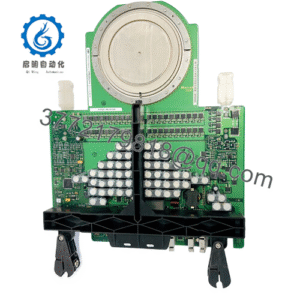
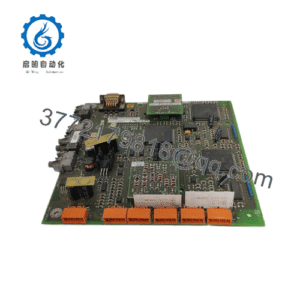
The KUKA KPC4 00-284-170 Industrial PC acts as the central brain of the KR C4 robot controller platform. Running real-time motion trajectory calculations via VxWorks alongside user interface software via Windows Embedded, the KPC4 processes sensor inputs, safety signals (SafeOperation), and fieldbus communication in microsecond cycles. Industrial automation lines—including robotic spot welding, palettizing, and precision machining—depend directly on the KPC4 to maintain deterministic motion control across all robot axes.
Securing the KPC4 00-284-170 as New Surplus is a critical risk-mitigation strategy for plant maintenance operations. When a primary controller IPC fails due to thermal fatigue or power surges, an entire robotic cell halts, driving downtime costs over $10,000 per hour in high-throughput automotive and manufacturing environments. Purchasing refurbished IPCs carries massive risk due to underlying motherboard degradation and worn capacitor banks. Maintaining genuine New Surplus KPC4 units on-site provides an immediate swap capability with guaranteed OEM lifespan and complete peace of mind.
Installation & Configuration Guide
1.Pre-Installation Setup & ESD Protection:Mandatory Safety Check.
Ensure the KR C4 main disconnect switch is set to OFF and locked out (LOTO). Wait at least 5 minutes for internal capacitor banks to discharge. Strap on a grounded ESD wrist band before opening the controller door and handling internal PC assemblies. Take clear photos of all connected cables, bus cards, and SSD placement on the existing KPC4.
2.Cable Disconnection & IPC Extraction:Mechanical Removal.
Label and disconnect all external cables attached to the KPC4 faceplate, including Ethernet ports (KONI, KSB), DVI display cables, USB devices, and internal power harnesses. Loosen the retaining screws securing the KPC4 chassis within the KR C4 rack, then slide the IPC straight out along its mounting rails to avoid snagging adjacent wiring.
3.Drive & Fieldbus Transfer:Clone Configuration.
Remove the SATA SSD drive from the old KPC4 unit and transfer it directly into the drive bay of the new KPC4 00-284-170. Transfer any optional fieldbus communication cards (such as Profinet or EtherNet/IP PCIe boards) to the matching PCIe slots on the new IPC, securing all slot covers tightly.
4.IPC Installation & System Verification:Power-On Diagnostics.
Slide the new KPC4 unit back into the KR C4 cabinet chassis and tighten all retention fasteners. Reconnect all cable harnesses strictly according to your reference labels. Restore system power, monitor the smartPAD pendant boot sequence, verify that VxWorks and Windows load without bus communication errors, and perform a slow manual jog test on all robot axes to verify encoder feedback integrity.
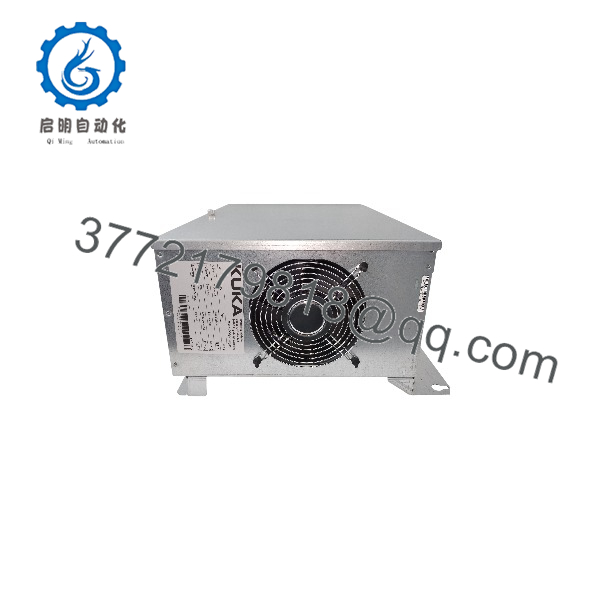
KPC4 00-284-170
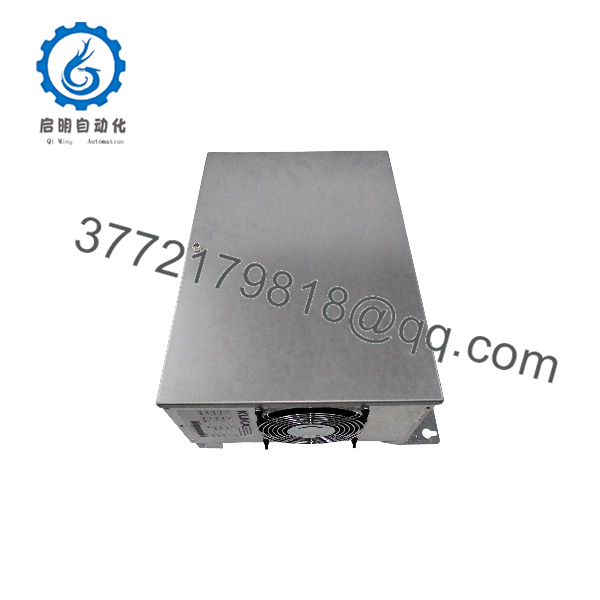
KPC4 00-284-170
Firmware/Software Versions & Upgrade Notes
- System Compatibility: The KPC4 00-284-170 supports KUKA System Software (KSS) release versions 8.2, 8.3, 8.5, and 8.6 depending on the installed motherboard revision and RAM configuration.
- Storage Drive Dependency: Software settings, axis calibrations, and fieldbus configurations are stored on the SATA SSD. Swapping the existing SSD into the new KPC4 transfers the license keys and KSS configuration seamlessly without requiring a fresh software reinstallation.
- BIOS / Firmware Warning: Do not attempt to reflash the motherboard BIOS using standard commercial PC firmware files. The KPC4 uses custom OEM BIOS builds specifically tailored for KUKA real-time kernel scheduling. Updating to an unverified BIOS version will disrupt the VxWorks real-time subsystem and render the controller unbootable.
Frequently Asked Questions (FAQ)
Q: Why buy a New Surplus KUKA KPC4 00-284-170 instead of a refurbished or repaired module?
A: Refurbished industrial PCs often harbor thermal stress fatigue on surface-mount capacitors and micro-cracks in multi-layer PCB traces caused by years of cabinet heat exposure. A refurbished card might boot initially but crash under heavy thermal load. Our New Surplus units are completely unused, factory-fresh assemblies that provide 100% OEM reliability and full operational lifespan.
Q: Do I need to reload KUKA System Software (KSS) when replacing the KPC4?
A: No, provided your original SATA SSD is functional. By transferring your existing SSD directly into the replacement KPC4 00-284-170, the system retains all robot calibration data ($KR_C4 setup), user programs, and license keys, allowing for a fast plug-and-play restoration.
Q: How can I verify that the unit I receive is genuinely New Surplus?
A: Every unit passes strict inbound quality verification. The KPC4 00-284-170 arrives with unblemished PCIe edge connectors, pristine OEM barcode tags, zero dust accumulation on heat sinks/fans, and protective ESD packaging sealed post-inspection.
Q: Can I upgrade the RAM or install standard PC graphics cards into the KPC4 slots?
A: While the KPC4 uses standard DDR3 RAM slots, you should only use industrial-grade, wide-temperature memory sticks approved for KUKA controllers. Uncertified commercial graphics cards or PCI expansion boards should not be added, as they can exceed power rails and generate thermal faults within the closed KR C4 cabinet.
Q: What warranty coverage comes with this module?
A: We provide a comprehensive 1-Year Warranty on all New Surplus KUKA automation stock. If the module exhibits any hardware defect under standard operating conditions within 12 months, we provide an immediate direct replacement or full repair service.