
 WhatsApp: +86 16626708626
 Email:
  Phone: +86 16626708626
Description
Key Technical Specifications
| Parameter | Specification |
| Manufacturer | Lam Research Corporation |
| Part Number | 810-800082-043 |
| Board Classification | LonWorks Node Controller Board |
| Input Voltage | 24 V DC nominal (±10%) |
| Power Consumption | 15 W maximum |
| Network Protocol | LonWorks ANSI/CTA-709.1 fieldbus protocol |
| Operating Temperature | −20 °C to +60 °C (−4 °F to +140 °F) |
| Storage Temperature | −40 °C to +85 °C (−40 °F to +185 °F) |
| Humidity Range | 5% to 95% non-condensing |
| Bus/Interface Connections | Gold-plated edge card connector and multi-pin headers |
| Chassis Compatibility | Lam Research Etch, CVD, and Thin-Film Deposition Tool Racks |
Product Introduction & Supply Chain Strategy
The Lam Research 810-800082-043 node controller module executes real-time fieldbus signal processing and recipe orchestration inside semiconductor fabrication equipment. It manages localized sensor and actuator feedback loops in etching and deposition tools, where exact signal timing is essential to avoid wafer defects.
Securing this card as New Surplus maintains fab line readiness without suffering from extended OEM lead times on end-of-life hardware. Refurbished alternatives pose invisible risks due to thermal stress and aging surface-mount capacitors that lead to unexpected mid-process trips. Keeping 1 to 2 units on-site as strategic insurance stock eliminates catastrophic downtime costs during critical production runs.
Installation & Configuration Guide
High-Voltage & Static Sensitivity Hazard
Turn off all power to the target card cage enclosure and wear a grounded ESD wrist strap before handling this module to avoid permanent electrostatic damage.
1.Lock-Out/Tag-Out & Safety Verification:Prerequisite.
Execute full LOTO procedures on the wafer tool power distribution unit (PDU). Use a calibrated digital multimeter to verify zero potential across the local 24 V DC bus terminals.
2.Document Existing Unit Settings:5 min.
Take a clear photo of the original card’s node address DIP switches, jumper blocks, and physical cable routing before removing any hardware.
3.Extract the Faulty Board:Step Verification: No bent pins.
Unscrew the faceplate retention screws. Press the top and bottom ejector levers outward simultaneously to unseat the card from the backplane, then slide it straight out along the guide rails.
4.Configure & Seat New Board:Step Verification: Flush alignment.
Set the DIP switches and jumpers on the 810-800082-043 to match the original unit exactly. Slide the card smoothly along the rack guides until the connector seats fully flush into the backplane header.
5.Power-On & Diagnostic Verification:Step Verification: Green RUN LED.
Restore 24 V DC power. Verify that the main logic status LED switches to solid green and communication status LEDs flicker normally during network polling.
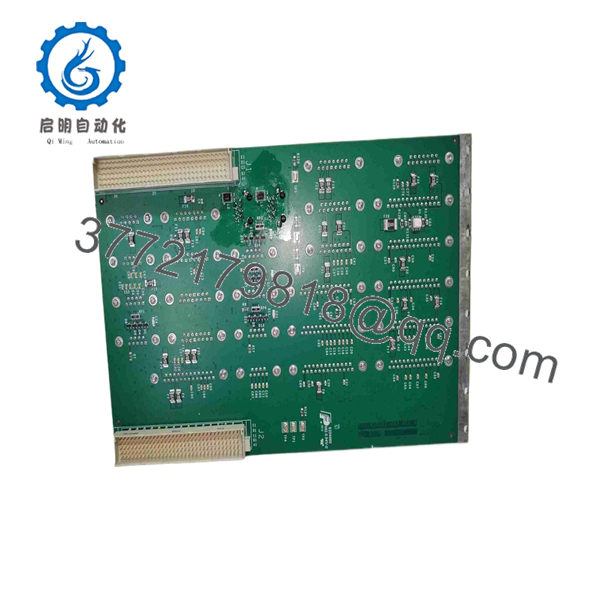
810-800082-043
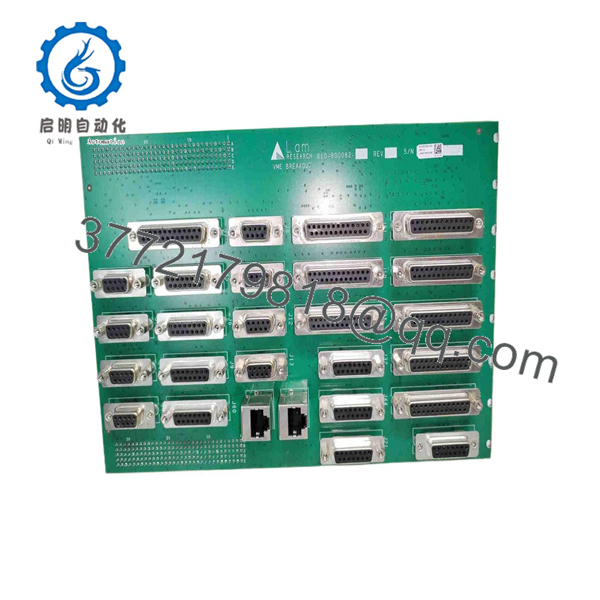
810-800082-043
Firmware/Software Versions & Upgrade Notes
- Recommended Firmware Version: Revision 5.20 or system-matched tool software image.
- Compatibility Notice: Software and driver revisions must strictly match system baseline requirements. Firmware mismatches will cause node communication timeouts or prevent the main controller from recognizing the card.
- Upgrade/Downgrade Caution: Never attempt to flash firmware while the board is inserted in an active production backplane. Flashing over an active bus risks corrupting the onboard bootloader—always verify and program revision levels on an offline test bench prior to installation.
Frequently Asked Questions (FAQ)
Is this 810-800082-043 module genuinely brand new, or has it been pulled from a decommissioned tool? This is a New Surplus unit. It has never been installed or operated in a production cleanroom environment. All inventory originates from verified spare parts stock reserves or cancelled fab project inventory. Each module undergoes complete physical inspection and static verification in original ESD-safe packaging without secondary board-level repairs.
Why is buying New Surplus safer than buying a refurbished board for fab tools? Refurbished boards undergo surface cleaning, but internal components remain aged from thousands of thermal cycles. Aged capacitors and logic gates in refurbished units frequently fail under load, leading to chamber faults and lost wafer batches. New Surplus delivers original factory reliability (10–15 years expected lifespan) at a fraction of full OEM lead times and prices.
Can I hot-swap this LonWorks node board while the tool frame is powered? No. Hot-swapping is strictly prohibited on non-hot-plug backplane architectures. Removing or inserting this module while the backplane carries 24 V DC can generate destructive voltage transients, blow onboard protection fuses, or corrupt active memory registers on adjacent system cards. Always power down the local card cage prior to extraction.
How do I transfer the node address to the new 810-800082-043 card? The node address is determined by physical DIP switches and jumper configurations located on the board surface. Replicate the exact switch and jumper patterns from your original card onto the new assembly before mounting so the tool controller identifies the node automatically upon boot.
What warranty coverage is included with this New Surplus card? Every 810-800082-043 board comes with a 1-year replacement warranty. If any operational anomaly or hardware defect occurs under standard operating conditions, we replace the unit directly from our warehouse buffer stock to keep tool downtime minimal.



