
 WhatsApp: +86 16626708626
 Email:
  Phone: +86 16626708626
Description
Key Technical Specifications
| Parameter | Specification / Value |
| Model Number / Part Number | LNL-1320 (Series 2 / Series 3) |
| Manufacturer | LenelS2 |
| System Compatibility | Lenel OnGuard Access Control Software & LNL Controller Series (LNL-2220, LNL-3300, LNL-4420) |
| Primary Power Input | 12 to 24 V DC (±10%), 550 mA maximum |
| Reader Interface Support | 2 Reader Ports (Supports Wiegand, OSDP RS-485, F/2F, or Clock & Data) |
| Reader Power Output | 12 V DC regulated (125 mA max per reader port) or pass-through |
| Supervised Inputs | 8 Programmable Inputs (Door Contacts, REX switches, Auxiliary inputs) |
| Relay Outputs | 6 Output Relays (Form-C, 5 A @ 30 V DC) for door strikes, mag locks, and alarm signaling |
| Communication Bus | RS-485 multi-drop upstream connection (2-wire or 4-wire) |
| Operating Temperature | 0 °C to +70 °C (32 °F to 158 °F) |
| Dimensions | 152 mm × 203 mm × 25 mm (6.0 in × 8.0 in × 1.0 in) |
| Unit Weight | 0.35 kg (0.77 lbs) |
Product Introduction & Supply Chain Strategy
The Lenel LNL-1320 Dual Reader Interface (DRI) module is a high-density security access control board designed for the LenelS2 OnGuard architecture. Installed locally near secure doorways, it directly manages physical access for up to two doors, handling card reader signal processing (Wiegand/OSDP), request-to-exit (REX) buttons, door position switches, and high-current relay outputs for magnetic locks or electric strikes while communicating upstream to intelligent system controllers (such as the LNL-2220 or LNL-3300) over an encrypted RS-485 bus.
Because facility managers cannot afford security blind spots or unlocked doors, maintaining authentic New Surplus LNL-1320 modules in your spare parts inventory is a vital security continuity measure. Replacing a failed access board with an unverified or second-hand module poses severe operational risks—such as pitted lock relay contacts, blown transient voltage suppressors, or corrupted flash memory that can cause doors to fail open or lock out authorized personnel. Sourcing factory-sealed New Surplus units guarantees clean backplane traces, pristine relays, and full operational longevity without long OEM lead times or high list prices.
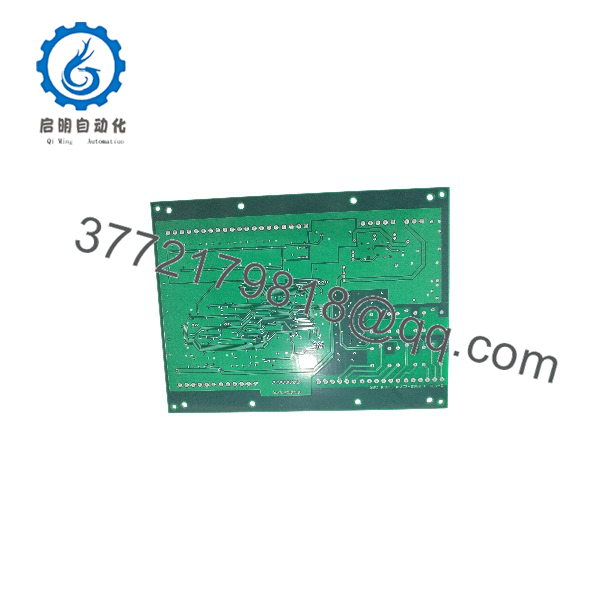
LNL-1320
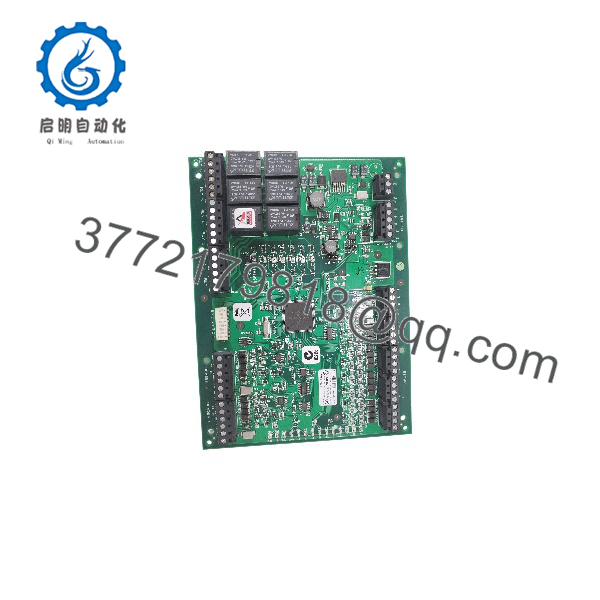
LNL-1320
Installation & Configuration Guide
Security Access Interlock & Power Hazard
Access control modules connect directly to high-current door strikes and magnetic locks. Ensure system auxiliary power supplies (12/24 V DC) undergo complete Lock-Out/Tag-Out (LOTO) before wiring or replacing boards to prevent accidental door lock release or shorting of power rails.
1.Pre-Installation & ESD Preparation:5 mins.
Execute LOTO on the 12/24 V DC auxiliary lock power supply and controller panel power. Put on a grounded ESD wrist strap before handling the LNL-1320 module. Record existing DIP switch settings, address jumpers, and wiring terminal connections.
2.Demounting Outgoing Module:10 mins.
Unplug removable screw terminal blocks for readers, inputs, relays, and RS-485 communication. Unscrew the four mounting standoff screws securing the LNL-1320 board inside the security enclosure and lift the module clear.
3.DIP Switch Configuration & Board Mounting:10 mins.
Set the 8-position DIP switch block on the new LNL-1320 board to replicate the exact RS-485 hardware address (1 to 32), baud rate (115200 or 38400 bps), and reader power settings from the outgoing board. Mount the board onto the enclosure standoffs.
4.Wiring Reconnection & System Initialization:10 mins.
Re-plug the removable terminal blocks for readers, supervised inputs, door relays, and RS-485 communication. Re-apply 12/24 V DC power. Observe LED indicators: verify the power LED glows steady and the RS-485 RX/TX LEDs flash rapidly during controller polling.
Verification: The OnGuard System Monitor software workstation must show online status for the LNL-1320 module address, reader LEDs must illuminate green on card presentation, and door relay strikes must actuate on valid card reads.
Firmware/Software Versions & Upgrade Notes
- System Compatibility: Compatible with all current and legacy releases of LenelS2 OnGuard access control software.
- Automatic Firmware Download: The LNL-1320 module receives its operational firmware automatically from the primary intelligent controller (e.g., LNL-2220 or LNL-3300) over the RS-485 bus upon initial handshake. No manual local flashing is required.
- OSDP vs Wiegand Reader Precaution: If configuring ports for OSDP readers instead of legacy Wiegand readers, verify that the DIP switch setting for reader port protocol selection matches the controller configuration in OnGuard Hardware Setup before powering on reader heads.
Frequently Asked Questions (FAQ)
Is this Lenel LNL-1320 board brand new or refurbished?
This component is Brand New Surplus. It is not a pulled board, second-hand card, or refurbished assembly. It features factory-original relay contacts, un-degraded transient suppression diodes, and clean PCB mounting surfaces.
Why should our security team avoid buying refurbished access control boards?
Refurbished access boards pulled from decommissioned facilities often suffer from pitted lock relay contacts caused by inductive voltage spikes from electric strikes, degraded optocoupler inputs, and worn terminal screws. In a building security environment, a failed reader board can leave critical perimeter doors stuck open or locked shut during emergency evacuations.
What is the difference between an LNL-1320 Series 2 and Series 3 module?
Series 3 modules offer upgraded onboard microprocessors, lower idle power consumption, enhanced OSDP reader communication support, and updated encryption standards while maintaining full physical size and backward pin compatibility with Series 1 and Series 2 enclosures.
How many doors and readers can a single LNL-1320 control?
A single LNL-1320 module controls two independent doors (one reader per door) or one door with entry and exit readers (two readers total).
What warranty is provided with this New Surplus board?
Every New Surplus Lenel LNL-1320 module comes with a standard 12-Month Replacement Warranty. Prior to shipment, each unit passes strict visual inspection, input/output terminal testing, and RS-485 bus communication validation.



