
 WhatsApp: +86 16626708626
 Email:
  Phone: +86 16626708626
Description
Key Technical Specifications
| Parameter | Value |
| Model Number | EPM-H310 (Alternative ID: 00413188) |
| Manufacturer | Lenze |
| Product Category | HMI / MMI / Operator Interface Terminal |
| Operating Input Voltage | 18–32 VDC (24 VDC Nominal, Class 2) |
| Power Consumption | 5 W (15 W Max Peak) |
| Display Type | Monochromatic LCD Screen |
| Display Format | 2 Lines × 20 Characters |
| Visible Display Area | 73.5 mm × 11.5 mm |
| Front Protection Rating | IP65 (NEMA 4/12 compliant when gasket-sealed) |
| Operating Temperature | 0°C to +50°C (32°F to 122°F) |
| Storage Temperature | −20°C to +60°C (−4°F to 140°F) |
| Mounting Torque | 7 lb-in (0.8 Nm max) |
Product Introduction & Supply Chain Strategy
Opening Declaration:
This product is a Brand New Surplus unit. It is not used, not pulled from a decommissioned plant, and not refurbished. All modules undergo rigorous quality verification to ensure OEM-level reliability.
The Lenze EPM-H310 is a compact operator display interface engineered for real-time monitoring and parameter adjustments across Lenze drive controllers and automated production machinery. It renders system alarms, parameter setpoints, and status messages directly to machine operators via a high-contrast industrial LCD display.
Procuring the Lenze EPM-H310 as New Surplus is a high-ROI strategy for plant maintenance operations. Because legacy Lenze operator interfaces face extended OEM lead times or End-of-Life (EOL) phase-outs, securing unused factory-sealed inventory eliminates the risk of catastrophic downtime. Unlike second-hand or refurbished units with worn membrane switches and degraded display backlights, New Surplus stock provides 100% operational lifespan, original IP65 seal integrity, and full backplane compatibility.
Refurbished components present severe hidden failure risks. Degraded power supply capacitors, micro-cracks in membrane keypads, and worn physical pin connectors routinely lead to premature field failure. A plant might save a few hundred dollars buying a second-hand interface, but a sudden display blanking or button failure will trip an entire assembly line, resulting in thousands of dollars per hour in lost throughput.
Our pricing reflects the cost of securing genuine New Surplus inventory globally. It may be 20–30% higher than a refurbished gamble, but it is substantially less than original OEM list prices, and it buys you 100% peace of mind. Every unit includes verifiable serial numbers, untouched contact surfaces, and clean factory packaging.
- Installation & Configuration Guide
Stage 1: Pre-Installation (Prep & Safety)
- Disconnect incoming 24 VDC auxiliary power supplies feeding the enclosure cutout area.
- Put on a grounded ESD wrist strap before handling the replacement module housing.
- Inspect the mounting cutout seal on the enclosure panel for debris, metal filings, or gasket deterioration.
Stage 2: Removal
- Unplug the terminal block connector feeding 18–32 VDC power and fieldbus communication cables from the rear of the original unit.
- Loosen and remove the rear mounting retaining clamps holding the chassis against the enclosure door.
- Carefully push the old EPM-H310 module forward through the cutout door without scoring the enclosure paint.
Stage 3: Installation (Clone & Seat)
- Confirm node addressing, DIP switch positions, or jumper settings on the new EPM-H310 match the original unit exactly.
- Position the new unit into the mounting cutout with the rubber sealing gasket aligned correctly against the outer panel surface.
- Attach the mounting clamps into the side slots of the operating unit and tighten the mounting screws evenly to a maximum torque of 7 lb-in (0.8 Nm).
Stage 4: Power-On & Testing
- Measure incoming 24 VDC power lines with a digital multimeter to confirm voltage stays strictly within the 18–32 VDC operating range.
- Reattach the field power and communication wiring harness.
- Restore power and verify the screen initialization sequence. Confirm text lines display clearly with no missing pixels and test keypad inputs.
- Firmware/Software Versions & Upgrade Notes
- Development Environment: The EPM-H series interfaces are configured using Lenze HMI Designer or integrated within the L-force Visu runtime platform.
- Firmware Lineage: Ensure the hardware/software revision level (e.g., Hw.Sw: 1A.10) matches or is backward-compatible with your stored
.hmisystem project files. - Compatibility Considerations: Differences in runtime OS versions between older and newer production batches can cause communication driver handshakes to time out over serial/CAN links.
- Firmware Swap Warning: Avoid flashing firmware updates while the operator panel is connected to a live machine controller. Perform all software downloads and firmware alignment on an isolated benchtop setup before physical machine mounting.
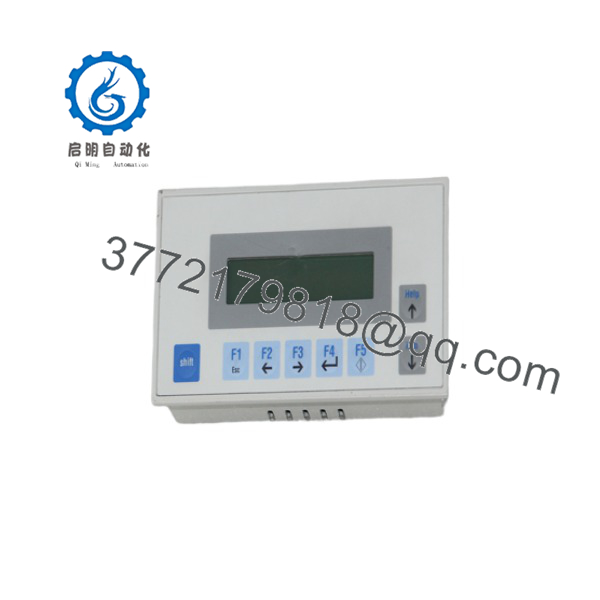
EPM-H310
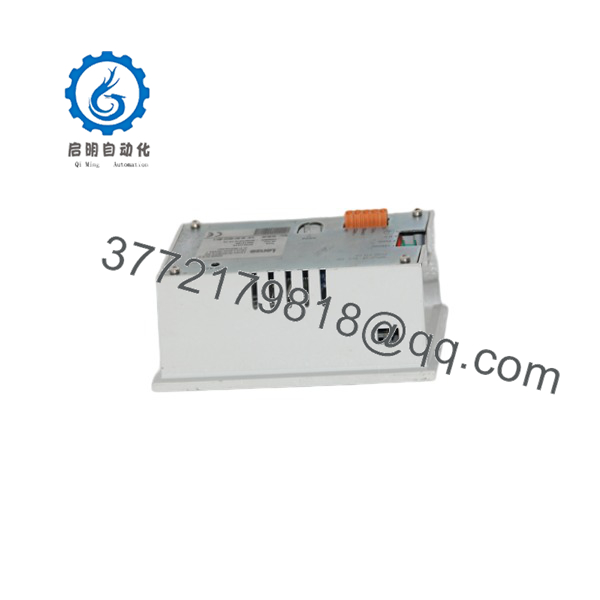
EPM-H310
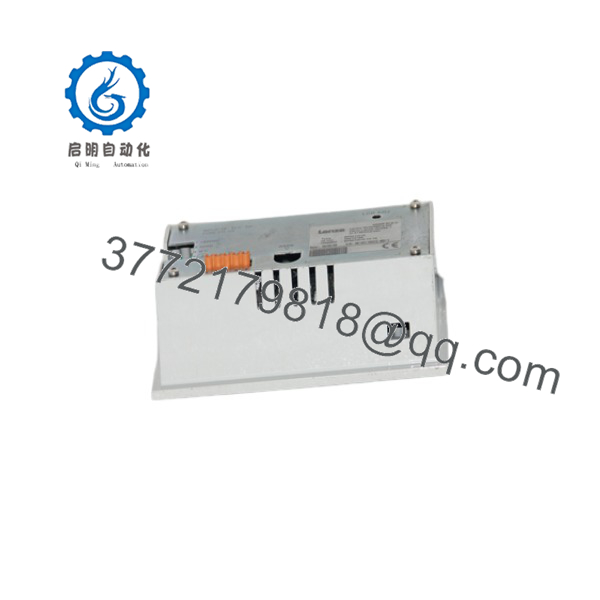
EPM-H310
Frequently Asked Questions (FAQ)
Why is this Lenze EPM-H310 listed lower than original list price, but higher than used units?
This unit is original New Surplus stock. You are purchasing an unused industrial module with zero operating hours, full display brightness, and intact factory sealing. It is priced below OEM list cost, yet avoids the high failure risks of second-hand or refurbished units.
Are these parts genuinely unused and original Lenze manufacture?
Yes. Every unit is sourced from verified project surplus, plant reserve inventory, or canceled system builds. They feature original PCB traces, clean connector pins, and untouched membrane surfaces. Packaging is opened strictly for quality control verification.
Is the Lenze an obsolete or End-of-Life (EOL) component?
Yes, the operator panel series has been discontinued by Lenze. Because factory replacements are no longer in active production, stocking 1–2 critical buffer units on-site prevents prolonged downtime when an existing panel fails.
Can I hot-swap this operator panel while the machine is running?
No. Hot-swapping operator interface terminals is not recommended. Removing or plugging in the 24 VDC power connector while energized can spark voltage spikes that damage internal logic components or corrupt serial data lines. Always de-energize panel power prior to swapping.
Does replacing the require downloading the panel application project?
Yes. Modern HMI panels store user screen layouts and tag mapping in internal flash memory. Unless replacing a unit with pre-loaded project memory, you must upload the application project using Lenze configuration software before returning the machine to production.
What warranty coverage is included with this New Surplus unit?
Each includes a 1-year functional warranty. Every panel undergoes complete physical checks, power-up testing, and LCD display segment verification prior to dispatch.



