WhatsApp: +86 16626708626
 Email:
 Phone: +86 16626708626
Description
Key Technical Specifications
| Parameter | Value |
|---|---|
| Manufacturer | MDB Systems |
| Model | MLSI-DR11-W |
| Board revision example | 40040376 Rev. C |
| Product family | DR11-W-compatible parallel I/O interface |
| Bus compatibility | DEC Q-Bus / Unibus; PDP-11 and LSI-11 family systems |
| Interface function | 16-bit parallel data transfer, control/status signaling, interrupts, DMA |
| Power requirement | +5 V DC, approximately 2.5 A typical |
| Form factor | Q-Bus / Unibus slot card |
| Primary use | Legacy industrial control, data acquisition, test equipment, and DEC-based systems |
| Application environment | PDP-11 / LSI-11, VAX-family installations using DR11-W parallel I/O |
| Condition | Used, pulled from working equipment and function-tested |
| Warranty | 1 year |
The MLSI-DR11-W is documented as an MDB Systems Q-Bus interface module providing general-purpose parallel I/O and DMA capability for DEC PDP-11 and VAX-family environments. Supplier listings also identify it as a 16-bit DR11-W parallel interface with DMA, control/status signaling, interrupt capability, and approximately 2.5 A at +5 V DC.
Product Introduction
The MDB Systems MLSI-DR11-W is a legacy Q-Bus/Unibus interface board that provides DR11-W-compatible 16-bit parallel I/O and direct memory access for DEC PDP-11 and LSI-11 systems. It handles parallel data transfer, control and status lines, interrupt operation, and DMA transfers in older industrial, laboratory, and embedded control installations.
This board is intended for maintaining existing DEC-based equipment, not for new PLC or DCS installations. Its value is exact legacy compatibility: it preserves the established DR11-W wiring, software addressing, and interrupt/DMA behavior rather than forcing a controller retrofit.
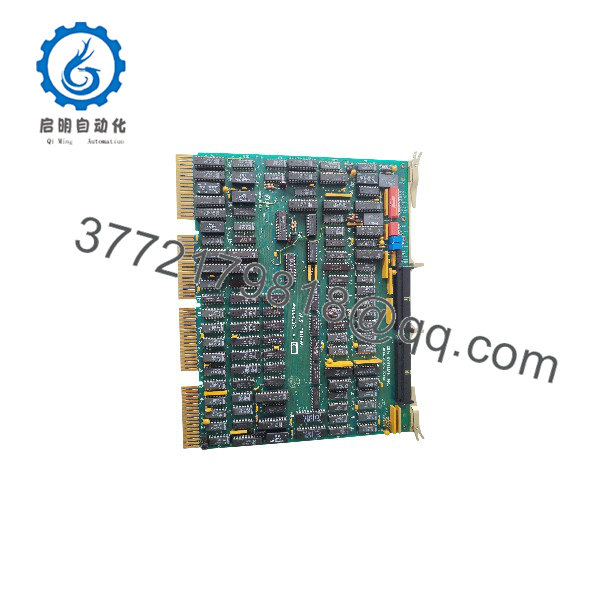
MLSI-DR11-W
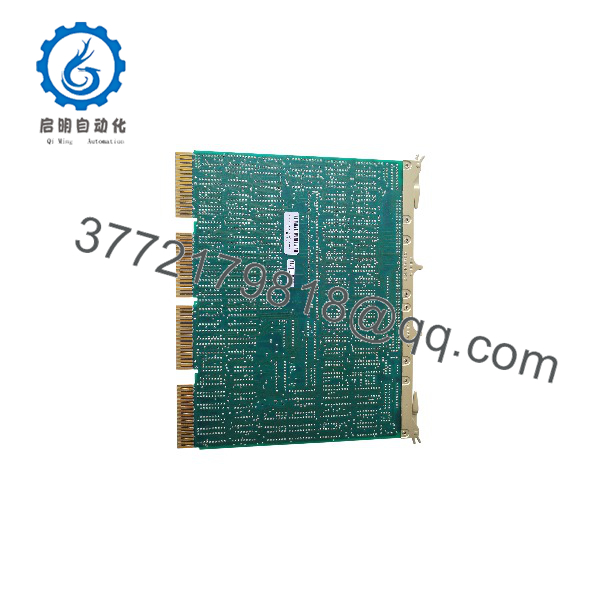
MLSI-DR11-W
Troubleshooting Quick Reference
| Symptom | Possible Cause | Relevance to this Part | Quick Check Method | Recommendation |
|---|---|---|---|---|
| System does not recognize the board | Incorrect slot, backplane jumper/switch setting, or failed bus connection | ✅ High | Power down, reseat the board, verify Q-Bus/Unibus slot compatibility and address/configuration jumpers | Correct the slot and configuration before assuming board failure |
| No +5 V DC current draw or system will not boot | Backplane fuse, power-supply fault, shorted board, or poor edge-connector contact | ✅ High | With power off, inspect edge connectors for corrosion or bent pins; measure +5 V DC at the backplane with the board removed | Verify backplane power first; do not install a suspected shorted board repeatedly |
| DMA transfer fails or data is corrupted | Incorrect CSR/vector configuration, cable fault, or conflict with another bus device | ✅ High | Check the assigned CSR address, interrupt vector, and priority; disconnect the external DR11-W cable and retest | Resolve address/vector conflicts and cable faults before replacing the board |
| Parallel I/O lines do not respond | External cable damage, broken ground, or incorrect handshake timing | ⚠️ Medium | Check continuity on the DR11-W cable and verify the external device’s handshake lines with a logic probe or oscilloscope | Repair or replace the cable; confirm external-device timing |
| Intermittent system lockups | Marginal backplane contact, overheating, or electrical noise | ⚠️ Medium | Reseat the board, clean contacts with approved electronics cleaner, and check cabinet airflow | Improve seating and cooling; monitor before ordering a replacement |
| Board physically damaged or corroded | Moisture ingress, battery leakage from nearby components, or long-term storage damage | ✅ High | Inspect for corrosion, damaged traces, burnt components, and bent connector pins | Do not power a visibly damaged board; request photos and a tested replacement |
| Works in one system but not another | Different Q-Bus/Unibus revision, address map, or system software configuration | ⚠️ Medium | Compare bus type, CSR/vector settings, and OS device-driver configuration between systems | Match the original system’s configuration; verify software support before installation |
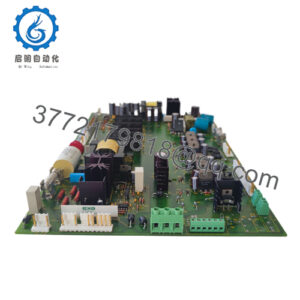
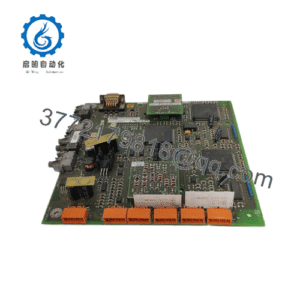
If the board still fails after these checks, send clear photos of both board faces, the revision/silkscreen markings, jumper settings, and the host system’s boot or diagnostic output to technical support.
Frequently Asked Questions
Can I hot-swap the MLSI-?
No. This is a legacy Q-Bus/Unibus board, not a modern hot-swappable I/O module. Shut down the host, remove power, and wait for capacitors to discharge before installing or removing it.
Is this board compatible with both Q-Bus and Unibus systems?
It is described as a DR11-W-compatible interface for DEC PDP-11 and LSI-11 family systems, but Q-Bus and Unibus are not always interchangeable at the physical and electrical level. Verify the exact host system, backplane, and board revision before installation.
Does it support DMA?
Yes. The MLSI-DR11-W provides direct memory access in addition to parallel I/O, control/status signaling, and interrupt capability.
Will it work in a modern PLC or DCS?
No. It is a DEC PDP-11 / LSI-11-era computer bus interface, not a PLC I/O card or fieldbus module. For a modern control-system retrofit, you need a protocol gateway or a redesigned I/O interface.
Can I use it as a direct replacement for an original DEC DR11-W?
It is DR11-W-compatible, but confirm the CSR address, interrupt vector, priority, cable pinout, and software driver configuration before substitution. A mismatch in any of these can look like a failed board.
Why is this unit used rather than new surplus?
MDB Systems stopped producing this legacy interface long ago. Available stock is typically pulled from decommissioned DEC-based systems, then inspected and function-tested; it is not factory-sealed new production.
What should I check before ordering?
Photograph the board’s silkscreen, revision code, jumper positions, and connector area. Small revision differences can affect configuration and compatibility, so match the installed board as closely as possible.