
 WhatsApp: +86 16626708626
 Email:
  Phone: +86 16626708626
Description
Key Technical Specifications
| Parameter | Value |
|---|---|
| Manufacturer | Mean Well |
| Model Number | DRP-240-24 |
| Product Series | DRP Series |
| Product Type | DIN Rail Switching Power Supply |
| Rated Output Power | 240 W |
| Output Voltage | 24 V DC |
| Output Current | 10 A |
| Input Voltage Range | 100–240 V AC |
| Input Frequency | 50/60 Hz |
| Mounting Type | DIN Rail Mount |
| Efficiency | Up to approximately 88% |
| Protection Features | Short circuit, overload, overvoltage protection |
| Cooling Method | Free air convection |
| Application | Industrial control panels, PLC systems, automation equipment |
Product Introduction & Supply Chain Strategy
The Mean Well DRP-240-24 is a DIN rail mounted 24 V DC switching power supply designed for industrial control cabinets, PLC systems, automation equipment, and machine electrical assemblies. It converts AC input power into a regulated 24 V DC supply for control components, sensors, relays, and I/O systems.
Maintaining DRP-240-24 as New Original / New Surplus inventory supports reliable spare planning for industrial facilities. Power supplies are common single points of failure in control cabinets. Keeping appropriate buffer stock reduces unplanned downtime, avoids emergency purchasing premiums, and improves Total Cost of Ownership (TCO) through planned replacement strategies.
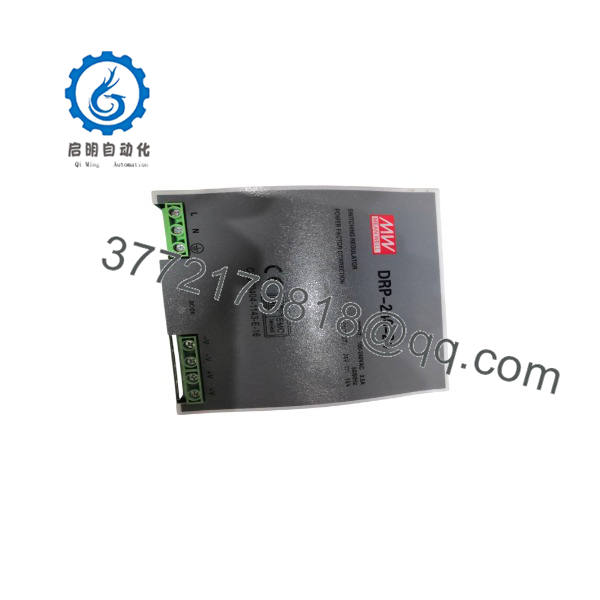
DRP-240-24
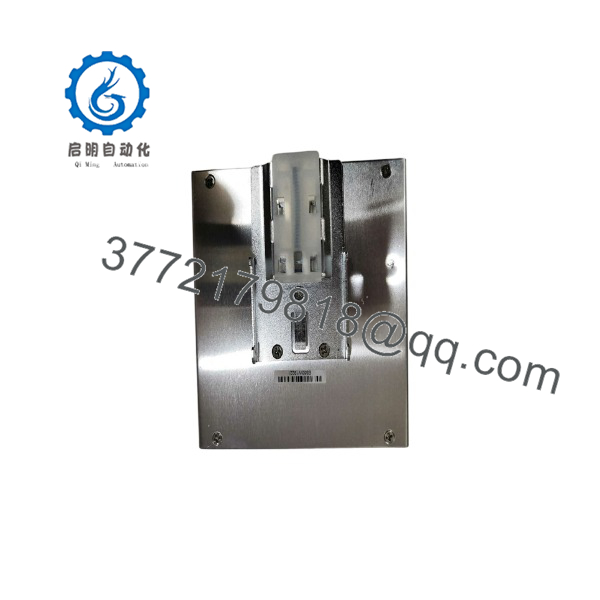
DRP-240-24
Installation & Configuration Guide
Stage 1: Pre-Installation (Prep & Safety)
- Apply lock-out/tag-out procedures before opening the electrical cabinet.
- Disconnect incoming AC power.
- Verify the absence of voltage using an approved multimeter.
- Wear an ESD wrist strap when handling connected control equipment.
- Record the existing power supply configuration:
- Input voltage
- Output voltage
- Connected load
- Terminal wiring
- DC load current requirements
Required tools:
- Digital multimeter
- Insulated screwdriver
- Torque screwdriver
- ESD protection equipment
Stage 2: Removal
- Confirm all AC and DC circuits are isolated.
- Disconnect AC input terminals.
- Disconnect 24 V DC output wiring.
- Release the DIN rail locking clip.
- Remove the DRP-240-24 carefully from the mounting rail.
Inspect:
- DIN rail condition
- Terminal blocks
- Wiring insulation
- Cabinet ventilation
Stage 3: Installation (Clone & Seat)
- Confirm replacement specifications:
- 24 V DC output
- 240 W capacity
- 10 A current rating
- Compatible cabinet voltage
- Mount the unit securely on the DIN rail.
- Connect AC input wiring according to terminal markings.
- Connect 24 V DC output terminals.
- Verify polarity before energizing.
Power supply sizing check:
- Confirm connected load remains below rated capacity.
- Maintain approximately 20% power margin for transient loads.
Stage 4: Power-On & Testing
- Verify wiring polarity and terminal tightness.
- Measure AC input voltage.
- Energize the power supply.
- Measure DC output voltage:
- Expected output: approximately 24 V DC
- Check:
- Power indicator
- Output stability
- Connected PLC/I/O operation
- Monitor the system under normal operating load.
Confirm:
- No overload condition
- No excessive heating
- Stable 24 V DC supply
Firmware/Software Versions & Upgrade Notes
- Recommended Firmware: Not applicable. The DRP-240-24 is a power supply unit without user-configurable firmware.
- Configuration Requirement: Verify electrical specifications rather than software compatibility.
- Replacement Compatibility Checks:
- Output voltage: 24 V DC
- Current rating: 10 A
- Output power: 240 W
- Input voltage range
- Physical DIN rail dimensions
- Upgrade Warning: Firmware migration does not apply. However, replacing a power supply with an incorrect voltage or insufficient current rating can damage connected automation equipment.
Recommended records before replacement:
- Existing PSU model
- Measured operating load
- Connected equipment list
- Cabinet power calculation
Frequently Asked Questions (FAQ)
Q1: Is the Mean Well DRP-240-24 supplied as a new unit?
Yes. The supplied is a Brand New Surplus unit. It is not pulled from retired equipment and not refurbished. Units are checked for model identification, external condition, and storage quality before shipment.
Q2: Why is New Surplus pricing different from standard distribution pricing?
New Surplus inventory comes from industrial stock channels. It provides an alternative procurement option for maintenance teams supporting existing automation installations.
Q3: Why keep a spare in plant inventory?
A failed 24 V DC supply can shut down PLCs, sensors, and control circuits. Maintaining one spare unit for critical cabinets reduces restoration time after unexpected failures.
Q4: Can the replace another 24 V DC power supply?
Only after verifying electrical and mechanical compatibility. Check output current, power rating, input voltage, terminal arrangement, and DIN rail dimensions before replacement.
Q5: Does the require software configuration?
No. The unit is a hardware power supply and does not require programming. Correct wiring and electrical sizing are the primary installation requirements.
Q6: What warranty applies to New Surplus units?
Warranty coverage applies to the supplied hardware condition. Installation errors, incorrect wiring, overload conditions, and external equipment faults are not considered product defects.
Q7: How should inventory levels be managed?
Use Min/Max levels based on cabinet criticality, installed quantity, failure history, and lead time variability. For production-critical systems, maintain buffer stock and consider vendor consolidation to reduce supply risk.



