
 WhatsApp: +86 16626708626
 Email:
  Phone: +86 16626708626
Description
Key Technical Specifications
| Parameter | Value |
|---|---|
| Manufacturer | MEAN WELL |
| Model | EDR-150-24 |
| Series | EDR-150 |
| Product Type | Industrial DIN rail AC/DC power supply |
| Number of Outputs | 1 |
| Rated Output Voltage | 24 VDC |
| Rated Output Current | 6.5 A at 230 VAC; 5.2 A at 115 VAC |
| Rated Output Power | 156 W at 230 VAC; 125 W at 115 VAC |
| Output Adjustment Range | 24–28 VDC |
| Input Voltage | 90–264 VAC; 127–370 VDC |
| Input Frequency | 47–63 Hz |
| Efficiency | 87% typical |
| Ripple & Noise | 150 mVp-p maximum |
| Voltage Tolerance | ±1.0% |
| Line Regulation | ±0.5% |
| Load Regulation | ±1.0% |
| Operating Temperature | −20 to +60 °C, with derating |
| Operating Humidity | 20–95% RH, non-condensing |
| Dimensions | 40 × 125.2 × 113.5 mm (W × H × D) |
| Mounting | TS-35/7.5 or TS-35/15 DIN rail |
| Cooling | Free-air convection |
| Protections | Short circuit, overload, overvoltage, overtemperature |
| Isolation | 3 kV |
| Warranty | 2 years |
The manufacturer’s datasheet specifies 24 V output, 6.5 A at 230 VAC, 5.2 A at 115 VAC, 90–264 VAC input, 24–28 V adjustment, 150 mVp-p maximum ripple/noise, and 87% typical efficiency. Current distributor data also lists 3 kV isolation and the 40 × 125.2 × 113.5 mm dimensions.
Important load-sizing point: Do not treat the “150 W” family designation as a universal 156 W rating. The published specification gives 156 W at 230 VAC and 125 W at 115 VAC. The actual usable output also depends on ambient temperature and the published derating curve.
Product Introduction
The MEAN WELL EDR-150-24 is a single-output industrial DIN rail power supply that converts 90–264 VAC or 127–370 VDC input to regulated 24 VDC. It provides up to 6.5 A at 230 VAC, with a 24–28 V adjustable output.
The unit is intended for control cabinets, factory automation equipment, industrial control systems, and other 24 VDC loads. It uses free-air convection cooling and provides short-circuit, overload, overvoltage, and overtemperature protection.
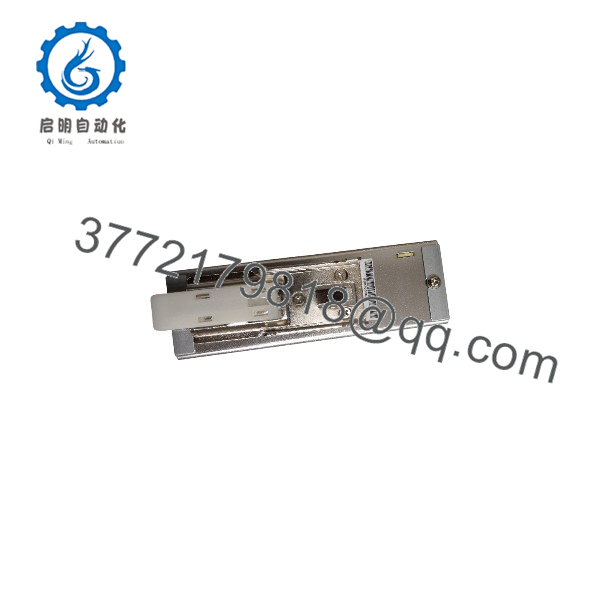
EDR-150-24
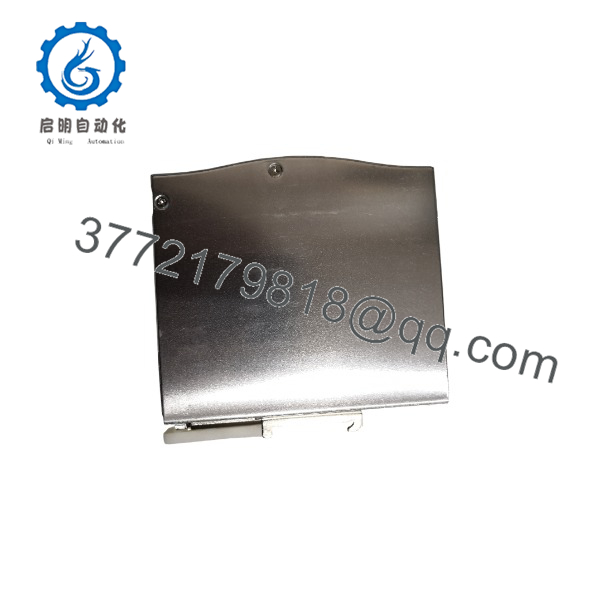
EDR-150-24
Installation & Configuration Guide
Stage 1: Pre-Installation Preparation — Approximately 5–10 Minutes
⚠️ Safety First
- Notify operations and establish the approved maintenance window.
- Put the connected automation equipment into a safe state.
- Apply lockout/tagout (LOTO) to the incoming AC/DC supply.
- Verify the input terminals are de-energized with a properly rated multimeter.
- Wait for stored energy to discharge before touching the wiring.
- Confirm the replacement is specifically EDR-150-24, not another EDR-150 output-voltage variant.
Tools Required
- ESD wrist strap where appropriate
- Properly rated multimeter
- Insulated screwdriver
- Wire labels
- Smartphone or camera
- Torque screwdriver if the cabinet specification requires controlled terminal torque
Data Backup
- Photograph the existing power supply and all terminal wiring.
- Record incoming L/N or DC polarity connections.
- Record the 24 VDC positive and negative distribution.
- Identify which PLC, I/O, sensors, relays, network equipment, or other loads are powered from the unit.
- Measure the existing 24 VDC output before removal if the system is still operating.
- Calculate the connected load rather than assuming the existing supply has adequate spare capacity.
⚠️ Do not use the power supply’s 6.5 A rating as your target continuous load. Leave practical capacity for startup current, inductive loads, temperature derating, and future changes.
Stage 2: Removing the Old Module — Approximately 5 Minutes
- Isolate and verify the incoming power.
- Photograph the complete terminal arrangement.
- Label every conductor before removal.
- Disconnect the AC/DC input wiring.
- Disconnect the 24 VDC output wiring.
- Release the DIN rail retaining mechanism.
- Remove the old power supply from the rail.
- Inspect the DIN rail and surrounding cabinet area for loose hardware, contamination, or heat damage.
- Check the conductors for discoloration or insulation damage.
⚠️ Keep the original power supply available until commissioning is complete. A wiring photograph is useful, but the original terminal markings are an additional reference if a conductor label becomes unclear.
Stage 3: Installing the New Module — Approximately 5 Minutes
- Verify the replacement label reads EDR-150-24.
- Confirm that the cabinet provides sufficient ventilation around the power supply.
- Mount the unit on TS-35/7.5 or TS-35/15 DIN rail.
- Engage the DIN rail retaining mechanism completely.
- Connect the incoming AC or DC supply according to the terminal markings.
- Verify DC polarity carefully if using DC input.
- Connect the 24 VDC output to the existing distribution.
- Confirm that no load conductor has accidentally been connected to the input terminals.
- Check all terminal connections mechanically.
- Confirm that the output adjustment potentiometer has not been unintentionally changed.
Self-Checklist
- EDR-150-24 confirmed
- DIN rail latch secured
- Input voltage within 90–264 VAC or 127–370 VDC
- AC/DC polarity checked
- 24 VDC output wiring checked
- Load current calculated
- Ventilation clearance adequate
- Terminals secured
Stage 4: Power-On & Testing — Approximately 10 Minutes
- Keep downstream equipment in a controlled state during initial energization.
- Energize the incoming supply.
- Measure the DC output with a calibrated multimeter.
- Verify approximately 24 VDC at the output under the initial load.
- If required by the application, adjust the output within the specified 24–28 VDC range.
- Energize downstream PLC/I/O and instrumentation loads in the approved sequence.
- Monitor the 24 VDC rail during startup.
- Check for excessive voltage drop at the furthest load.
- Observe the supply for abnormal heating, noise, or repeated protection cycling.
- Return the machine to automatic operation only after the connected control system passes its normal functional checks.
⚠️ Troubleshooting Note: If the output repeatedly shuts down, check for an overloaded 24 VDC bus, short circuit, excessive startup current, or ambient-temperature derating. The EDR-150-24 uses constant-current limiting for overload protection and shuts down its output under overvoltage or overtemperature conditions until the specified recovery procedure occurs.
Frequently Asked Questions (FAQ)
Can the accept both AC and DC input?
Yes. The published specification allows 90–264 VAC or 127–370 VDC input. For DC operation, the manufacturer’s specification identifies the AC/L and AC/N terminals for the DC connection, so polarity must be checked against the actual terminal markings and current installation documentation before energizing.
Is a 150 W or 156 W power supply?
Both figures appear in the product documentation, but they describe different aspects of the specification. The model belongs to the 150 W series, while the detailed electrical specification he at 156 W at 230 VAC and 125 W at 115 VAC.
For cabinet load calculations, use the detailed manufacturer’s rating rather than the series name.
Can I adjust the output above 24 VDC?
Yes. The specified adjustment range is 24–28 VDC.
That does not mean every connected device should receive 28 V. PLCs, sensors, relays, and communication equipment may have different allowable supply ranges. Check the downstream equipment specifications before changing the factory setting.
What happens if the 24 VDC load exceeds the rated current?
he provides overload protection using constant-current limiting. The documented overload threshold is approximately 105–130% of rated output power at 230 VAC and 105–150% at 115 VAC, with automatic recovery after the fault is removed.
In practice, a repeated overload should be investigated rather than treated as normal operation. Check the total steady-state load and startup current of valves, contactors, relays, motors, and other inductive equipment.
he be installed in a PLC control cabinet?
Yes. It is specifically designed as an industrial DIN rail power supply and can mount on TS-35/7.5 or TS-35/15 rails. MEAN WELL specifies free-air convection cooling, so cabinet layout and airflow matter.
Do not mount it directly against heat-producing equipment without checking the applicable clearance and derating requirements.
Is still available?
Yes. Unlike the earlier legacy B&R modules, is currently listed as an active MEAN WELL product. Current distributor listings show the exact manufacturer part number and current commercial availability.
For procurement, distinguish between Factory Sealed/New Original and refurbished or surplus stock. Ask for the actual unit condition, manufacturing label, warranty terms, and test documentation rather than relying only on a generic product listing.
Why is a rent sometimes priced differently between suppliers?
he has an established distribution channel, so pricing can vary with distributor stock, quantity, region, and warranty terms. Current distributor data also shows that the product remains commercially active rather than being a discontinued legacy component.
For a production-critical replacement, compare the exact manufacturer part number, condition, warranty, delivery date, and traceability instead of comparing unit price alone.



