WhatsApp: +86 16626708626
 Email:
 Phone: +86 16626708626
Description
Key Technical Specifications
| Parameter | Published specification |
|---|---|
| Model | MEC-325 |
| Manufacturer identified in listings | Shanghai Sibotech Automation |
| Device category | Industrial communication gateway |
| Ethernet protocol | EtherNet/IP |
| Serial protocols | Modbus or general serial data mode |
| Serial interface | RS-485 or RS-232, depending on configuration |
| Ethernet ports | 2 × 10/100 Mbps |
| Ethernet switching | Integrated switch; two ports share one logical IP interface |
| Modbus operating mode | Master |
| Supported Modbus functions | 01, 02, 03, 04, 05, 06, 0F, and 10 hex |
| Maximum Modbus command entries | Up to 100 configured commands |
| Maximum EtherNet/IP input data | 492 bytes; general serial mode has a lower limit |
| Maximum EtherNet/IP output data | 492 bytes; general serial mode has a lower limit |
| Supply voltage | 24 VDC nominal; 11–30 VDC range |
| Current consumption | 70 mA at 24 VDC |
| Operating temperature | −40°C to +60°C |
| Relative humidity | 5–95%, noncondensing |
| Dimensions | 25 × 100 × 90 mm |
| Mounting | 35 mm DIN rail |
| Enclosure protection | IP20 |
Source: MEC-325 technical listings from Sibotech-related product channels. Confirm the applicable manual for the exact serial mode, data limits, and firmware revision.
Product Introduction & Supply Chain Strategy
The MEC-325 is intended for applications where serial equipment must exchange data with an EtherNet/IP-based automation network. In Modbus master mode, it can communicate with supported Modbus serial devices; in general mode, it can transfer configured serial data. Its dual Ethernet ports support daisy-chain wiring where the network design permits it.
For procurement, confirm the manufacturer, serial interface, protocol mode, and configured data mapping before selecting a replacement. A gateway with the same model designation may still require configuration to match the existing installation. For production-critical communication links, keep a verified configuration backup and assess whether a spare gateway would reduce recovery time after failure.
Installation & Configuration Guide
Stage 1 — Pre-installation checks
- Verify the model marking and manufacturer on the physical label.
- Confirm whether the serial port is RS-485 or RS-232.
- Record the existing EtherNet/IP configuration and serial communication settings.
- Back up gateway configuration, including Modbus commands, register mappings, baud rate, parity, and stop bits.
- Confirm that the 24 VDC supply remains within the specified 11–30 VDC range.
Stage 2 — Remove the existing unit
- Follow the site’s isolation and lockout/tagout procedures.
- De-energize the gateway before disconnecting its wiring.
- Label Ethernet, serial, and power connections.
- Record network topology and the current IP address.
- Inspect terminal blocks, connectors, and DIN-rail mounting for damage.
Stage 3 — Install and configure
- Mount the gateway securely on a compatible 35 mm DIN rail.
- Connect the specified DC supply with correct polarity.
- Wire the serial device according to the selected RS-485 or RS-232 interface.
- Connect the Ethernet network and verify that the IP address does not conflict with another device.
- Restore the documented protocol mode, serial settings, and data mapping using the supported configuration procedure.
Stage 4 — Power-on and communication testing
- Verify the supply voltage and any available status indicators.
- Check Ethernet link and network reachability.
- Confirm serial communication using the connected device’s documented settings.
- Test representative read and write transactions, where supported.
- Verify data scaling, byte order, timeout handling, and communication-loss behavior in the PLC or EtherNet/IP scanner.
Installation caution: Do not assume that configuration is automatically retained when a gateway is replaced. Keep a verified backup and confirm communication with both sides of the gateway before returning the machine to service.
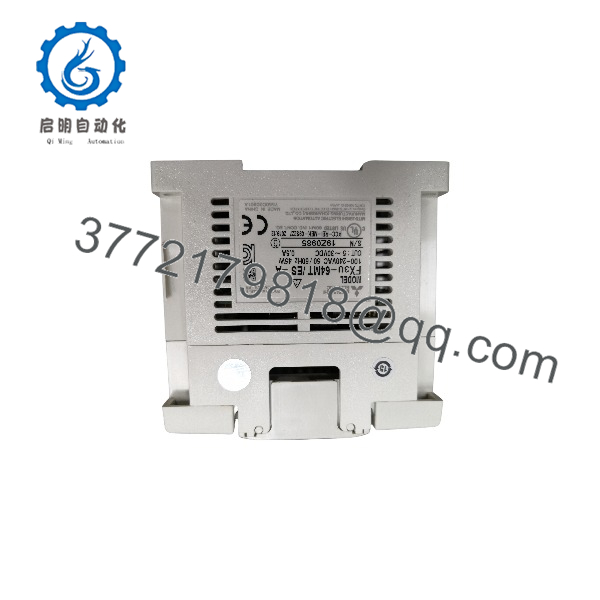
MEC-325
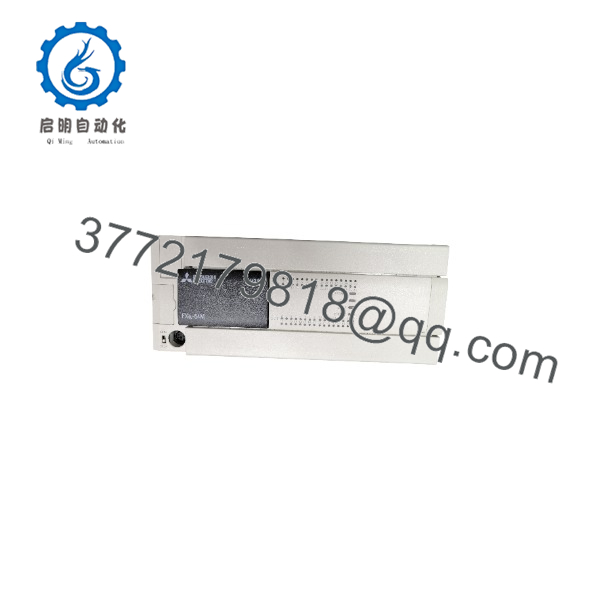
MEC-325
Firmware, Software & Configuration Notes
The available listings describe the gateway’s communication functions but do not establish a verified firmware version or a specific configuration-software release for every MEC-325 revision.
- IP configuration: Record the existing IP address and network settings before replacement.
- Serial configuration: Match interface type, baud rate, parity, stop bits, and any general-mode framing parameters.
- Modbus mapping: Confirm function codes, register addresses, command order, and data representation.
- Data limits: Respect the applicable EtherNet/IP data-size limit for the selected operating mode.
- Firmware: Do not load firmware from another gateway model or hardware revision without manufacturer confirmation.
- Configuration transfer: Verify that a saved configuration is compatible with the replacement unit before downloading it.
The product listings describe automatic priority reduction for disconnected Modbus slave devices as an available feature in Modbus master mode. Confirm whether it is enabled and how the PLC handles failed-device status in the actual application.
Frequently Asked Questions
Q1. What does the MEC-325 do?
It bridges EtherNet/IP networks and serial devices, allowing supported Modbus or other configured serial data to be exchanged with an EtherNet/IP system.
Q2. Is the MEC-325 made by Mitsubishi Electric?
The listings located for this model identify Shanghai Sibotech Automation as the manufacturer. They do not establish as a Mitsubishi Electric product. Verify the physical nameplate if your inventory record lists Mitsubishi as the brand.
Q3. Does it support RS-485 and RS-232?
Product listings describe RS-485 or RS-232 serial interfaces, depending on configuration. Confirm the exact hardware variant before ordering; do not assume both interfaces are available on every unit.
Q4. What power supply does it require?
The published specification is 24 VDC nominal, with an operating range of 11–30 VDC and typical consumption of 70 mA at 24 VDC. Confirm the label and manual before energizing the unit.
Q5. Can it connect several serial devices?
In Modbus master mode, the listed configuration supports up to 100 Modbus command entries. That figure is not necessarily the number of physical devices supported; the actual device count and polling performance depend on the configuration and network design.
Q6. Is it still in production?
The sources reviewed do not establish its current production status. Confirm availability, repair support, and configuration-tool access with the manufacturer or supplier before creating a long-term stocking plan.
Q7. How should New Original or New Surplus condition be verified?
Request photos of the actual gateway and nameplate, the full model marking, available serial or date-code information, and written confirmation of condition and warranty. Do not infer new condition from a clean housing alone.