
 WhatsApp: +86 16626708626
 Email:
  Phone: +86 16626708626
Description
Key Technical Specifications
- Model: C-870V1
- Common Associated Code: KP1265 / KP1265-2
- Manufacturer: MELEC Inc.
- Product Type: PCI motion-control board
- Host Interface: Legacy PCI expansion bus
- Controlled Motor Types: Servo motors and stepper motors through external compatible drives
- Axis Capacity: Up to 4 axes in external-clock configuration
- Pulse Output Role: Generates motion-command pulses for external motor drivers
- Control Function: Coordinated positioning and velocity control
- Feedback Architecture: Depends on the installed MELEC system, external drives, and motion application
- External Clock Support: C-870V1 is specified for applications requiring external-clock operation in a 4-axis configuration
- Host System Requirement: Industrial PC with a compatible native legacy PCI slot
- Application Example: Used in an astronomical camera system to operate Portescap EDB453-00 motor drivers through a C-870V1 PCI controller board
- Lifecycle Status: Legacy/obsolete motion-control hardware; verify complete model, PCB revision, firmware, connector type, driver software, and host OS before purchase
The manufacturer documentation identifies the C-870V1 as the required configuration where an application needs external-clock operation with four axes. The available public references do not provide a complete verified electrical pinout, pulse-voltage level, maximum pulse frequency, supported operating-system list, or connector assignment.
Product Introduction
The MELEC C-870V1 is a legacy PCI motion-control board used to command external servo and stepper motor drives from an industrial computer. It supports multi-axis positioning applications where software must generate coordinated pulse commands for machine axes, instruments, stages, or specialized automation equipment.
This controller is typically purchased as an exact board-level spare because its host PCI interface, application software, driver library, external cable harness, and connected servo/stepper amplifiers are system-specific. The C-870V1 is documented for four-axis external-clock applications. Verify the installed KP1265 identifier, board revision, motion library, host operating system, and cable pinout before ordering.
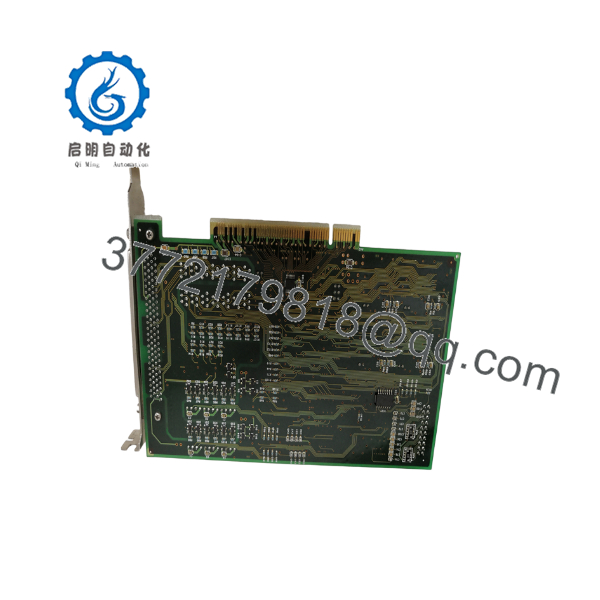
C-870V1
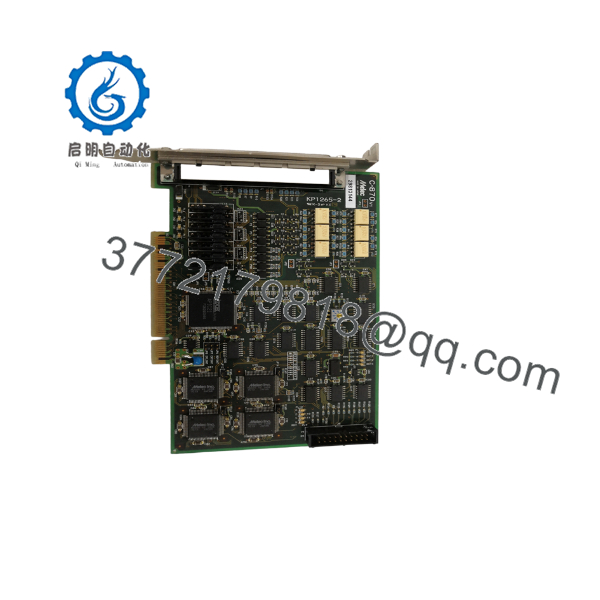
C-870V1
Troubleshooting Quick Reference
| Symptom | Possible Cause | Relevance to This Part | Quick Check Method | Recommendation |
|---|---|---|---|---|
| Board is not detected by the industrial PC | Incompatible PCI slot, BIOS issue, OS driver mismatch, poor PCI seating, or board failure | ✅ High | Shut down the PC, reseat the card, confirm a native legacy PCI slot, then check Device Manager or the MELEC application diagnostic utility | Verify host-PC PCI compatibility and driver version before replacing the C-870V1 |
| One or more axes will not move | Drive inhibit, missing control power, open pulse cable, wrong axis assignment, limit input active, or failed output channel | ✅ Possible | Check drive-ready and alarm signals, measure drive control power, and inspect pulse-command cable continuity | Test the external drive and machine safety chain before condemning the board |
| Axis moves in the wrong direction | Pulse/direction polarity, motor wiring, drive parameter, or software-axis configuration error | ❌ Usually configuration | Execute a low-speed jog with load disconnected where safe; compare pulse/direction settings against the working configuration | Correct direction configuration in the application or drive; do not randomly swap live wiring |
| Axis stalls or loses position at speed | Pulse frequency too high, acceleration too aggressive, mechanical binding, drive tuning, or signal-integrity issue | ❌ Usually external/configuration | Reduce speed and acceleration; compare actual axis motion with command position; inspect coupling and mechanics | Correct tuning, mechanics, or pulse settings before replacing the board |
| All axes stop simultaneously | Host PC crash, motion software fault, emergency stop, common drive power loss, interlock, or board failure | ✅ Possible | Check PC event logs, application alarms, E-stop circuit, common control supply, and drive fault status | Restore the common system fault first; the board is not automatically the root cause |
| Motion begins but timing is inconsistent | External clock missing/noisy, timing source configuration, PCI bus issue, software process interruption, or board timing fault | ✅ High | Verify external-clock signal with an oscilloscope and compare application clock settings with the old configuration | Confirm clock source, amplitude, frequency, grounding, and configuration before replacing hardware |
| Positioning software cannot initialize | Missing license, wrong DLL/driver version, incompatible operating system, corrupted configuration, or board communication issue | ✅ Possible | Document installed software versions, DLL files, driver version, and error text before changes | Preserve the original PC image or create a backup before installing replacement software |
| System works cold but faults after warm-up | Cabinet heat, PC power supply instability, loose PCI connection, board aging, or external drive heat | ✅ Possible | Run a controlled production-cycle test for 30–60 minutes and record temperature and fault timing | Check host-PC cooling, cabinet temperature, and power rails before replacing the board |
❗ PCI warning: The C-870V1 uses a legacy PCI architecture. It is not a PCI Express card. A physically similar expansion slot is not proof of compatibility. Confirm a native PCI slot, motherboard chipset behavior, BIOS support, operating system, and MELEC driver compatibility before purchase.
❗ Motion warning: Take photos of every cable, connector label, jumper, drive terminal, and axis assignment before removing the existing board. I have seen a replacement board work electrically but move the wrong axis because two identical motion cables were swapped during installation.
❗ External-clock warning: If your machine uses external clocking, verify the signal with an oscilloscope before replacing the C-870V1. A missing or noisy timing source can look exactly like a failed controller: irregular moves, lost synchronization, or no motion at all.
❗ ESD warning: Wear a grounded wrist strap and handle the PCB only by its edges. Install it in an ESD-controlled work area and place the removed card in an antistatic bag immediately.
If troubleshooting stalls, provide technical support with photos of the C-870V1 and KP1265 labels, host-PC motherboard/slot layout, operating-system version, MELEC software version, exact error text, drive fault codes, and motion-cable connector photos.
Frequently Asked Questions (FAQ)
What is the MELEC C-870V1?
The C-870V1 is a legacy PCI motion-control board used in industrial computers to control external servo and stepper motor drives. It provides the motion-command layer; it does not replace the servo amplifier, motor, power supply, or machine safety circuit.
How many axes can the C-870V1 control?
MELEC documentation specifically identifies the C-870V1 for applications requiring external-clock operation with four axes. Actual usable axis count depends on the installed system configuration, motion software, connector hardware, and the exact board revision.
Can I install this board in a modern PCI Express computer?
Not directly. The C-870V1 is a PCI board, while PCI Express uses a different electrical interface. Some industrial PCs include native PCI slots or PCI bridge implementations, but software and timing behavior must still be validated. For an existing production system, the lowest-risk route is usually an identical industrial PC or a verified compatible motherboard.
Is C-870V1 a servo drive?
No. It is a motion-control interface board. It sends motion commands to external servo or stepper drives, which supply power to the motors. If an axis has no torque or shows a drive alarm, inspect the amplifier, motor power, safety chain, feedback, and mechanical load before replacing the C-870V1.
Will I need to reinstall software after replacing the board?
Possibly. The motion application may depend on a specific MELEC driver, DLL version, board identifier, license mechanism, initialization file, or operating system. Before removing the old board, create a full disk image of the host PC and copy the application folder, configuration files, driver installers, and licenses. To be honest, legacy PCI motion systems become difficult when the original PC image is gone.
Can I swap the board while the PC is powered?
No. Shut down the computer, disconnect mains power, wait for the power supply to discharge, and use ESD protection. Inserting or removing a conventional PCI card under power can damage the motherboard, card, and attached motion equipment.
Why is a New Surplus or Refurbished C-870V1 less expensive than a current motion controller?
The C-870V1 is legacy hardware, and supply typically comes from unused project inventory, decommissioned machines, or independent repair channels. New Surplus may be unused but aged stock; Refurbished means a previously used board that was inspected and tested. Request actual board photos, exact revision identification, functional test evidence, warranty terms, return conditions, and ESD-safe packaging.
What testing should a supplier perform before shipment?
A credible test should include visual inspection of PCI edge contacts and connectors, board detection in a compatible PCI industrial PC, driver initialization, verification of each configured axis output, external-clock validation if required, and a controlled motion test with compatible drives. Ask for a dated test report, boot/driver screenshots, and photos or video of the exact C-870V1 under test.



