
 WhatsApp: +86 16626708626
 Email:
  Phone: +86 16626708626
Description
Key Technical Specifications
| Parameter | Specification |
|---|---|
| Model | D201291 |
| Product | metsoACN SR1 Process Controller |
| Manufacturer | Metso Automation / Valmet |
| Product Type | Rail-mounted process control server |
| Process Bus | 10/100Base-T Ethernet |
| Cabinet Field Bus | 3 Mbit/s RS-485 |
| Redundant Bus | 400 kbit/s RS-485 |
| Maximum I/O Groups | 2 |
| Maximum I/O Units with Integrated IBC Function | 16 |
| Ethernet Connector | RJ-45 |
| Field Bus Connection | RJ-45 via MBB/MBR mounting base |
| Memory Interface | SD memory card |
| Housing Dimensions | 125 × 35 × 95 mm (H × W × D) |
| Weight | 380 g |
| Mounting | MBB mounting base or metsoACN I/O group |
| Rear Selector Switches | 8-position selector switch |
| Front Indicators | 16 status LEDs |
The Metso ACN technical documentation specifies the SR1’s physical size as 125 × 35 × 95 mm and its weight as 380 g. It also specifies 10/100 Mbit/s Ethernet for the process bus, 3 Mbit/s RS-485 for the cabinet field bus, and 400 kbit/s RS-485 for redundant buses.
The same documentation states that an SR1 can control up to two metsoACN I/O groups. When SR1 process-controller functionality and IBC process-interface functionality are integrated into one unit, the controller can communicate with up to 16 metsoACN I/O units as one I/O group.
The front-panel SD card stores the startup program and PCS node address data. The documentation also specifies eight rear selector switches, with the normal documented configuration being SW1, SW2, SW3, SW6, SW7, and SW8 OFF; SW4 and SW5 ON.
Product Introduction
The Metso D201291 metsoACN SR1 is a compact rail-mounted process control server designed for metsoACN I/O systems. It communicates with the process bus through 10/100Base-T Ethernet and connects to the cabinet field bus through 3 Mbit/s RS-485. It can operate as part of an ACN I/O group or on its own MBB mounting base.
The SR1 also provides an SD memory-card interface for startup and node-address data, redundant-bus interfaces, and front-panel diagnostic indicators. For legacy Metso DNA installations, these interfaces make the D201291 a system-level controller rather than a conventional analog or digital I/O module.
Installation & Configuration Guide
Stage 1 — Pre-Installation Preparation
Estimated time: 30–45 minutes
- Apply LOTO (Lockout/Tagout) to the affected control cabinet.
- Wait at least 5 minutes after power isolation before handling the controller.
- Wear an ESD wrist strap when removing or installing the D201291.
- Prepare a PH1 screwdriver, calibrated multimeter, wire labels, camera/smartphone, and the applicable Metso ACN documentation.
- Photograph the existing D201291, mounting base, RJ-45 connections, LEDs, SD card, and rear selector-switch positions.
- Record the existing controller address and configuration.
- Back up the applicable Metso DNA/ACN configuration before removal.
- Verify the replacement is marked D201291 / metsoACN SR1.
- Confirm the MBB/MBR mounting-base arrangement before installation.
⚠️ Do not use the generic description “Ethernet module” as the identification criterion. Some aftermarket databases classify as an Ethernet or communication module, while the Metso technical documentation identifies it specifically as the metsoACN SR1 Process Controller.
Stage 2 — Removing the Old Module
Estimated time: 20–30 minutes
- Confirm cabinet power is isolated.
- Verify the applicable supply voltage with a multimeter before disconnecting the controller.
- Photograph and label the Ethernet and field-bus connections.
- Record the positions of all eight rear selector switches.
- Remove or secure the SD memory card according to the site’s backup procedure.
- Disconnect the applicable RJ-45 connections from the mounting-base interface.
- Release the controller’s mechanical retaining mechanism.
- Remove the from its rail-mounted position.
- Inspect the MBB/MBR mounting base and connectors for corrosion, contamination, loose contacts, or mechanical damage.
⚠️ Do not erase or replace the SD memory card until the existing startup program and node-address information have been preserved.
Stage 3 — Installing the New
Estimated time: 25–40 minutes
- Compare the replacement with the removed unit, including identification, physical dimensions, connectors, and selector switches.
- Inspect the replacement controller for shipping damage.
- Install the on the correct mounting base.
- Secure the controller mechanically.
- Reconnect the Ethernet process-bus connection.
- Reconnect the cabinet field-bus connection.
- Restore the SD memory card or approved configuration media as required by the system architecture.
- Verify the controller address configuration.
- Check the eight rear selector switches against the recorded original configuration and the applicable Metso documentation.
- Confirm the controller is connected to no more than the documented two metsoACN I/O groups when operating in the standard SR1 configuration.
- If the integrated IBC function is used, verify the I/O-unit count and topology before startup.
⚠️ Do not copy selector-switch settings from another SR1 installation. Use the original unit and the specific system documentation as the reference.
Stage 4 — Power-On & Testing
Estimated time: 45–90 minutes
- Restore power according to the site’s commissioning procedure.
- Observe the ‘s RUN, LNK, 100, ACT, FB TX/RX, RS TX/RX, and RM TX/RX indicators during startup.
- Verify that the Ethernet link becomes active.
- Confirm whether the Ethernet connection operates at 10 or 100 Mbit/s as expected.
- Verify communication between the SR1 and the process-control system.
- Confirm communication with the connected metsoACN I/O group or groups.
- Check for controller, field-bus, or redundant-bus diagnostic faults.
- Verify that the expected I/O units are visible to the control system.
- Check process values and I/O status against the engineering database.
- Test redundant communication where the installation uses redundant SR1 controllers.
- Confirm that the SD-card startup configuration is correctly loaded.
- Perform controlled I/O tests before returning the process-control system to normal operation.
- Record controller status, communication status, I/O availability, and any diagnostic codes in the maintenance report.
The SR1 provides 16 front-panel indicator lights specifically for monitoring controller status, Ethernet, cabinet field-bus, and redundant-bus activity.
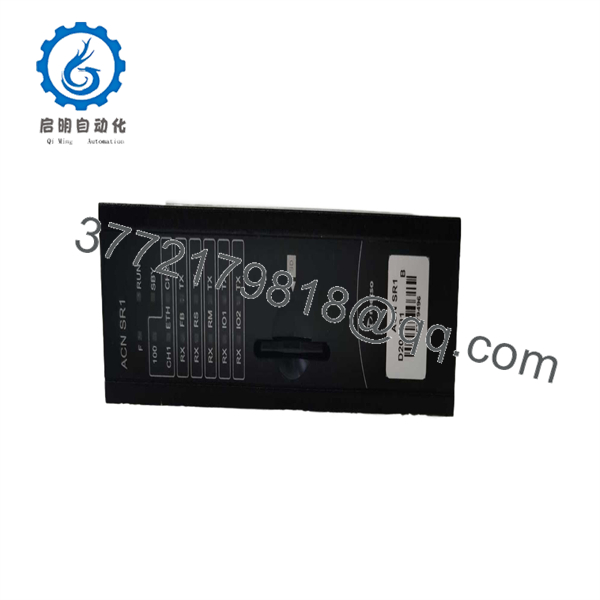
D201291
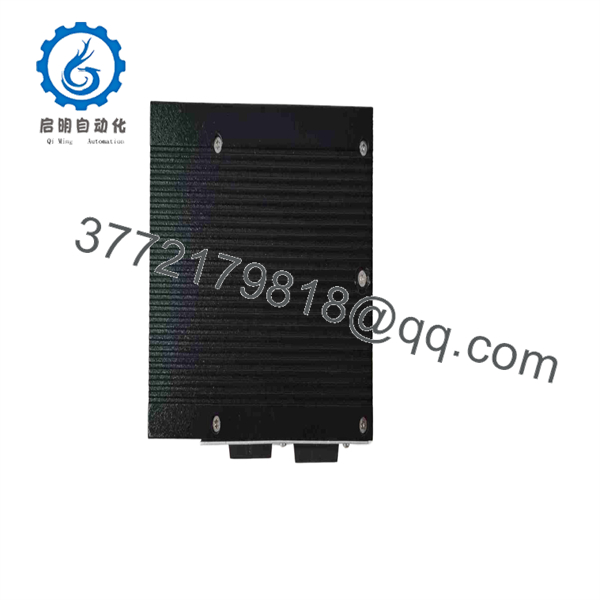
D201291
Frequently Asked Questions (FAQ)
1. What is the Metso ?
The is the metsoACN SR1 Process Controller, a small rail-mounted process control server used with Metso ACN I/O products.
2. Is an Ethernet communication converter?
Some aftermarket databases classify as an Ethernet or communication module, but the Metso ACN technical documentation identifies as the metsoACN SR1 Process Controller. The SR1 uses Ethernet as its process-bus interface, but its overall function is process control rather than simple protocol conversion.
3. How many I/O groups can one control?
The standard SR1 configuration can control up to two metsoACN I/O groups. With integrated IBC process-interface functionality, the documentation states that one SR1 can communicate with up to 16 metsoACN I/O units as one I/O group.
4. What communication interfaces does use?
The documented interfaces include 10/100Base-T Ethernet, a 3 Mbit/s RS-485 cabinet field bus, and a 400 kbit/s RS-485 redundant bus.
5. Does use an SD memory card?
Yes. The SR1 has a front-panel SD memory-card slot. The documentation states that the card stores the startup program and PCS node address data.
6. What are the dimensions of ?
The documented casing dimensions are 125 × 35 × 95 mm (H × W × D), with a listed weight of 380 g.
7. Is obsolete?
Current industrial spare-parts databases identify as discontinued by the manufacturer. Radwell lists the part as a Metso Automation Ethernet module with a memory slot and digital display, while the Metso technical documentation identifies the underlying product as the ACN SR1 process controller.
8. What should I verify before purchasing a ?
Request a clear photograph of the , verify the hardware revision, mounting-base compatibility, selector-switch arrangement, SD-card configuration, and required ACN I/O topology. For an obsolete controller, also specify whether the required unit must be New Original, New Surplus, Refurbished, or Used/Tested.



