
 WhatsApp: +86 16626708626
 Email:
  Phone: +86 16626708626
Description
Key Technical Specifications
- Manufacturer: Metso Automation
- Part Number: D201477
- Module Designation: AOI4C
- Product Category: Analog output module
- System Family: Metso M120 ACN distributed I/O
- Output Channels: 4
- Output Signal Type: Analog current
- Supported Output Ranges: 0–20 mA or 4–20 mA
- Channel Isolation: Isolated current-output channels
- Typical Applications: Control valves, actuator positioners, analog setpoint devices, and external analog controllers
- Installation: Dedicated M120 ACN I/O-system rack or base assembly
- Replacement Requirement: Match the existing AOI4C designation, rack type, field wiring, and system configuration before installation
The D201477 AOI4C is identified in secondary-market listings as a four-channel analog output unit for Metso’s M120 ACN I/O system, providing isolated 0/4–20 mA outputs for actuators and analog control devices. Confirm the precise electrical ratings, load limits, isolation specification, wiring terminal assignment, and supported software revision against the OEM documentation for the installed system before energizing the replacement.
Product Introduction
Metso Automation D201477 AOI4C is a four-channel analog current-output module used in M120 ACN I/O systems. It sends 0–20 mA or 4–20 mA control signals to field devices such as valve positioners, variable-speed-drive references, damper actuators, and analog control interfaces.
Buyers use the D201477 AOI4C when an installed Metso system requires a like-for-like analog output replacement. Four isolated output channels help prevent one field-loop issue from affecting adjacent channels. Verify the rack location, output scaling, channel assignment, and terminal wiring before swapping the module.
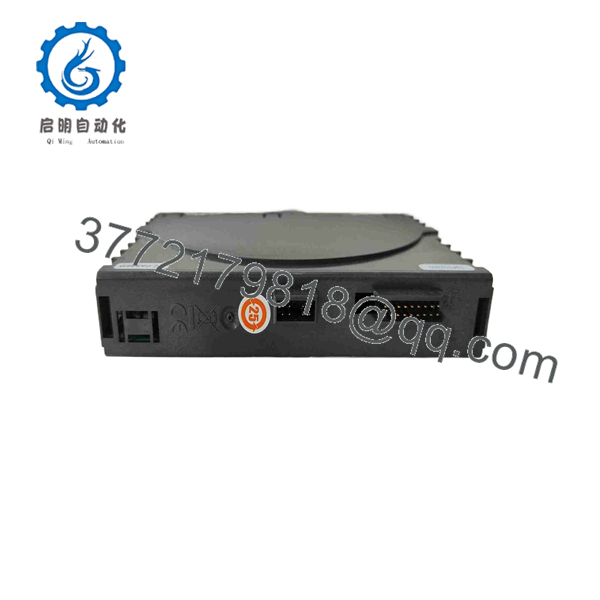
D201477
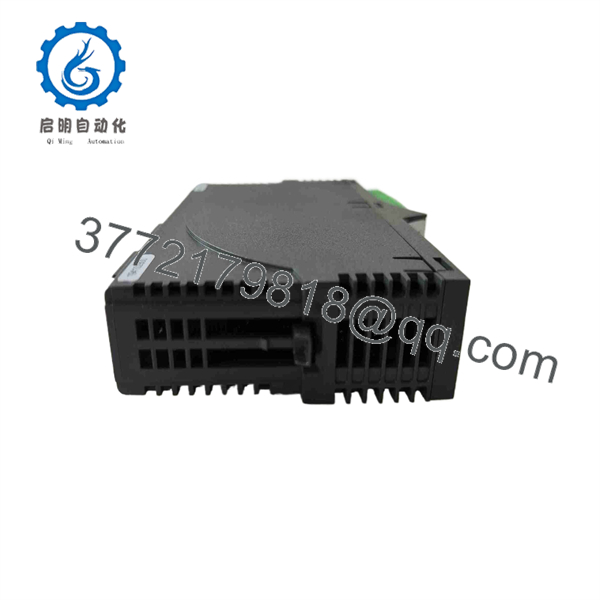
D201477
Troubleshooting Quick Reference
| Symptom | Possible Cause | Relevance to This Part | Quick Check Method | Recommendation |
|---|---|---|---|---|
| No module status LED after power-up | I/O rack supply missing, blown fuse, poor backplane contact, or failed module | ✅ Medium | Isolate power safely, then measure the rack supply at the module position with a calibrated meter. Inspect the module connector and rack contacts for oxidation or mechanical damage. | Confirm rack power and seating before condemning the AOI4C. Replace only after the supply and backplane position check good. |
| One output remains at 0 mA | Incorrect software command, channel disabled, open loop, failed field wiring, or damaged output channel | ✅ High | Command the affected channel to a known value such as 50% output. Measure current in series with the loop or use a loop calibrator. Compare against the PLC/DCS command value. | If command value is correct but the module produces no output with verified field wiring, the channel may have failed. |
| Output is fixed near 20 mA | Open circuit, high loop resistance, transmitter/positioner fault, incorrect scaling, or module output fault | ✅ Medium | Disconnect the field load only under an approved isolation procedure. Check output behavior into an approved test load or calibrator. Review the configured engineering range. | Do not replace the module until you rule out an open field loop and incorrect output scaling. |
| All four channels read incorrect values | Wrong configuration download, common reference/wiring issue, incorrect module type configured, or rack communication fault | ✅ Medium | Compare the configured hardware type with the physical label: D201477 . Check the system diagnostic list and verify each channel’s engineering-unit scaling. | Correct the configuration first. A wrong database or downloaded configuration can imitate a module failure. |
| Output hunts or fluctuates | PID loop tuning, unstable process feedback, shield grounding issue, intermittent terminal connection, or noisy signal routing | ❌ Low to Medium | Trend the command value and measured loop current. If both move together, the controller is commanding the change. If only measured current jumps, inspect wiring and terminals. | Check process control logic, cable shields, and field-device health before replacing the output card. |
| Output does not match commanded percentage | Incorrect 0–20 mA versus 4–20 mA selection, scaling mismatch, excessive load resistance, or calibration drift | ✅ Medium | Force a controlled sequence where permitted: 0%, 50%, and 100%. Verify expected current values against the configured range and field-device requirements. | Confirm range selection and loop load. Replace the module only if the output remains out of tolerance on a known-good test loop. |
| Multiple I/O modules show communication faults | Rack power problem, bus connector issue, controller/network fault, or damaged I/O base | ❌ Low | Check adjacent modules. If several cards report faults together, inspect rack power, bus couplers, connectors, and controller diagnostics. | Do not start by replacing D201477. A multi-module fault usually points upstream. |
| Intermittent analog output after maintenance | Loose terminal, disturbed shield drain, bent connector pin, ESD damage, or incomplete module seating | ✅ Medium | With power isolated, inspect terminal tightness, module latch engagement, connector pins, and shield termination. Review changes made during the maintenance window. | Reseat the module and correct wiring issues. If the fault follows the module to a known-good slot, replacement is justified. |
❗ Field warning: Do not wire analog outputs from memory. A 4–20 mA loop can look simple until a reversed polarity, incorrect common reference, or shield grounded at both ends introduces a fault that wastes a shift.
❗ Before replacement: Photograph the old module, terminals, cable shields, labels, and any configuration references before removal. Then record each output channel’s tag, engineering range, commanded value, and actual measured current.
If the issue remains unclear, send technical support clear photos of the module label, rack position, terminal wiring, LED status, system diagnostics, and a trend or meter reading for the affected loop.
Frequently Asked Questions (FAQ)
Is Metso the same as ?
Yes. is the Metso Automation part number associated with the analog output module designation. It is identified as a four-channel analog-output unit for the M120 ACN I/O system. Still verify the physical label on the installed card, because legacy Metso systems can include similar-looking modules with different signal types or wiring.
Does the provide voltage outputs?
The available product reference identifies as an isolated 0/4–20 mA current-output module. Do not assume it supports 0–10 V output simply because the connected device accepts voltage input. Use an approved signal converter if the field device requires voltage, and confirm the exact output mode from the OEM documentation for your installed revision.
Can I replace only one failed channel?
No. The is a four-channel module, so you replace the complete card when a single output channel is verified defective. Before ordering, prove that the channel fault stays with the card by testing the affected output against a known-good field loop or calibrated load.
Can I hot-swap the ?
Do not assume it is hot-swappable. Older distributed I/O systems often require a controlled shutdown or an approved maintenance procedure, particularly where output modules drive valves, dampers, turbine auxiliaries, or other process equipment. To be honest, treating legacy analog I/O as hot-swappable without the OEM procedure is an unnecessary gamble. Put the loop in a safe state, isolate as required, and follow the site’s lockout and control-room change process.
Will my analog-output configuration stay after the module is replaced?
Usually, the application configuration resides in the controller, engineering database, or system configuration rather than inside a basic analog-output card. But do not rely on that assumption. Record the existing channel ranges, output action, alarming, tag assignments, and any calibration values before removal. After installation, verify each loop at 0%, 50%, and 100% command where the process permits.
What should I verify before ordering a replacement?
Verify these points first:
- The full label reads Metso
- The installed I/O system is M120 ACN
- You need four analog current outputs, not analog inputs or digital outputs
- Your field devices require the installed current-output range
- The rack position, terminal block, and wiring arrangement match
- The system software or hardware database recognizes the replacement module
- The supplier can provide photos of the actual label, terminals, condition, and test evidence
That last point matters. A correct-looking card with an unreadable label or missing terminal hardware is not a safe procurement decision during an outage.
Is this module obsolete, and why can it cost less than factory supply?
The should be treated as a legacy/obsolete spare with limited secondary-market availability. Pricing often differs from current OEM supply because inventory may be surplus stock, recovered inventory, or professionally refurbished material rather than a current-production factory item. Ask for the exact condition in writing: New Original/New Surplus, Factory Sealed, or Refurbished (tested). Do not accept vague wording such as “good condition.”
What testing should a supplier provide for a ?
For a usable industrial spare, request a test record that identifies the exact unit by label and serial number where available. At minimum, the supplier should document:
- Inbound visual inspection for corrosion, rework marks, cracked housings, damaged terminals, and altered labels
- Anti-counterfeit and traceability review using available packing records, labels, serial-number checks, and packaging evidence
- Power-up test in a compatible Metso ACN rack or an equivalent validated test fixture
- Status and communication verification
- Current-output test on all four channels at multiple command points
- Continuous operating or burn-in test with temperature observation where the test setup supports it
- Final ESD-safe packaging, QC identification, and photographs or video on request
Ask whether they can provide a channel-by-channel current test report. If they cannot state the test environment or show the module label, treat the listing as unverified inventory rather than a tested spare.



