
 WhatsApp: +86 16626708626
 Email:
  Phone: +86 16626708626
Description
Key Technical Specifications
| Parameter | Specification |
| Part Number | D201925 (DII12 Series) |
| Manufacturer | Metso Automation / Valmet Automation |
| Module Type | Digital Input Interface (DII12 Input Module) |
| Hardware Revision | Rev 01 / Rev 03 |
| Number of Inputs | 16 Optically Isolated Channels |
| Isolation | Channel-to-backplane optical isolation |
| Filtering / Noise Suppression | Hardware RC filter + programmable digital debounce |
| Compliance & Standards | CE Certified; EN 61000-6-2 (Immunity), EN 61000-6-3 (Emission) |
| Status Indicators | Front panel status LEDs per channel |
| Operating Temperature | -20 \degree C to +70 \degree C (-4 \degree F to +158 \degree F) |
| Mounting Format | Backplane slot-mounted card for Metso DCS racks |
Product Introduction & Supply Chain Strategy
This product is a Brand New Surplus unit. It is not used, not pulled from a decommissioned plant, and not refurbished. All modules undergo rigorous quality verification to ensure OEM-level reliability. The Metso D201925 (DII12) is a 16-channel digital input interface card engineered for Metso and Valmet industrial process automation systems, providing real-time status acquisition, alarm sensing, and plant telemetry monitoring.
Securing the Metso D201925 as New Surplus provides a strategic defense against unexpected plant downtime on legacy control racks. Refurbished I/O cards carry inherent risks of degraded optocouplers, dry solder joints, and latent noise sensitivity that superficial cleaning fails to catch. Buying verified New Surplus guarantees full dielectric insulation, factory-spec input thresholds, and an extended 10-to-15 year operational lifespan. This lowers your Total Cost of Ownership (TCO) while bypassing inflated OEM list prices and lead times on legacy hardware.
Installation & Configuration Guide
1.Pre-Installation (Prep & Safety):Mitigate electrical arc and static risks.
Execute full lock-out/tag-out (LOTO) procedures on the target rack and field input wiring. Attach an ESD-grounded wrist strap before handling the replacement card. Document existing field terminal positions and DIP switch/jumper addresses on the module being removed.
2.Removal:Protect backplane interface connectors.
Unscrew the top and bottom retaining fasteners on the module faceplate. Gently disconnect the front field terminal block. Unlatch the extraction levers and pull the old module straight out along its card guides to prevent bending the rear backplane pins.
3.Installation (Clone & Seat):Verify hardware address matching.
Verify that all address jumpers and DIP switch blocks on the new D201925 match the old module configuration exactly. Align the module with the chassis card guides and slide it firmly into the backplane until the faceplate sits flush. Tighten retaining screws to 0.4 Nm.
4.Power-On & Testing:Validate status acquisition and logic.
Reattach the field terminal connector block. Restore system power and verify the module power/status LED turns solid green. Toggle a known field contact to verify that the corresponding input LED lights up and the controller updates the point status correctly.
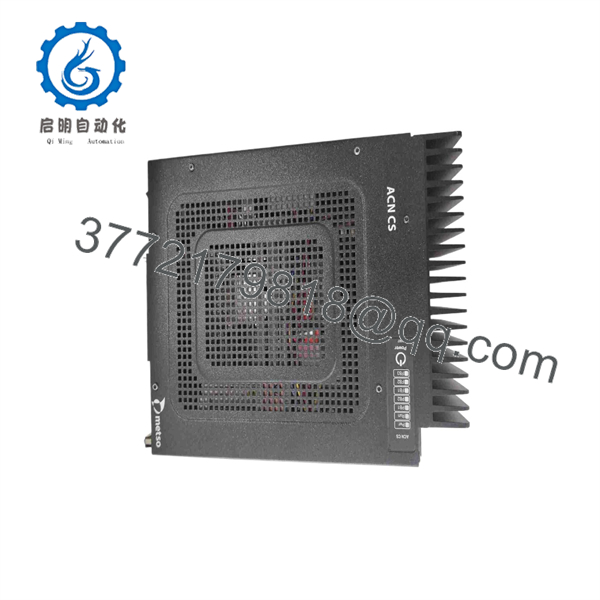
D201925
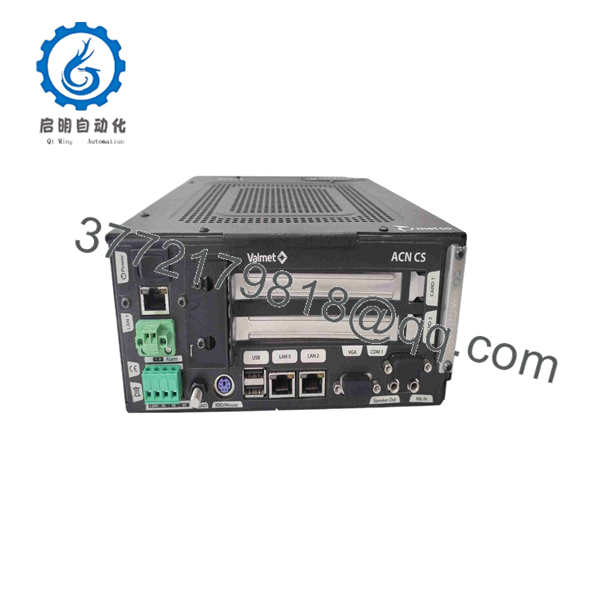
D201925
Firmware/Software Versions & Upgrade Notes
- Recommended Firmware Base: Requires compatibility with Metso DCS / Valmet Automation base controller firmware levels supporting DII12 card profiles.
- Backward / Forward Compatibility: The Metso D201925 hardware pinout is backward compatible across DII12 board revisions. However, verify that field wetting voltage levels match the specific board variant to prevent damaging input optocouplers.
- Upgrade/Downgrade Risks: Hardware replacement does not require direct firmware flashing on the D201925 card itself, as point configuration resides on the main rack controller. Avoid updating base station firmware during a routine hardware swap; firmware jumps can break address mapping or cause protocol mismatches across legacy I/O tables.
Frequently Asked Questions (FAQ)
Is this Metso module genuinely brand new, or is it refurbished?
This module is 100% New Surplus / Original New. It has never been installed in an active industrial facility or pulled from a decommissioned rack. It remains in its original packaging and has only been handled in ESD-safe environments for quality control verification.
Why is New Surplus priced lower than OEM factory list, but higher than used parts?
Our pricing reflects the true supply chain value of sourcing authentic OEM inventory globally. It is lower than current OEM list prices because we acquire surplus stock directly from completed projects and facility spares reserves. It is priced higher than secondhand alternatives because it eliminates the risk of degraded optocouplers, thermal stress, and premature failure.
Is the Metso an obsolete or End-of-Life (EOL) component?
Yes, the Metso DII12 module belongs to a mature, legacy DCS product line. Because OEM lead times for legacy replacements can extend to months—or be entirely unavailable—maintaining 1 to 2 units on-site as safety buffer stock is critical to preventing extended outage events.
Can I hot-swap the module while the rack is powered?
Hot-swapping is not recommended for this module type. Inserting or removing the module while the backplane or field contacts are energized can induce voltage spikes, damage sensitive optocouplers, or trigger false input state toggles on adjacent channels. Always isolate power before extraction.
Does the module hold its configuration during a complete power loss?
Yes. The module’s hardware address and channel routing rely on physical DIP switches and jumper settings rather than volatile memory. Configuration settings are retained indefinitely without power or battery backup.
What warranty coverage is included with this New Surplus card?
We back this Metso with a full 1-Year Comprehensive Replacement Warranty. Every unit undergoes complete physical inspection, backplane continuity testing, and input channel verification prior to dispatch.



