
 WhatsApp: +86 16626708626
 Email:
  Phone: +86 16626708626
Description
Key Technical Specifications
| Parameter | Value |
|---|---|
| Model | D202593L |
| Manufacturer | Metso Automation / Valmet |
| System | ACN CS |
| Product Type | Compact Industrial Controller |
| Input Voltage | +10 to +32 VDC |
| Processor | Intel Celeron M440 |
| Memory | 2 GB DDR3 1333 MHz |
| Storage | 2 GB SD card |
| Operating System | Real-Time Operating System |
| Ethernet Ports | 3 × Ethernet |
| Video Interface | 1 × DVI-I (VGA) |
| Expansion | 2 × PCIe x4 |
| Alarm Input | 1 |
| Operating Temperature | 0 to +50 °C |
| Storage Temperature | −20 to +80 °C |
| Protection Rating | IP20 |
| Dimensions | 210 × 87 × 296 mm (W × H × D) |
| Weight | 4.5 kg |
| Controller/Gateway Role | Process controller and gateway |
| L Variant | Lacquered model for demanding environmental conditions |
These specifications are from Valmet’s ACN CS documentation. The same document states that D202593L is the lacquered version intended for demanding environmental conditions and that ACN CS provides LEDs for power, CPU, system, and field-bus activity.
A current industrial-part listing also identifies D202593L as a Valmet ACN CS G2 PCIe embedded industrial controller, consistent with the PCIe-based architecture.
Product Introduction
Metso Automation D202593L is an ACN CS compact industrial controller used as a process-control and gateway node in Valmet automation systems. The published specification lists +10 to +32 VDC power, an Intel Celeron M440 processor, 2 GB DDR3 memory, three Ethernet ports, and two PCIe x4 expansion slots.
The L variant is the lacquered ACN CS model, intended for more demanding environmental conditions. For replacement work, match the complete D202593L designation, hardware revision, installed expansion cards, SD-card configuration, and ACN CS software/license configuration before removing the existing controller.
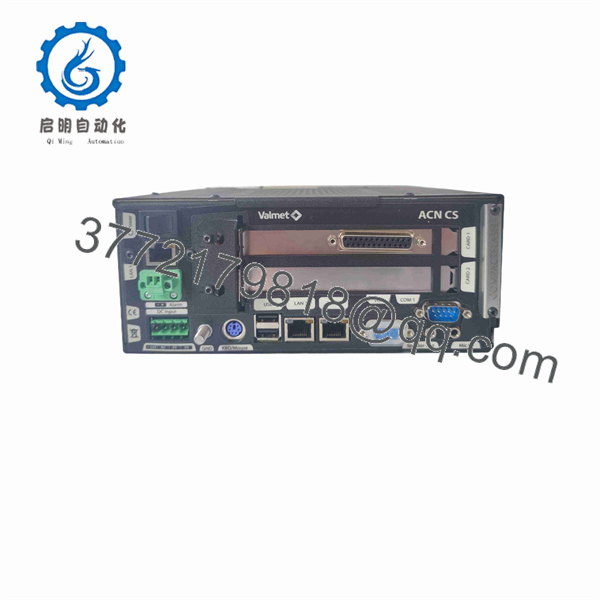
D202593L
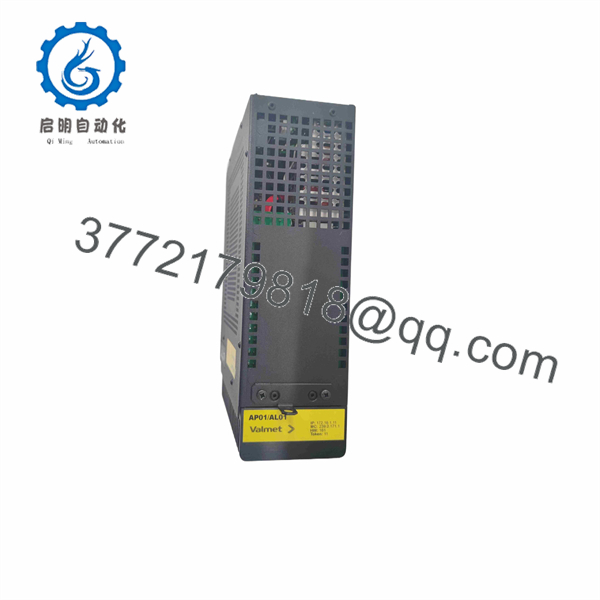
D202593L
Installation & Configuration Guide
Stage 1: Pre-Installation Preparation
Estimated time: 10 minutes
⚠️ Safety First: Place the controlled process in a safe state and follow the site’s lockout/tagout procedure before disconnecting the ACN CS controller.
Tools Required:
- ESD wrist strap
- Digital multimeter
- Appropriate screwdriver
- Wire labels
- Camera or smartphone
- Backup media for configuration files
Data Backup:
- Record the complete controller marking: D202593L.
- Photograph the controller, connectors, expansion cards, and nameplate.
- Record Ethernet connections and network addressing.
- Document installed PCIe expansion hardware.
- Record the SD card configuration.
- Back up the applicable ACN CS configuration and application data.
- Record software, firmware, and license information where accessible.
⚠️ The controller uses a 2 GB SD card and runs a real-time operating system. Do not remove or replace the SD card casually; preserve the original card until the replacement controller has been fully commissioned.
Stage 2: Removing the Old Controller
Estimated time: 10 minutes
- Shut down the ACN CS node using the approved system procedure.
- Isolate the controller’s DC power.
- Verify that the supply has been removed with a multimeter.
- Label every Ethernet, display, alarm, and other external connection.
- Photograph the connector arrangement.
- Disconnect the external cables.
- Remove the controller from its mounting arrangement.
- If expansion cards are installed, document their positions and part numbers.
- Inspect the connectors and mounting hardware for damage.
⚠️ Do not rely on memory for Ethernet or expansion-card connections. provides three Ethernet ports and two PCIe x4 expansion slots, so connector identification matters during replacement.
Stage 3: Installing the New Controller
Estimated time: 10 minutes
- Verify on the replacement nameplate.
- Confirm that the replacement has the required hardware revision.
- Compare installed PCIe cards with the original controller.
- Verify the SD card and configuration media requirements.
- Install the controller in the correct mechanical position.
- Secure the controller.
- Reconnect the Ethernet cables according to the photographs.
- Reconnect the remaining external interfaces.
- Verify that all connectors are fully seated.
- Confirm the DC supply polarity and voltage before power-up.
Self-Checklist:
- confirmed
- Hardware revision checked
- +10 to +32 VDC supply verified
- SD card/configuration backed up
- PCIe cards documented
- Ethernet ports correctly identified
- All connectors secured
- Controller mechanically secured
Stage 4: Power-On & Testing
Estimated time: 10–20 minutes
- Verify the incoming DC voltage before energizing.
- Power the ACN CS controller.
- Observe the power and CPU indicators.
- Allow the controller to complete its startup sequence.
- Verify system and field-bus status LEDs.
- Confirm the expected Ethernet links are active.
- Verify the controller appears correctly within the ACN system.
- Confirm the process-control application starts correctly.
- Check configured I/O communication.
- Verify alarms and gateway communications.
- Perform a controlled process test before returning to normal operation.
The ACN CS documentation states that the controller has LED indications for power supply, CPU, system, and field-bus activity. These are useful first-level indicators during commissioning.
⚠️ If the replacement powers up but the application does not start correctly, check the SD card, software/license configuration, hardware revision, and installed PCIe cards before assuming the controller itself is defective.
Frequently Asked Questions (FAQ)
What is Metso ?
is a Valmet/Metso ACN CS compact industrial controller. It functions as a process controller and gateway within the ACN architecture. The published ACN CS documentation identifies as the lacquered model for demanding environmental conditions.
What processor does use?
The published ACN CS specification lists an Intel Celeron M440 processor with 2 GB DDR3 1333 MHz memory.
What is the power supply requirement?
The documented ACN CS specification gives an input power range of +10 to +32 VDC. Verify the actual site supply and controller nameplate before applying power.
What is the difference between D202593 and ?
The Valmet documentation identifies as the lacquered model for demanding environmental conditions. The standard D202593 and otherwise belong to the same ACN CS controller family.
Does use PCIe expansion?
Yes. The ACN CS specification lists 2 × PCIe x4 expansion card slots. The documentation also notes that D202592 and D202592L are PCI versions, rather than PCIe versions.
How many Ethernet ports does have?
The published ACN CS specification lists 3 Ethernet ports, identified as PB1, PB2, and FB1.
Can I replace directly with another ACN CS controller?
Do not assume direct interchangeability solely from the model family. Before replacement, compare the complete model number, hardware revision, installed PCIe cards, SD-card configuration, application software, licenses, and network configuration. The controller is part of a configured ACN CS node, not simply a generic Ethernet PLC.
Is obsolete?
is a legacy Metso/Valmet ACN CS controller, and it is actively listed in industrial spare-parts catalogs. Current availability does not establish current OEM production status. One reseller currently lists as available, while Valmet’s published ACN CS documentation is from the earlier product generation.
What should I verify before purchasing ?
Verify these items against the installed controller:
- complete part number
- Hardware revision
- ACN CS generation
- +10 to +32 VDC input requirement
- Installed PCIe expansion cards
- SD card/configuration
- Software and license requirements
- Ethernet/network configuration
- Physical mounting arrangement
For a production replacement, the nameplate and installed system configuration should take priority over generic reseller specifications.



