
 WhatsApp: +86 16626708626
 Email:
  Phone: +86 16626708626
Description
Key Technical Specifications
| Parameter | Specification Value |
| Manufacturer | Metso / Valmet |
| Part Number | IOP320 |
| System Compatibility | Metso DNA / Valmet DNA Architecture |
| Operating Voltage | 24 V DC (±15%) |
| Power Consumption | 12 W (Typical) |
| Scan Execution Time | 1.0 ms high-speed cycle |
| Bus Topology | Dual-redundant internal system bus |
| Isolation Rating | 1,000 V RMS channel-to-bus isolation |
| Mounting Style | DNA Sub-rack slot insertion |
| Operating Temperature | −10 to +55 °C (+14 to +131 °F) |
| Storage Humidity | 5% to 95% non-condensing |
Product Introduction & Supply Chain Strategy
The Metso IOP320 serves as a local intelligence processor board within Metso DNA and Valmet DNA automation architectures. It acts as the primary signal execution and communication bridge between field-level I/O cards and the central DCS controller, ensuring real-time data flow across pulp, paper, power generation, and chemical process applications.
Procuring the IOP320 as New Surplus guarantees continuous operation without undergoing forced, capital-intensive DCS system upgrades. Original New Surplus stock protects your plant from the hidden risks of second-hand units—such as thermal degradation and dried electrolytic capacitors—which frequently trigger unexpected loop faults. Securing genuine unused stock delivers full OEM-level lifespan and protects your bottom line against catastrophic unplanned downtime.
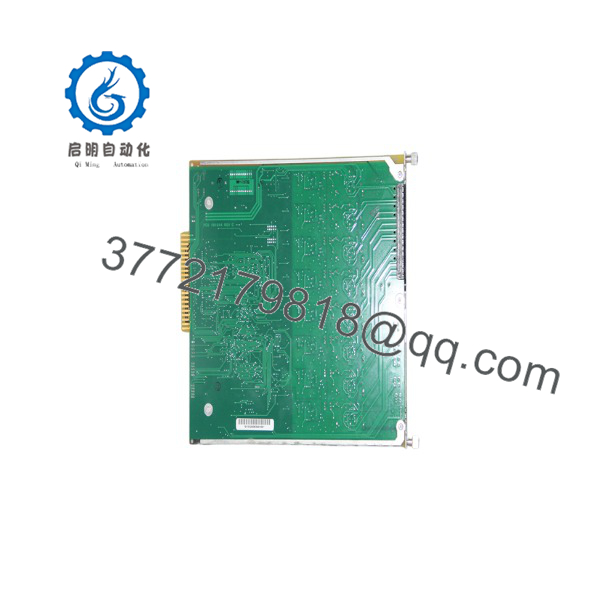
IOP320
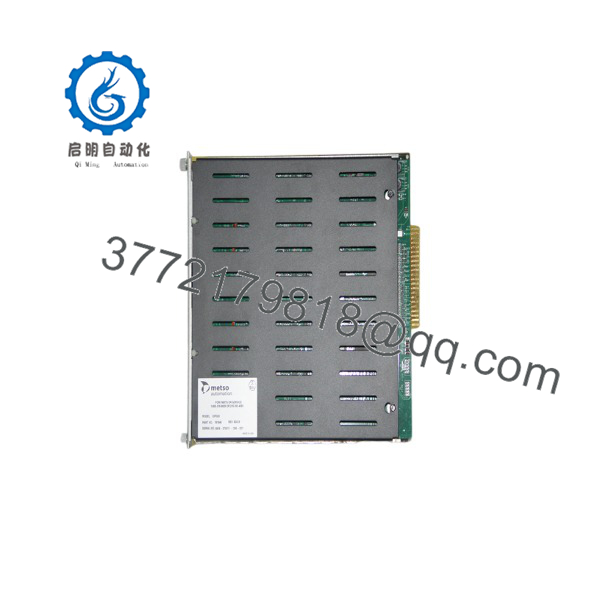
IOP320
Installation & Configuration Guide
Stage 1: Pre-Installation (Prep & Safety)
- Initiate full Lock-Out/Tag-Out (LOTO) protocols on the targeted DCS sub-rack power supply rails.
- Put on a grounded ESD wrist strap before handling the replacement module.
- Photograph all hardware address DIP switches, node jumpers, and field cable connections on the original IOP320 board.
Stage 2: Removal
- Unfasten the top and bottom retaining screws on the front panel faceplate.
- Disconnect interface cables by pulling straight outward on the connector housings rather than pulling on the wires.
- Release the card retention levers simultaneously and slide the IOP320 straight out along the card guide rails.
Stage 3: Installation (Clone & Seat)
- Configure the DIP switches and jumper blocks on the new IOP320 to match the recorded settings of the original board.
- Align the board edges carefully with the rack guide channels and push the card inward until it makes initial contact with the backplane.
- Press both card levers home to fully engage the multi-pin backplane connector, then tighten the retaining screws to 0.5 N·m torque and reconnect all cables.
Stage 4: Power-On & Testing
- Verify system 24 V DC input rails before applying main power to the rack.
- Apply bus power and monitor the front-panel status LEDs: verify that the green “OK” or “RUN” LED illuminates solid while the red “FAIL” LED remains off.
- Initiate a communication handshake check from the engineering station to confirm the node address is online and scanning field parameters correctly.
Firmware/Software Versions & Upgrade Notes
- Recommended Firmware Version: Revision 2.40 (or the specific version matched to your active system software environment).
- Compatibility Notes: Revision 2.40 supports backward compatibility with classic Metso DNA system racks. Upgrading to V3.x firmware on legacy backplanes can lead to communication timeouts with older I/O bus interface modules.
- Upgrade/Downgrade Risks: Avoid reflashing firmware during live plant operations. Firmware mismatches between the processor and the master node controller will halt local I/O loop processing upon system boot.
Frequently Asked Questions (FAQ)
Why is this New Surplus priced higher than used or refurbished cards online?
Refurbished parts are harvested from old, decommissioned plants and carry high risks of internal silicon fatigue and degraded components. Our Metso inventory consists strictly of verified New Surplus—original, uninstalled units kept in static-controlled storage. The modest price premium delivers operational safety and protects against downtime costs that can easily exceed $50,000 per incident.
Are these Metso modules guaranteed to be original factory units?
Yes. We strictly supply original OEM hardware. These units have never been installed, pulled from service, or repaired. They are maintained in ESD-safe packaging and undergo comprehensive bench inspection and backplane testing prior to shipping.
What is the current market availability status for the ?
The is an EOL (End-of-Life) legacy card from the manufacturer. Sourcing it directly from the OEM typically involves lengthy lead times or demands a complete system migration. Maintaining 1-2 spare units on-site serves as an essential buffer stock strategy to ensure uninterrupted production.
Can the board be hot-swapped while the DCS rack is powered?
No. Removing or inserting the while the backplane bus is energized can cause voltage spikes, corrupt node communications, or damage connector pins. Always isolate power to the sub-rack prior to pulling or installing cards.
Will the replacement retain its address settings when unpowered?
Physical node address settings configured via onboard DIP switches and jumpers are permanently maintained. System control logic and active tag mapping are downloaded dynamically from the master controller upon successful startup communication.
What warranty coverage is included with this New Surplus board?
Every New Surplus Metso comes backed by a comprehensive 1-year replacement warranty, complete with a signed quality inspection report verifying physical pin integrity and signal performance.



