
 WhatsApp: +86 16626708626
 Email:
  Phone: +86 16626708626
Description
Key Technical Specifications
- Module Type: Bus Extender Unit Module
- Primary Application: Local-to-remote maxPAC I/O bus extension
- Compatible Systems: Metso Automation maxPAC and Model 564 I/O systems
- DPU Compatibility: DPU3, DPU4, and DPU4E; DPU4A/DPU4B may require EPLD firmware updates
- Bus Interface: Metso proprietary parallel I/O bus
- Remote Link: Optical serial link
- Optical Wavelength: 1,300 nm
- Fiber Type: 62.5/125 µm multimode fiber
- Cable Options: Two-fiber or four-fiber optical cable
- Frame Clock: 8 MHz
- Optical Transceiver Speed: 160 Mb/s serial
- Redundancy: Optional redundant optical link configuration
- Installation: IOP015 4-pack chassis or compatible maxPAC chassis
- Status Indication: Front-panel power, link, lock, and receive-error indications
- Link Testing: Front-panel pushbutton supports redundant-link failover testing
- System Supply: 24 V DC through the I/O backplane; verify cabinet supply requirements
- Operating Environment: Reference manual specifies approximately 0 to 60 °C and 0–90% relative humidity, noncondensing; verify the applicable revision before publication
- Important Revision Note: Some DPU4A and DPU4B installations may require an EPLD update for IOP371 operation.
Product Introduction
The Metso Automation IOP371 is a Bus Extender Unit (BEM) for maxPAC and Model 564 I/O systems. It converts parallel I/O bus data for transmission over an optical link, allowing a maxDNA DPU to communicate with I/O modules installed in a remote cabinet.
The module supports single or redundant optical-link arrangements and includes front-panel link diagnostics and failover testing. Confirm the IOP371 revision, DPU model, chassis type, optical cable part number, and EPLD requirements before ordering; reseller specifications for this legacy module are inconsistent.
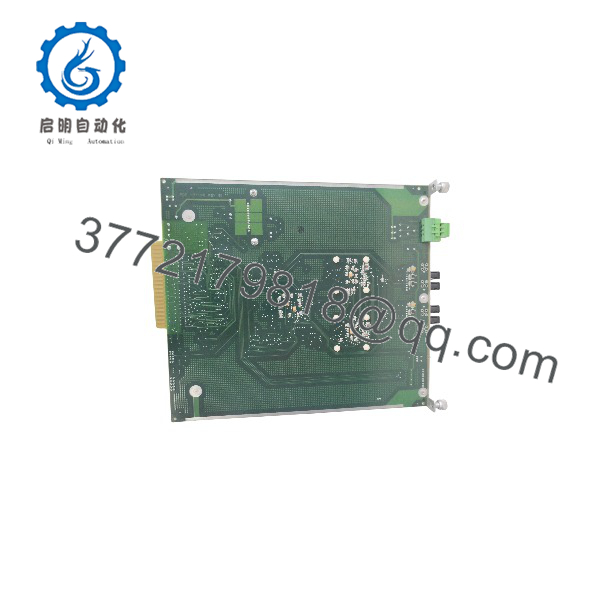
IOP371
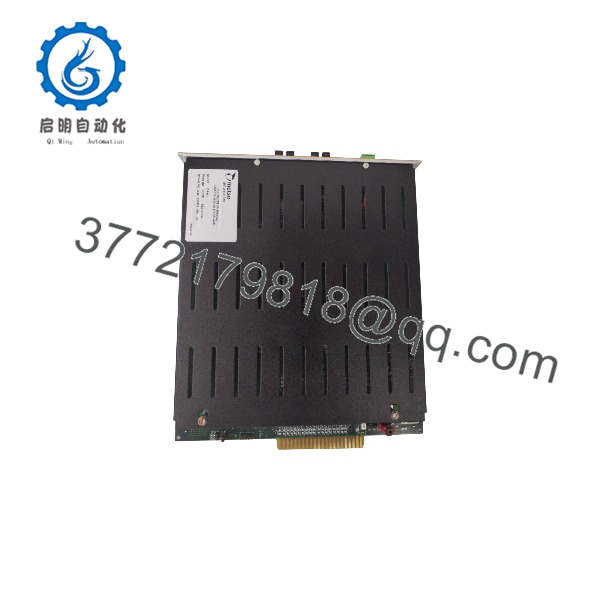
IOP371
Troubleshooting Quick Reference
| Symptom | Possible Cause | Relevance to This Part | Quick Check Method | Recommendation |
|---|---|---|---|---|
| Remote I/O cabinet is completely offline | Loss of 24 V DC, failed BEM, disconnected optical cable, remote chassis power loss | ✅ High | Check the IOP371 status LED, measure backplane supply, and verify the remote BEM has power | Verify power and optical continuity before replacing the module |
| Local I/O works but remote I/O does not | Optical link failure or remote IOP371 fault | ✅ High | Check link, lock, and receive-error indicators at both extender units | Test the fiber pair and swap in a known-good cable before replacing hardware |
| Link LED is off | Unplugged, damaged, or incorrectly connected optical cable | ✅ High | Inspect both optical connectors; confirm transmit-to-receive orientation and clean the ferrules | Repair or replace the optical cable first |
| Receive-error indication appears | Dirty fiber connector, excessive optical loss, wrong fiber type, damaged transceiver | ✅ High | Inspect and clean connectors; verify 62.5/125 µm multimode fiber and 1,300 nm compatibility | Correct the optical path before changing the BEM |
| Redundant link does not take over | Second fiber pair missing, incorrect redundant wiring, failed standby port | ✅ High | Use the front-panel failover test and monitor link status at both BEMs | Check both fiber pairs and the configured redundancy path |
| I/O bus communication timeout | Incorrect bus address, jumper error, unsupported DPU firmware, backplane connection fault | ✅ High | Compare address/jumper settings with the old module and review DPU diagnostics | Match the original configuration and confirm DPU compatibility |
| IOP371 powers up but remote points remain invalid | Remote I/O chassis fault or configuration mismatch | ⚠️ Medium | Check remote module Active LEDs and compare the configured rack/module count with the installed hardware | Troubleshoot the remote rack before condemning the extender |
| Fault begins after installing a replacement | Revision mismatch or EPLD incompatibility | ✅ High | Record the complete label, revision, and firmware/EPLD information; compare against the previous unit | Use the same revision where possible and obtain OEM compatibility confirmation |
| Intermittent remote I/O dropouts | Marginal fiber, cabinet grounding issue, loose backplane connector, thermal fault | ⚠️ Medium | Review event logs, flex-test the fiber only during a controlled test, and inspect rack connectors | Replace suspect fiber or connector hardware before replacing the BEM |
| Front-panel LED displays a diagnostic pattern | Internal self-test or communication fault | ✅ High | Record the exact blink sequence and consult the maxPAC diagnostic table | Provide the code, DPU type, module revision, and link status to technical support |
Support note: Contact technical support with photos of both labels, chassis positions, jumper settings, optical connectors, LED states, DPU model, and diagnostic logs. Do not disconnect a live optical link without following the approved site procedure.
Frequently Asked Questions (FAQ)
What does the Metso do?
The is a maxPAC Bus Extender Unit. It carries maxPAC I/O bus data between a local cabinet and a remote I/O cabinet through an optical link. It is not an analog input, digital input, output, or standalone Ethernet communication module.
Which systems use the ?
The reference manual identifies the for Metso Automation maxPAC and Model 564 I/O applications. It can serve local and remote I/O arrangements connected to compatible DPU3, DPU4, and DPU4E systems. Verify the DPU model and hardware revision before purchase.
Is the compatible with every DPU4 system?
No. The manual specifically notes that DPU4A and DPU4B installations may require an EPLD firmware update for Bus Extender operation. Do not install a replacement based only on the “DPU4” family name. Match the DPU submodel, revision, and existing EPLD configuration.
Does the use Ethernet, Modbus TCP, or CANopen?
The documented maxPAC uses the Metso proprietary I/O bus and an optical serial link. Several reseller pages incorrectly list Ethernet, Modbus, or CANopen specifications. Those descriptions should not be used to select a replacement for a maxPAC BEM.
Can I hot-swap the ?
Do not assume hot replacement is acceptable. The maxPAC manual states that standard I/O modules may be inserted or withdrawn with 24 V DC and field power applied, but the is a bus-extender device connected to an active remote link. Follow the approved site procedure and confirm the effect on remote I/O before removing it from a live system.
Will replacing the erase the control program?
No, the is a bus interface and extender, not the primary DPU application storage device. However, the replacement must match the correct bus address, jumper configuration, optical-link arrangement, chassis position, and DPU compatibility. Photograph the existing module before removal.
Why is the difficult to source?
The belongs to a legacy Metso Automation maxPAC/Model 564 platform. Current listings may include new surplus, refurbished, used, or pulled units, and some listings show the part as out of stock. Request a photo of the nameplate, revision, test report, warranty terms, and exact condition before issuing a purchase order.



