
 WhatsApp: +86 16626708626
 Email:
  Phone: +86 16626708626
Description
Key Technical Specifications
| Parameter | Specification |
| Display Type | Active Matrix TFT LCD |
| Diagonal Screen Size | 10.4 inches |
| Display Resolution | VGA (640 x 480 pixels) / SVGA |
| Touch Technology | Analog resistive touch screen overlay |
| Nominal Supply Voltage | 24 VDC (18–30 VDC operating range) |
| Processor & Memory | RISC CPU with onboard Flash ROM and System RAM |
| Onboard Interfaces | RS232, RS485, CANbus, Ethernet (RJ45), USB Host/Device |
| Front Bezel Rating | IP65 / NEMA 12 (dust-tight, water-jet resistant) |
| Operating Temperature | 0°C to +50°C |
| Programming Software | GALILEO / EPAM visualization suite |
Product Introduction & Supply Chain Strategy
The Micro Innovation GF1-10TVD-100 (part of the Eaton / Moeller automation family) is a robust 10.4-inch industrial touch panel engineered for machine visualization, process control, and real-time alarm handling. Deployed across automated packaging equipment, plastic injection machinery, and material handling systems, the GF1 series delivers stable serial and fieldbus integration with PLCs from Eaton, Siemens, Allen-Bradley, and Schneider Electric.
Because Micro Innovation HMI units are widely integrated into custom OEM machine panels, an unexpected display failure or touchscreen calibration breakdown can bring a factory line to an immediate halt. Sourcing a replacement GF1-10TVD-100 guarantees physical panel-cutout compatibility, preserving original project files and avoiding expensive, time-consuming panel modifications or software rewrites required when upgrading to modern HMI architectures.
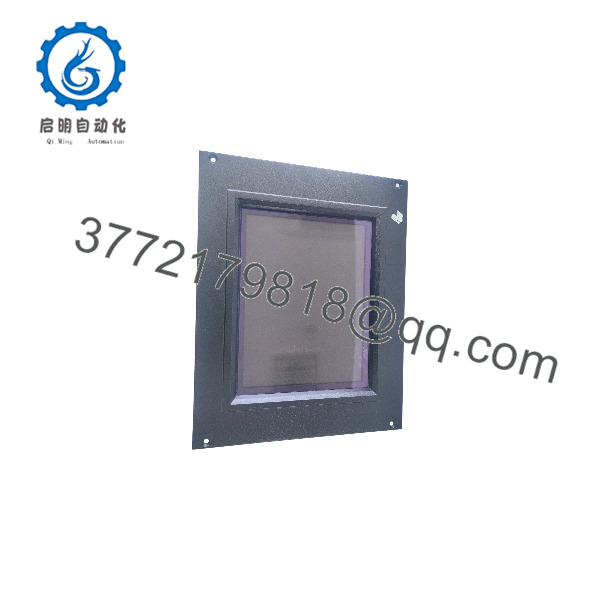
GF1-10TVD-100
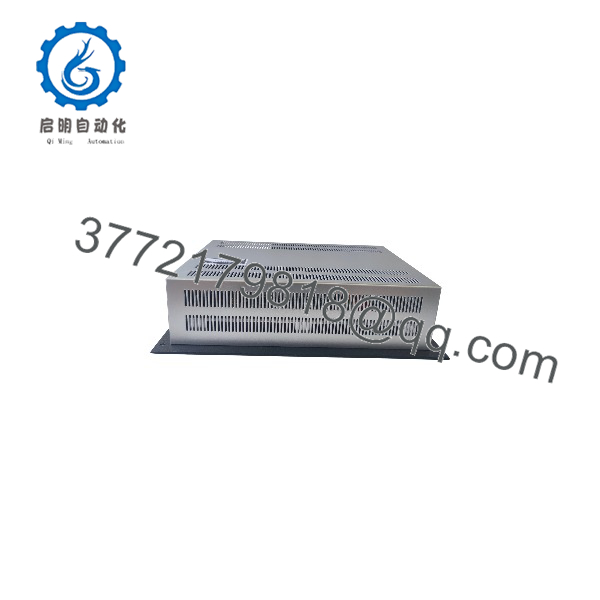
GF1-10TVD-100
Installation & Configuration Guide
1.Pre-Installation & Power Safety:Disconnect panel power and follow LOTO guidelines.
Isolate the 24 VDC power supply feeding the operator enclosure and perform Lock-Out/Tag-Out (LOTO). Wear an anti-static ESD wrist strap before handling cable connections or memory cards.
2.Removal of Faulty HMI:Unscrew mounting clamps and disconnect wiring.
Disconnect the 24 VDC power connector, grounding wire, and serial/Ethernet communication lines from the rear interface panel. Loosen the panel retention clamps and carefully push the old unit forward out of the enclosure cutout.
3.Physical Mounting & Connection:Seat new panel and secure IP65 gasket seal.
Inspect the enclosure cutout and sealing gasket for debris. Insert the GF1-10TVD-100 into the panel cutout, tighten retaining clamps evenly around the frame to ensure a water-tight seal, and reconnect power and communication cables.
4.Commissioning & Project Load:Transfer project runtime and verify PLC communication.
Apply 24 VDC power. Load the runtime visualization file using GALILEO software via Ethernet, USB, or CompactFlash/SD card. Verify communication handshakes with connected PLCs and perform touch screen calibration.
Software & Runtime Considerations
- Engineering Environment: Micro Innovation HMIs use the GALILEO visualization tool for screen design, alarm logging, and driver parameterization.
- Driver Compatibility: Supports multiple multi-vendor protocols including Modbus RTU/TCP, CANopen, Suconet, and MPI/PPI.
- Project Migration: When replacing a unit, ensure the runtime application (.clp or compiled file) matches the hardware firmware revision of the replacement panel to prevent communication handshakes from timing out.
Frequently Asked Questions (FAQ)
Q: Is Micro Innovation related to Eaton / Moeller?
A: Yes. Micro Innovation was acquired by Eaton (formerly Moeller Electric) and served as Eaton’s core HMI and touch panel development division.
Q: What should I do if the touchscreen becomes unresponsive or misaligned?
A: Access the internal system setup menu during power-up boot phases to execute a 4-point resistive touch screen calibration sequence. If calibration fails, the touch glass overlay may require replacement.
Q: Can I transfer a project directly from an old GF1 panel to a new unit?
A: Yes, if you have the original source project in GALILEO or a backup stored on an external memory card. You can transfer the compiled runtime directly over Ethernet or USB.
Q: What is the main benefit of keeping a spare GF1-10TVD-100 unit on site?
A: Storing a spare unit ensures rapid drop-in replacement without altering the cabinet door cutout or reprogramming communication drivers, minimizing costly operational downtime.



