
 WhatsApp: +86 16626708626
 Email:
  Phone: +86 16626708626
Description
Key Technical Specifications
- Manufacturer: Micro Innovation AG
- Series: Micro Panel GF1
- Base Model: GF1-10TVD
- Product Type: Industrial touchscreen HMI/operator panel
- Display: 10.4-inch active-matrix color LCD
- Resolution: 640 × 480 pixels
- Color Depth: 256 colors
- Contrast Ratio: At least 100:1
- Touch Technology: Infrared optical touch matrix
- Supply Voltage: 24 V DC
- Ambient Operating Temperature: 0 to +50 °C
- Relative Humidity: 10–90%
- Front Protection: IP65
- Display Area: 212.2 × 158.4 mm
- Physical Touch Resolution: 40 × 30
- Logical Touch Resolution: 79 × 59
- Memory Card: PCMCIA/JEIDA Type I or Type II
- Maximum Memory Card Capacity: 64 MB
- Mounting: Panel-mounted
- Dimensions: Verify exact enclosure dimensions against the suffix-specific manual
- Communication Ports: Verify from the suffix-specific wiring diagram
- Variant Identification: Confirm the complete part number, such as GF1-10TVD-100 or GF1-10TVD-101
Published records identify the base GF1-10TVD family as a 24 V DC Micro Innovation touch panel with a 10.4-inch, 640 × 480 color display and infrared touch interface. A separate listing identifies GF1-10TVD-101 as a Micro Innovation touch panel, while other records show -100 and -102 variants with different specifications.
Do not publish a suffix-specific communication or mechanical specification without checking the unit label. The available records conflict on display size, resolution, touch technology, and interface details across the -100, -101, and -102 variants.
Product Introduction
The Micro Innovation GF1-10TVD is a legacy industrial HMI/operator panel used for machine operation, alarm acknowledgment, parameter entry, and process visualization. The documented base specification identifies a 10.4-inch color display, 640 × 480 resolution, infrared touch input, 24 V DC power, and an IP65 front panel.
This product family includes suffix-specific hardware variants. Verify the complete suffix, communication ports, project-transfer method, mounting cutout, touch technology, and display configuration before ordering. A visually similar GF1 panel may not retain the same project, connector layout, or controller compatibility.
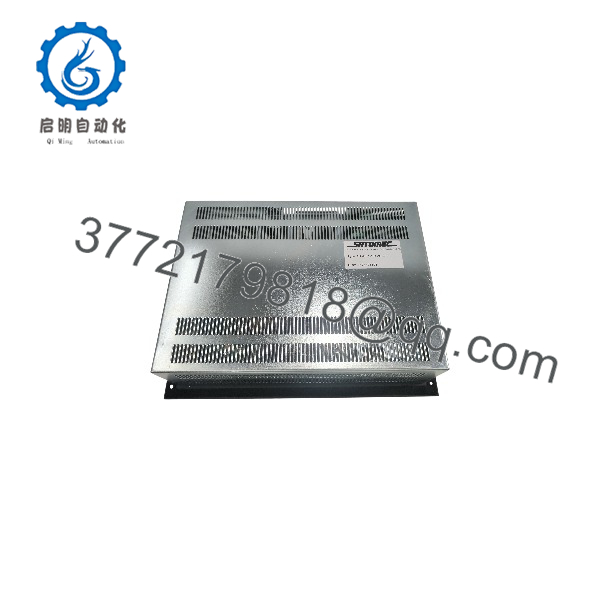
GF1-10TVD
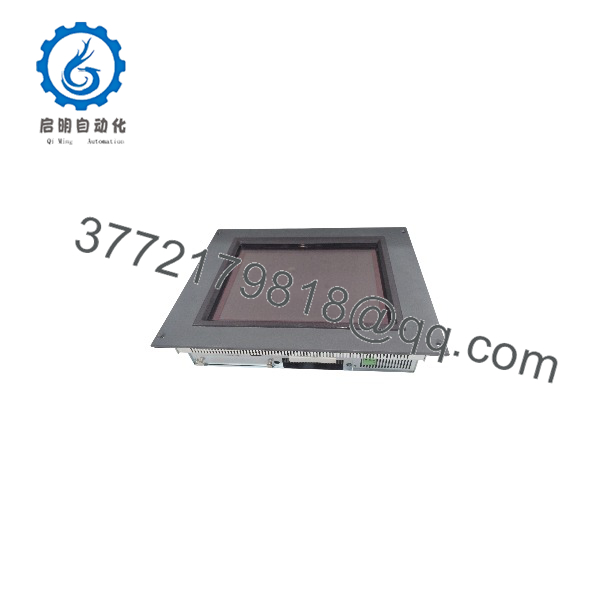
GF1-10TVD
Troubleshooting Quick Reference
| Symptom | Possible Cause | Relevance to This Part | Quick Check Method | Recommendation |
|---|---|---|---|---|
| No display or power LED | Missing 24 V DC, blown fuse, reversed polarity, or failed power circuit | ✅ High | Measure 24 V DC at the HMI power terminals and verify polarity against the terminal marking | Check the panel supply and fuse before replacing the HMI |
| Screen is dark but unit is running | Failed backlight, dimmer setting, LCD fault, or loose internal cable | ✅ High | Shine a flashlight across the screen and check for faint graphics; verify backlight settings | If graphics are visible, investigate the display/backlight assembly rather than the controller |
| Touch does not respond | Dirty overlay, failed IR touch frame, incorrect calibration, or blocked optical path | ✅ High | Clean the front surface, inspect the touch perimeter, and test the calibration utility | Recalibrate first; replace the panel only if the touch hardware fails diagnostics |
| Touch coordinates are offset | Lost calibration or incorrect project/display configuration | ✅ Medium | Open the HMI calibration routine and test several screen positions | Recalibrate with the correct display orientation and project settings |
| PLC data is missing | Wrong cable, protocol, port assignment, baud rate, or failed communication interface | ✅ High | Check the HMI diagnostic screen and measure communication activity at the connector | Verify the exact suffix pinout and controller driver before replacing the panel |
| HMI reboots under load | Weak 24 V DC supply, voltage drop, excessive ripple, or internal power fault | ✅ Medium | Measure voltage at the panel while the backlight and communications are active | Correct the power wiring and leave adequate supply capacity |
| Memory card is not recognized | Unsupported PCMCIA/JEIDA card, wrong format, damaged card, or poor contact | ✅ High | Test a known-compatible Type I/II card within the supported capacity | Use the documented card technology and preserve the original project media |
| Project will not load | Wrong software version, incompatible panel variant, corrupted project, or transfer cable issue | ✅ High | Record the current project revision and compare the target HMI model and firmware | Back up the original project before attempting a transfer or firmware change |
| Display shows missing pixels or lines | LCD aging, impact damage, heat exposure, or internal ribbon-cable failure | ✅ High | Display a full-screen test pattern and inspect all areas | Request a tested replacement with a documented display test |
| Front panel leaks or loses IP rating | Damaged gasket, cracked bezel, incorrect cutout, or loose mounting clips | ✅ Medium | Inspect the gasket and measure the panel cutout before installation | Replace the gasket or panel and do not reuse a damaged seal |
| HMI works intermittently | Connector oxidation, internal temperature stress, unstable supply, or failing memory | ✅ Medium | Log supply voltage and temperature; reseat connectors only with power removed | Correct cabinet conditions and obtain diagnostic logs before replacing the unit |
Important: Do not assume the base model identifies the complete electrical configuration. Confirm whether the unit is -100, -101, -102, or another suffix before connecting power, communications, or project-transfer equipment. Contact technical support with front and rear photos, the complete label, supply measurements, firmware information, and communication diagnostics if the fault remains unresolved.
Frequently Asked Questions
What is the ?
It is a Micro Innovation Micro Panel GF1 industrial touchscreen HMI. The base specification identifies a 10.4-inch color display with 640 × 480 resolution, infrared touch input, 24 V DC power, and an IP65 front panel.
Is the complete part number?
Usually not. is a base family identifier. Suffixes such as -100, -101, and -102 identify different variants or configurations. Confirm the complete label before ordering a replacement.
Does it use a resistive or infrared touchscreen?
The available base-model record identifies an infrared optical touch matrix. Other reseller records describe different touch technologies for related suffixes, so verify the exact variant before buying.
Can I transfer the existing HMI project to a replacement?
Possibly, but do not assume project portability. The transfer method, software version, firmware, memory card type, communication port, and exact panel suffix must match. Back up the existing project and record all communication parameters before removing the original HMI.
What power supply does it require?
The documented base specification uses 24 V DC. Measure the voltage at the HMI terminals under operating load, not only at the power supply, because long panel wiring and poor terminal connections can cause rebooting or display faults.
Is the still available from the original manufacturer?
The model is legacy hardware and is commonly found through surplus, used, repair, and industrial-spares channels. Treat seller stock claims cautiously and request photographs of the exact unit, label suffix, screen condition, connectors, and project-transfer accessories.
What condition should the listing state?
The listing should identify New Original, New Surplus, or Refurbished and tested. For a refurbished HMI, request a powered display test, touch-grid test, backlight test, communication-port test, memory-card test, and warranty terms.



