
 WhatsApp: +86 16626708626
 Email:
  Phone: +86 16626708626
Description
Key Technical Specifications
| Parameter | Specification |
|---|---|
| Manufacturer | Mitsubishi Electric |
| Model | A1SJ51T64 |
| System | MELSEC-I/O LINK |
| Module Type | Remote I/O System Master Module |
| Compatible PLC Family | MELSEC-A / AnS-type systems |
| I/O Occupied Points | 64 points |
| Maximum Control I/O Points | 128 points when X and Y use the same numbering |
| Transmission Speed | 38.4 kbps |
| Transmission Method | Register insertion method |
| Synchronization | Frame and bit synchronization |
| Error Control | Parity check |
| Transmission Topology | Bus; T-branching permitted |
| Maximum Transmission Distance | 200 m |
| Remote I/O Stations | Up to 16 stations per master |
| Cable | Twisted-pair or cabtyre cable, 0.75 mm² or larger |
| External Supply | 21.6–27.6 V DC |
| Typical External Current | 90 mA at 24 V DC |
| Internal 5 V Current | 115 mA |
| I/O Refresh Time | Approximately 5.4 ms |
| Dimensions | 130 × 34.5 × 106.6 mm |
| Weight | Approximately 0.30 kg |
| Compliance | UL / cUL |
| Lifecycle | Discontinued; September 2014 |
Mitsubishi’s published specifications identify A1SJ51T64 as the MELSEC-I/O LINK master unit using twisted-pair or cabtyre cable on a single bus. The system supports up to 16 remote I/O stations and a total transmission distance of 200 m.
Product Introduction
The Mitsubishi Electric A1SJ51T64 is a MELSEC-I/O LINK remote I/O system master module used in Mitsubishi’s older MELSEC-A control architecture. It manages communication between the PLC system and distributed remote I/O stations over the MELSEC-I/O LINK network. Mitsubishi documentation specifically identifies the unit as the MELSEC-I/O LINK Remote I/O System Master Module.
The module provides a 38.4 kbps communication link, supports up to 16 remote I/O stations, and provides a 200 m maximum transmission distance. Its published I/O allocation is 64 points, with reduced 16-, 32-, or 48-point allocation possible when fewer remote stations are installed.
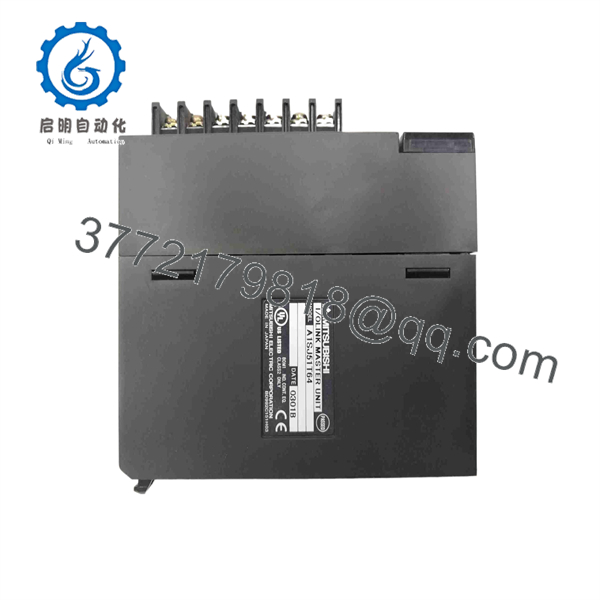
A1SJ51T64
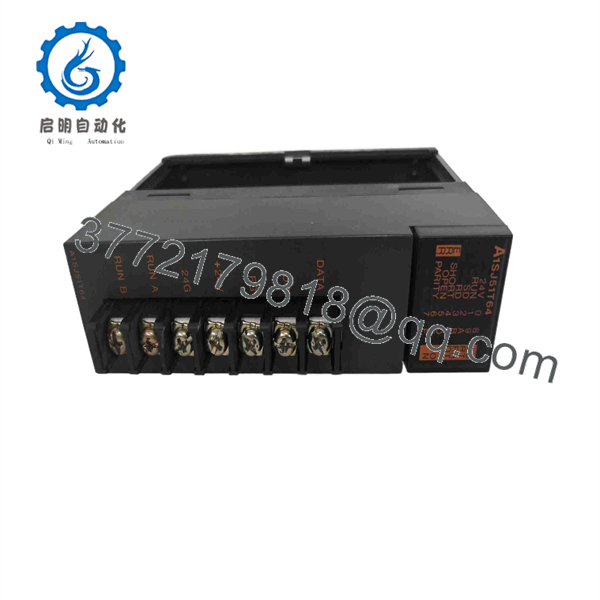
A1SJ51T64
Installation & Configuration Guide
Stage 1 — Pre-Installation Preparation
- Confirm the replacement marking is A1SJ51T64.
- Verify that the existing PLC rack uses the MELSEC-I/O LINK architecture.
- Review the original I/O allocation and remote-station configuration.
- Apply plant LOTO procedures before removing the module.
- Allow the applicable DC circuits to discharge for at least 5 minutes.
- Back up the PLC program and document the existing I/O assignment.
- Photograph the network wiring and terminal arrangement before removal.
The A1SJ51T64 is an obsolete network module, so checking the exact hardware revision and remote-I/O configuration before replacement is particularly important.
Stage 2 — Removing the Existing Module
- Place the PLC system in a controlled maintenance state.
- Switch off the applicable power supplies.
- Confirm that the module is de-energized.
- Label the MELSEC-I/O LINK communication wiring.
- Disconnect the external supply and communication connections as applicable.
- Release the module from the PLC base/rack.
- Inspect the connector, base, and surrounding wiring for oxidation or mechanical damage.
- Keep the removed module until the replacement has passed functional testing.
Stage 3 — Installing A1SJ51T64
- Use ESD precautions when handling the module.
- Verify the exact part number: .
- Install the module in the correct MELSEC-A system position.
- Secure the module mechanically before reconnecting wiring.
- Reconnect the communication cable according to the original network topology.
- Verify the external 21.6–27.6 V DC supply.
- Confirm that the selected cable meets the specified minimum conductor size of 0.75 mm².
- Check that the remote station count and I/O allocation agree with the PLC program.
The published specification allows T-branching on the bus and does not require a terminating resistor for the stated transmission method.
Stage 4 — Power-On & Testing
After installation:
- Verify the 24 V DC supply before energizing the system.
- Power the PLC and observe the status indicators.
- Confirm the master recognizes the expected remote I/O stations.
- Check the PLC diagnostic/status information for communication faults.
- Verify the expected I/O point allocation.
- Test representative remote inputs and outputs.
- Confirm that the PLC program receives and writes the expected I/O data.
- Return the system to automatic operation only after point-to-point testing is complete.
Important Compatibility Checks
Network distance: Keep the total MELSEC-I/O LINK transmission distance within the specified 200 m limit.
Station count: The master supports up to 16 remote I/O stations.
I/O allocation: The standard allocation is 64 occupied points, but Mitsubishi specifies alternative 16-, 32-, and 48-point allocations for installations with fewer remote stations.
Cable selection: Mitsubishi specifies twisted-pair or cabtyre cable of 0.75 mm² or larger for the communication connection.
Frequently Asked Questions (FAQ)
1. What is Mitsubishi ?
is a MELSEC-I/O LINK remote I/O system master module. It provides the master-side communication interface between a Mitsubishi PLC system and distributed MELSEC-I/O LINK remote stations.
2. What communication speed does use?
The specified transmission speed is 38.4 kbps. Mitsubishi specifies a register-insertion transmission method with frame/bit synchronization and parity checking.
3. How many remote I/O stations can one support?
One master can connect to up to 16 remote I/O stations. The specified total transmission distance is 200 m.
4. What power supply does require?
The external supply specification is 21.6–27.6 V DC, with a typical current consumption of 90 mA at 24 V DC. Mitsubishi also lists an internal 5 V DC consumption of 115 mA.
5. Is discontinued?
Yes. Mitsubishi identifies the as a discontinued product, with production ending in September 2014. Mitsubishi continues to provide technical documentation for the legacy module.
6. Is compatible with newer Mitsubishi PLC systems?
It should not be treated as a direct plug-and-play replacement for a modern MELSEC network module. Mitsubishi provides migration documentation for transitioning from MELSEC-I/O LINK and older AnS/QnAS systems to newer platforms, indicating that replacement should be engineered around the existing I/O architecture rather than based solely on physical fit.
7. What should be checked before purchasing a replacement?
For an operating plant, verify:
- Exact model:
- Existing MELSEC-A/AnS rack configuration
- MELSEC-I/O LINK remote station count
- I/O allocation
- Network cable type and length
- Remote I/O station hardware
- PLC program and I/O assignment
- Module condition and hardware revision
- Availability of obsolete-system replacement or migration options
For a legacy control system, preserving the existing I/O map and remote-station configuration is usually more important than simply matching the module’s physical dimensions.



