
 WhatsApp: +86 16626708626
 Email:
  Phone: +86 16626708626
Description
3. Key Technical Specifications
| Parameter | Value |
|---|---|
| Display Size | 10.4 inch |
| Display Type | TFT CCFL |
| Resolution | 800 × 600 pixels |
| Input Voltage | 20–30 V DC |
| Power Consumption | Max. 12 W |
| Ethernet | 1 × 10/100 Base-T (RJ45) |
| Serial Ports | RS-232 + RS-422/RS-485 |
| Operating Temperature | 0 to +50 °C |
| Front Protection | IP66 |
| Configuration Software | E-Designer |
| Approvals | UL, DNV, IACS, RINA |
| Mounting | Panel mount |
4. Product Introduction
The Mitsubishi E1100 (also sold under Beijer Electronics) is a 10.4-inch TFT operator terminal from the E1000 series. It provides a clear graphical interface for monitoring and controlling industrial machinery, PLCs, drives, and process equipment.
The panel features Ethernet and dual serial ports for flexible connectivity, a membrane keypad, and IP66 front protection. Configuration is performed with E-Designer software on a PC. Although the E1000 series has been discontinued, the E1100 remains a common spare for existing installations that require a reliable mid-size HMI.
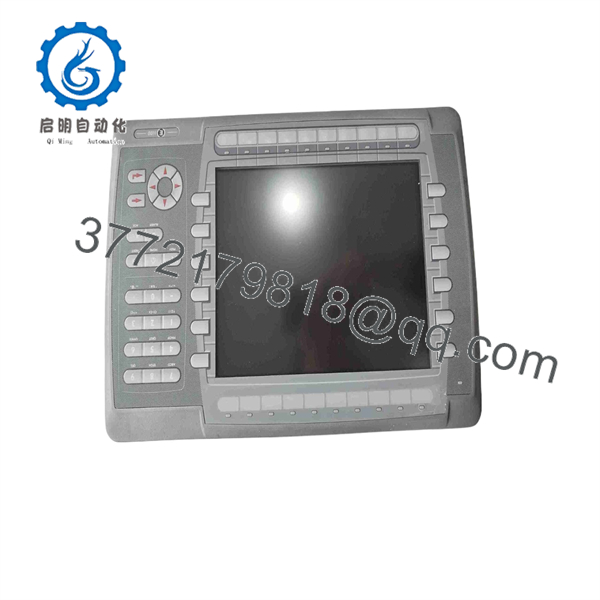
E1100
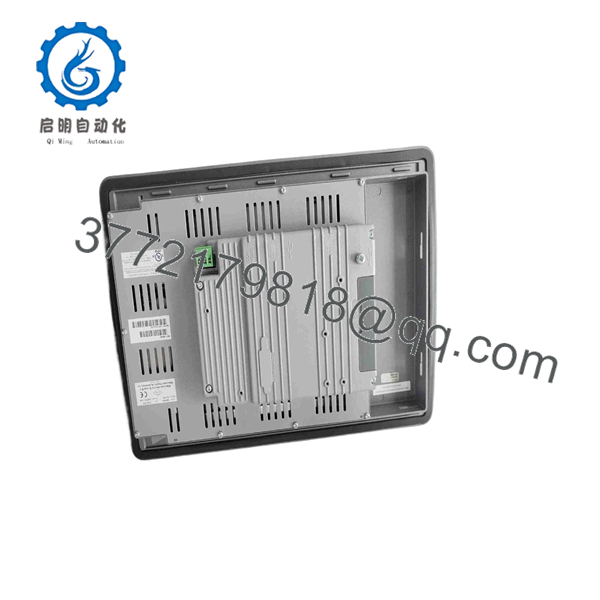
E1100
5. Troubleshooting Quick Reference
| Symptom | Possible Cause | Relevance to this Part | Quick Check Method | Recommendation |
|---|---|---|---|---|
| Blank or dark screen | No power or failed backlight | ✅ High | Measure 24 V DC at power terminals; check fuse | Verify supply; replace panel if backlight failed |
| No communication with PLC | Wrong port settings or cable | ✅ High | Check baud rate, parity, and cable pinout | Confirm project settings match PLC |
| Touch or keys unresponsive | Calibration issue or hardware fault | ✅ Medium | Test in configuration mode; clean front | Recalibrate or replace unit |
| Project will not load | Corrupted memory or wrong software version | ✅ High | Attempt download from E-Designer | Reload project; verify memory health |
| Intermittent freezes | Overheating or power instability | ✅ Medium | Check ambient temperature and supply voltage | Improve cooling; stabilize 24 V DC supply |
| Ethernet link fails | Cable or switch issue | ❌ Low | Test with known-good cable and switch | Problem is usually external to the HMI |
If the panel fails basic power-up and communication tests, photograph the nameplate, revision labels, and port condition, then contact support with the PLC type and software version.
6. Frequently Asked Questions (FAQ)
Q: Is the E1100 still in production?
A: No. The Mitsubishi/Beijer E1000 series has been discontinued. Available units are new surplus or carefully tested used panels. Stock is limited.
Q: What software is required to program it?
A: E-Designer (the configuration tool for the E1000 series). Projects are created on a PC and transferred to the panel.
Q: Can it replace a newer GOT or other Mitsubishi HMI?
A: Only if the existing project can be converted or rewritten. Communication drivers and screen objects differ from current GOT series panels. Verify compatibility before ordering.
Q: Does it have a touchscreen?
A: The E1100 uses a combination of TFT display and membrane keypad. Some related E1000 models offered touch variants; confirm the exact hardware configuration of your unit.
Q: What PLCs does it support?
A: It communicates with a wide range of PLCs via serial or Ethernet using drivers available in E-Designer, including Mitsubishi, Allen-Bradley, Siemens, and many others.
Q: Why is a surplus unit priced lower than a modern HMI?
A: This is a discontinued model. Pricing reflects secondary-market availability. We functionally test display, keys, communication ports, and memory, and provide our own limited warranty.
Q: What should I check before installing a replacement?
A: Confirm the exact model and revision, power supply (20–30 V DC), communication settings, and that the cut-out matches the panel dimensions. Back up the existing project if possible before removal.



