
 WhatsApp: +86 16626708626
 Email:
  Phone: +86 16626708626
Description
Key Technical Specifications
- Total I/O: 128 points
- Inputs: 64 digital inputs; sink input configuration
- Outputs: 64 relay outputs
- Power Supply: 100–240 V AC
- PLC Series: Mitsubishi MELSEC FX2N
- Main Unit Type: Integrated CPU with built-in I/O
- Output Type: Mechanical relay
- Approximate Dimensions: 350 × 87 × 90 mm
- Approximate Dimensions: 13.8 × 3.4 × 3.5 in
- Programming Environment: GX Developer; GX Works2 program-conversion workflow may be used for FX2N-to-FX3U migration
- Replacement Guidance: Mitsubishi identifies FX3U-128MR/ES(-A) as the corresponding FX3U replacement path
- Lifecycle Status: FX2N main units discontinued in 2012; Mitsubishi lists the FX2N series as legacy with service/support ended
The 128-point I/O count and dimensions are reported in Mitsubishi FX2N replacement documentation and legacy product references. Confirm the exact nameplate, regional suffix, input wiring, and terminal layout before purchase or installation.
Product Introduction
MITSUBISHI FX2N-128MR-001 is a MELSEC compact PLC main unit with 64 digital inputs and 64 relay outputs for machine-control applications. The unit uses a 100–240 V AC supply and integrates the CPU, power supply, and 128-point I/O in one chassis.
This obsolete Mitsubishi PLC is typically sourced as New Original or New Surplus when maintaining an installed system. Mitsubishi’s documented FX3U migration path is FX3U-128MR/ES(-A), but replacement work may require program conversion, wiring changes, battery changes, and mounting checks.
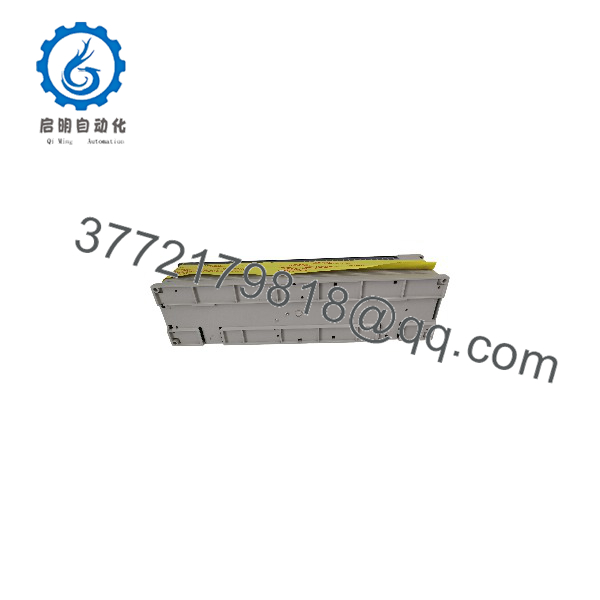
FX2N-128MR-001
Troubleshooting Quick Reference
| Symptom | Possible Cause | Relevance to This Part | Quick Check Method | Recommendation |
|---|---|---|---|---|
| No LEDs on power-up | Missing AC supply, blown fuse, internal power-supply failure | ✅ High if correct voltage is present | Lock out the machine, then verify 100–240 V AC at the designated power terminals; inspect fuses and terminal torque | Check incoming power and protection devices before condemning the PLC |
| POWER LED remains off | Internal supply fault or incorrect terminal wiring | ✅ High | Measure the supply at the PLC terminals with a properly rated meter; do not probe energized terminals casually | Replace the main unit if correct supply is present and the LED remains off |
| RUN LED does not turn on | Program stop, CPU fault, watchdog condition, or programming issue | ✅ Medium | Connect with the approved Mitsubishi programming software and read the diagnostic/status information | Save the program first; determine whether the fault follows the CPU |
| ERR LED is lit or flashing | CPU, memory, parameter, or configuration fault | ✅ High | Record the LED pattern and read the PLC diagnostic buffer with GX Developer or compatible software | Compare diagnostics with a known-good unit before replacement |
| Inputs appear dead | Incorrect S/S wiring, field-device failure, blown sensor supply, or input-circuit fault | ⚠️ Medium | Measure the input voltage at the input terminal and verify the common/S/S arrangement against the wiring diagram | Test field wiring and common terminals before replacing the PLC |
| One input group remains inactive | Damaged input channel, missing common, or external wiring fault | ✅ Medium | Apply a controlled test signal at the relevant input terminal and monitor the input LED/status | Replace only after confirming the signal reaches the terminal |
| Relay output never energizes | Program logic, interposing fuse, relay contact wear, or output-circuit failure | ✅ Medium | Force-test only under an approved maintenance procedure; measure coil voltage and check the output LED | Verify logic and load wiring; relay contacts may require PLC replacement |
| Output LED turns on but load stays off | Open relay contact, external fuse, broken wire, or load failure | ⚠️ Medium | With power isolated where required, check continuity through the output path; verify load voltage separately | Do not assume a lit LED proves a healthy relay contact |
| Entire output bank fails | Missing common, external supply loss, or damaged output circuitry | ⚠️ Medium | Check the output common and load supply with a meter; compare adjacent banks | Correct the external supply/common circuit before replacing the unit |
| Program is lost after power removal | Battery failure, memory issue, or incorrect backup procedure | ✅ Medium | Check battery condition and confirm the program exists in the programming software or memory device | Back up the program before removing power; verify battery type and polarity |
| Communication device stops responding after a swap | Model, firmware, protocol, or serial-parameter mismatch | ⚠️ Medium | Compare the old and replacement model suffixes, communication board, baud rate, station settings, and program parameters | Use an exact suffix match whenever possible; validate all communication options |
| Physical replacement does not fit | Mounting-hole, terminal, or expansion-layout difference | ✅ High during migration | Compare enclosure clearance, mounting pitch, terminal arrangement, and connected expansion equipment | Do not treat FX3U-128MR/ES(-A) as a drop-in replacement without a layout review |
The -128MR-001 itself may be less likely to be the root cause than its power supply, field wiring, relay loads, battery, or program configuration. Mitsubishi’s replacement guidance specifically warns that migration can involve differences in mounting, input wiring, battery type, and expansion equipment.
For unresolved faults, provide technical support with clear photos of the nameplate and terminals, LED status, program/diagnostic logs, supply measurements, and the exact expansion-unit configuration.
Frequently Asked Questions (FAQ)
Is the -128MR-001 still manufactured?
No. Mitsubishi lists the main series as discontinued, with the main-unit production discontinuation dated September 2012. It is now normally sourced from New Original, New Surplus, used, or refurbished legacy inventory. Confirm the seller’s exact condition statement and serial/label photos before ordering.
What is the direct replacement for -128MR-001?
For an -to- migration, Mitsubishi identifies -128MR/ES(-A) as the corresponding replacement model. For a current-generation redesign, Mitsubishi points users toward FX5U or FX5UC products. Neither path should be assumed to be a drop-in replacement: program conversion, wiring review, mounting changes, battery differences, and expansion compatibility checks may be required.
Does this PLC have 128 inputs and 128 outputs?
No. The “128” indicates the total integrated I/O count. This model is commonly specified as 64 digital inputs and 64 relay outputs. Verify the physical terminal labels and nameplate before wiring, especially when comparing relay and transistor models.
Can I hot-swap the -128MR-001?
No. Shut down and isolate all phases of the power supply before removing or installing the PLC. Mitsubishi’s safety guidance also requires power removal before disconnecting extension cables, expansion equipment, memory devices, or batteries. Restore the original terminal wiring and configuration only after checking the applicable hardware manual.
Will my existing program remain in the replacement PLC?
Do not assume it will. Back up the running PLC program, parameters, register values, battery condition, and any memory-device data before removal. If migrating to , Mitsubishi documents a conversion workflow using GX Works2 or GX Developer, followed by program correction and operational testing.
Why does a surplus -128MR-001 cost less than a factory-new PLC?
The lower price generally reflects discontinued status, surplus sourcing, packaging age, limited manufacturer support, or a non-current warranty structure—not necessarily a different electrical design. The listing should state whether the unit is Factory Sealed, New Original/New Surplus, Used, or Refurbished and Tested. Request serial-number photos, test records, and the written warranty before issuing a purchase order.
What should I verify before ordering?
Confirm the complete model string , not merely “-128MR.” Check the supply range, 64-input/64-relay-output arrangement, regional suffix, terminal layout, battery status, connected expansion equipment, enclosure dimensions, and current program backup. Mitsubishi cautions that replacement models may require changes to programs and wiring, so obtain the OEM hardware manual before installation.



